

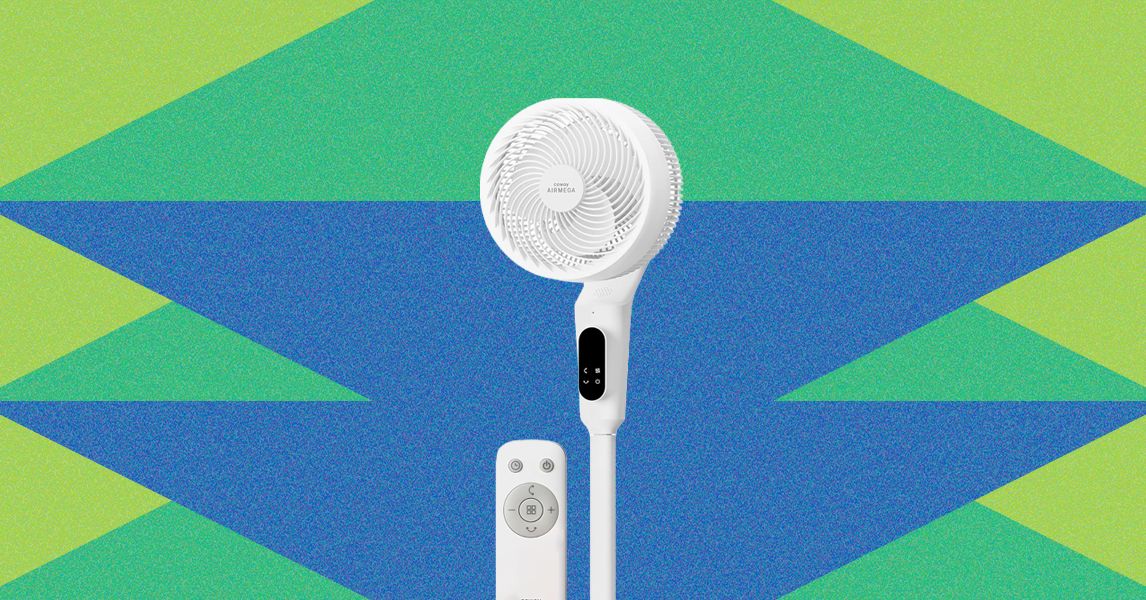
I’ve tested nearly 45 fans for WIRED over the past two years, so I can say this with some authority: Your fan doesn’t need an app. If the app helps connect the device with your smart-home ecosystem to enable voice control, that’s fine, but a fan is supposed to blend unobtrusively into the background of your life, not take up any remaining scraps of real estate on your phone or in your brain.
Coway, maker of some of our favorite air purifiers (which I will note are also app-free), agrees with this, which is why its first stand-alone fan, the P50 pedestal fan, eschews app-based controls. Turn the fan on or off, change the oscillation, or adjust the speed up and down with either your voice or the remote—no need for a phone or Wi-Fi. It’s a solid concept from a brand that’s proven its mettle in reliability and build quality, but after living with this fan for the past two weeks, I’m not sure its marquee feature is actually its main selling point.
The Basics, Done Well
The P50 is not Coway’s first fan. That distinction goes to the Airmega Aim, a combination air purifier/fan that looks like a little projector and is really not a serious contender for larger spaces or rooms that need a lot of airflow. The P50 is, however, Coway’s first stand-alone fan, spinning out a sufficient but not exactly impressive 866 feet per minute on its highest setting. (For reference, competitor Dreo’s similarly sized PolyFan 508 pedestal goes up to 1,040 feet per minute.)
The P50’s got 12 speeds, and at 26 decibels on low (68 on high), it is the quietest fan I’ve tested to date. Coway says this is due to the “eagle vane” design of its blades (which aren’t completely un-falcon-like) and brushless motor, an increasingly popular choice that I first spotted last year on Dreo’s 519 tower fan. Brushless motors are quieter, more efficient, and usually longer-lasting than traditional fan motors, which use carbon or graphite brushes to switch the electrical current as the motor spins. As with most newer fans, the P50’s head grate also pops off for easy cleaning of the inner components.
One of the first things I noticed upon assembly of the P50 was the fact the cord does not run through the center pole, like some other fans—it emerges about an inch below the back of the touchscreen control panel. This is because the segments can be removed to make the fan taller or shorter—from 23 inches to 41 inches, which adds a unique note of versatility. This is an admittedly unwieldy process that involves disassembling the fan, but it also helps that it only weighs a bit under 14 pounds, and it’s easy to move around by grabbing a loop on the back. The fan’s proportions are even enough that it isn’t top-heavy and it wasn’t easy to knock over, one of the biggest risks with pedestal fans.
Airmega, We Need to Talk
Video: Kat Merck
The voice control was perhaps the least impressive part of this fan, despite it being the flagship feature. In order to voice-activate a command, one must first say, “Hi, Airmega” or “Hello, Airmega.” (The “Hello” or “Hi” is required. Yelling “Airmega!” repeatedly in frustration will not garner a response.) Then, one must wait to hear “Hi! This is Airmega!” back in a voice somewhat reminiscent of the Alexa+ “sassy teen” intonation that I have been indirectly quoted as deeming “intolerable.” Only then is it time to deploy your request—so long as it is one of the 30 or so exact phrases the fan understands. You will know when it understands because it will chirp “Airmega is on it!” before executing the directive. If it doesn’t understand, well … it will do nothing.
The first couple of times I used the P50 I happened to have the included cardstock Voice Command Guide nearby, so aside from the irritation of having to wait for the “Hi, This is Airmega!” and “Airmega is on it!” responses, controlling the fan by voice went smoothly. It was only after I sat in another area of the living room, away from the Voice Command Guide, that things began to go downhill. “Airmega! Turn on!” I said.
Read the full article here