

Pros
- Very versatile panic button that can fit in any space in the home
- Free options to automatically notify emergency contacts
- Paid options to call police, fire departments, medical responders, etc
- Under $30
- Cover and disarming options to help prevent false alarms
- No additional hub is necessary
Cons
- Amazon Sidewalk is required if you don’t want to use a Ring Alarm hub
- $20 per month may be steep for connections to first responders, which have varying rules by location
Amazon Ring has had quite a year so far, including a Super Bowl miss, a suddenly cancelled contract with Flock Safety and a lawsuit over its face detection features. But the security company’s 2026 Panic Button ($30) is part of a collection of Ring Sensors that show Ring can still offer serious value in home safety, without the privacy compromises.
This Panic Button is a multi-purpose emergency option that you can stick anywhere without needing a hub, and tailor to the individual needs of your family. It doesn’t require linking to Ring neighbors, using opt-out AI detection features at your front door, or other Ring settings weighed down by privacy risks. The button just does its job, offering useful features with or without subscription.
You may have to accept some Amazon Sidewalk connections, a caveat I’ll talk about below. But overall this button is pain-free and convenient for a variety of households, from aging-in-place scenarios to kids who may be home alone, surprise fires and more. Here’s my experience.
A highly adaptable emergency button
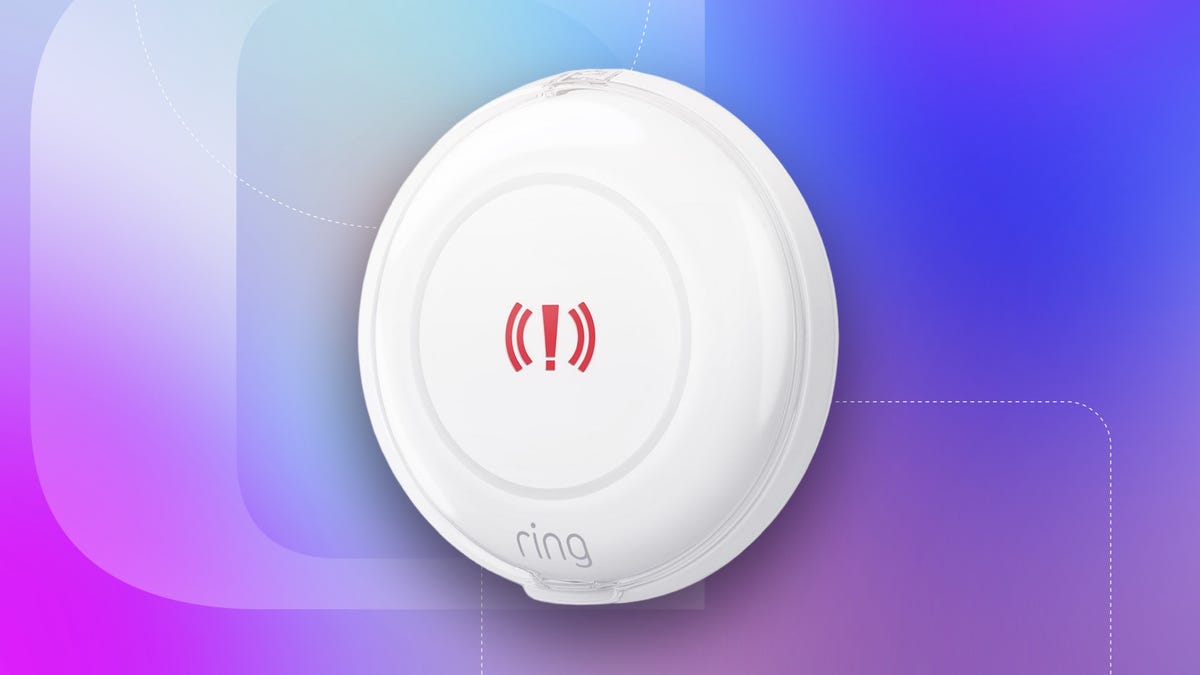
About two inches in diameter, Ring’s newest Panic Button is, indeed, a big button. A thin LED indicator light circles it, and attached sticky strips are ready if you want to attach it to a wall or similar surface. Pull the battery tab, and it’s ready to connect to the Ring app. Press the button for three seconds, and it activates.
The button comes with an optional plastic cover you can snap over it to prevent unwanted activations. You also have the option to disarm the button remotely if you have a Ring subscription. It’s a bit too large for the typical pocket, so expect to leave this sensor at home when you’re away.
Inside, the button runs on two coin cell batteries, rated for up to three years before you need to worry about replacement. But what does that button actually do when you use it? It depends on you set it up.
Emergency contacts and professional monitoring
First, the important part: You don’t need a Ring Protect subscription to use the Panic Button, but it does add extra options.
For free, you can use the Ring app to set up your emergency contacts, via the Monitoring section, who will be notified when you press the button. Ring highly suggests making the first contact yourself, so you get notifications about when the button is pressed and can handle further details.
Otherwise, you can add contacts like a medical helper or nurse, a family member, a trusted neighbor, or a specialist who is the best person to help during the specific emergency you have in mind. You are also encouraged to set up a verbal password so your contact knows it’s you and you aren’t speaking under duress.
In addition to this customization, Ring offers the option to add professional monitoring with a Ring Protect program, which starts with the $20 per month Ring Pro plan. You can set the button to either a Panic mode for the police or 911, a Fire mode for the fire department or a Medical mode for parademics and similar first responders.
How this professional monitoring works depends on where you live. In some locations, like mine, Ring can’t just send a first responder, visual affirmation is required to avoid false alarms and similar problem. Ring can call you and make sure there’s an emergency, which is the speedy way to fix this. Or Ring can send a Guard Response, a private worker to come check out the situation for a $75 fee, which isn’t ideal unless neither you nor anyone else can be there.
There is a 30-day free trial for the professional monitoring, so you can enable it immediately and see how it works before you start paying.
Overall, the Panic Button excels by offering so many different ways to use it, making it a viable alternative to a full home security system or a safety option for situations very specific to your life.
One small caveat: Amazon Sidewalk is built in
It’s refreshing to cover a Ring device that doesn’t include the risk of storing personal data in the cloud or giving Ring’s AI the ability to record and analyze facial data — or give the police access to similar capabilities in your own neighborhood. But the Panic Button does have one connection that’s worth calling out.
This sensor doesn’t require a hub to use, another advantage I really like. But instead, it uses Amazon Sidewalk, a network that has drawn controversy in the past. Sidewalk basically connects to any compatible Ring and Amazon devices around to form a type of mesh network. That network improves the strength of Amazon devices while enabling sensors like the Panic Button.
However, Sidewalk also taps into other nearby devices, like Ring cameras your nearby neighbors may be using (any data transferred is encrypted), as well as your own Wi-Fi router, meaning it eats up a bit of your bandwidth. That makes some people uncomfortable.
You can opt out of Amazon Sidewalk entirely, but then you’ll need a Ring Alarm hub to use the Panic Button. On the positive side, Ring Alarm systems also come with add-ons like sirens that the Panic Button can activate, so you get extra capabilities if you go this route. The downside is that it costs an extra $200 or so.
Final thoughts on Ring’s 2026 Panic Button
Ring’s approach to its latest Panic Button works on several levels, like not needing a subscription to use emergency contacts and being able to customize it for fires vs. medical emergencies vs. 911 incidents. I also like that it doesn’t need a hub, although you will have to accept Amazon Sidewalk for this benefit.
The full value of the button will cost you $20 per month for the right Ring Protect plan, but the initial cost at $30 is low, especially compared to a full security kit. This could be an appropriate alternative for many homes, and I like seeing a Ring product that doesn’t have the privacy worries that its AI features and cameras can include.
Read the full article here