

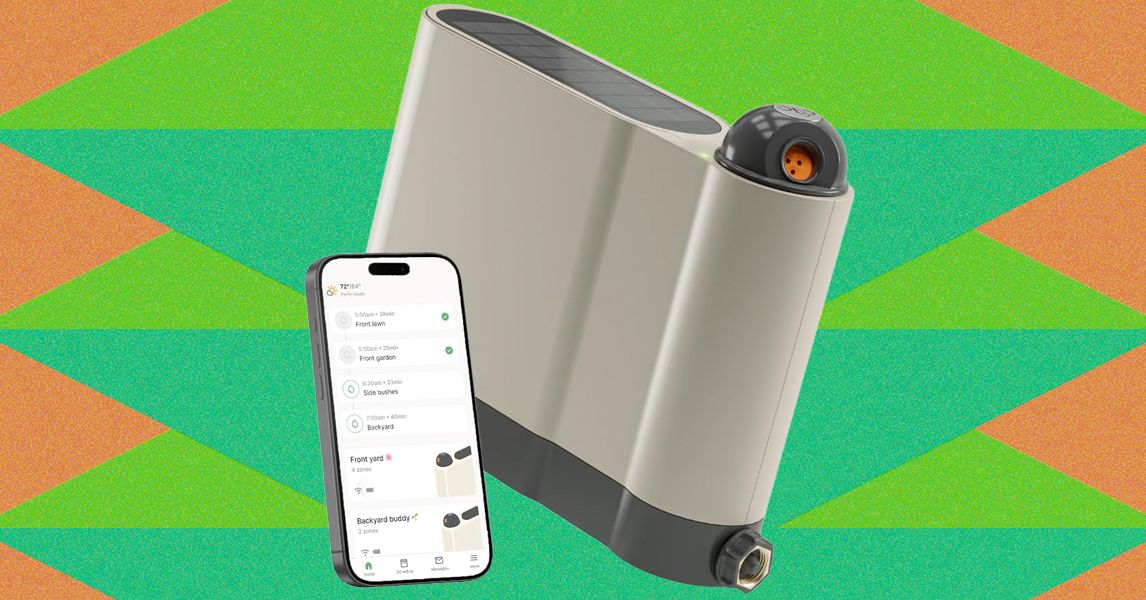
Once configured, setup proceeds much like the Aiper and pricier Irrigreen apps: You create a zone, then use the app to define its boundaries. Similar to the aforementioned systems, Oto’s sprinkler is designed for precision watering, firing water in a beam in a single direction instead of a wide spray. That said, Oto’s spray is comparably narrow, only hitting a single, designated patch instead of producing a two-dimensional curtain of water like Irrigreen’s “water printing” system. You get a nice preview of this as you set the boundaries of your yard.
Like its competitors, Oto lets you set each zone as a spot (for watering a single tree, perhaps), a line (for a flowerbed), or a 2-D area (for a yard). I tested all of these modes but spent most of my time working with area zones, which are the most complex option. When defining an area zone, I found Oto’s system to be virtually identical to that of Irrigreen and Aiper, though ever so slightly slower to respond to commands. Even so, it’s very easy to use: A simple interface lets you drop points around the sprinkler to define the boundaries of the zone. When you’ve made a full circle around the sprinkler, the area is complete.
Once configured, you can assign each zone a schedule, with copious options available around which days to water (odd days, even days, select days of the week, every day), and designate a start time (though there is no tying time to sundown or sunrise). Each schedule also gets a weekly watering limit (in inches of depth), which you’ll then parse out over each week’s watering runs. Weather intelligence features let you elect to skip watering if your zip code receives measurable rainfall or if winds are high (both based on internet reports); the user can tweak both the amount of rain and windspeed needed to trigger a skip. The app logs the 20 most recent runs and includes a calendar that details upcoming events.
When watering an area, Oto takes a novel approach to covering the lawn, first moving in circular arcs directly around the sprinkler, then slowly increasing in range with each successive swipe. When finished, it does additional “clean-up” runs to hit any areas that the initial watering arcs didn’t reach. The speed is slow enough and the size of the water’s beam is large enough that the resulting coverage is solid. After test runs, I found the yard to be plenty wet across the entire zone, with no dry patches.
As with all sprinklers, changes in water pressure can make for occasional over- or underwatering of areas, but I found this to be a minimal problem when using the Oto. However, when watering at the terminus of Oto’s range, the power needed to throw the water that far can make for a strong splashdown, which may result in some soil erosion or damage to more sensitive plants.
The Oto also has a “play mode” option that lets you use the sprinkler for a watery game of chase or a more random “splash tag” mode, aka “try to avoid getting hit by the water.” Pro tip: It’s impossible not to get hit.
Read the full article here