

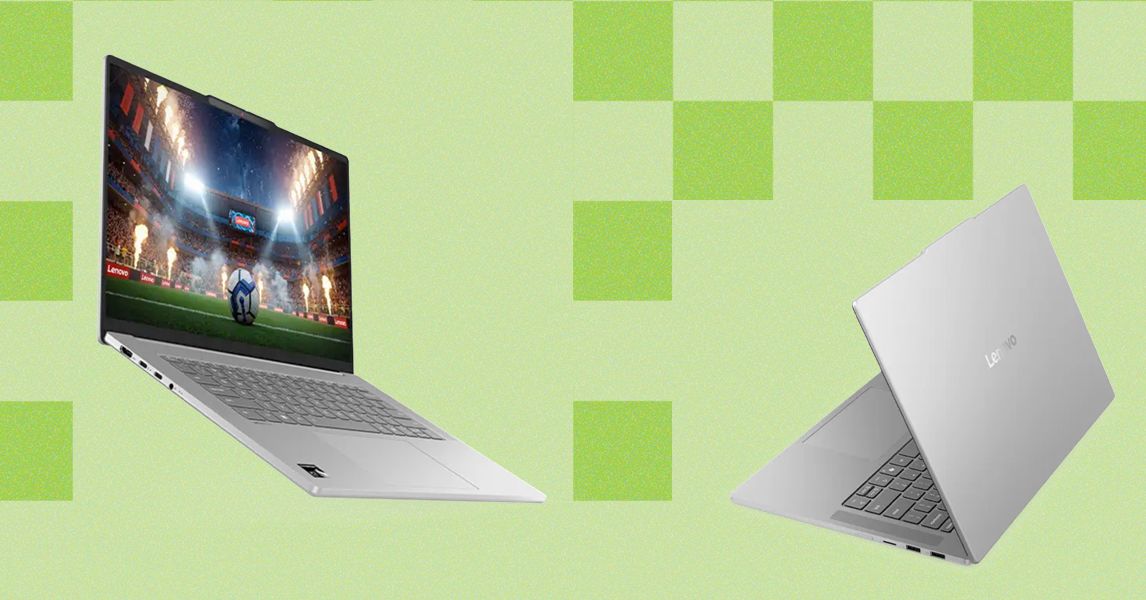
But one of the positive things with the 15.3-inch screen is that Lenovo didn’t try to squeeze in a number pad. No, no. Just a standard keyboard layout with a centered touchpad and an adequate amount of room for your wrists. And yet, this also doesn’t feel like an overly large laptop. The width and depth dimensions are nearly identical to the 15-inch MacBook Air, and it’s only about 0.16 inches thicker. It’s definitely a backpackable and travel-worthy device.
And here’s where the remaining compromises are surprisingly few and far in-between. One of the first things I test with budget laptops is the touchpad. Cheap Windows laptops have notoriously awful touchpads, and it’s one of the important parts of a laptop that can’t be spelled out in the specs. I’m happy to report that the IdeaPad Slim 5x has a better tracking surface than most other laptops at this price. Performance is far better than on the HP OmniBook 3 or OmniBook 5. It’s certainly more responsive than the Asus Vivobook 14. I’d say it’s more or less on par with the Dell 14 Plus from last year, though that laptop has received a price increase in recent months. The sound of the click is my only real complaint about the IdeaPad Slim 5x’s touchpad. It’s too loud. I’ll take a responsive surface over a quiet click any day, but if you work in an office with coworkers, they might get annoyed by it.
Photograph: Luke Larsen
I was also surprised by how the speakers sounded. They didn’t blow me away, but compared to the average set of speakers on an average Windows laptop at this price, they’re impressive. Of course, even a 13-inch MacBook Air sounds undoubtedly fuller and bassier, but these are at least serviceable. The webcam doesn’t fare as well. It’s really only adequate in good lighting.
It Only Gets Better
The Qualcomm Snapdragon X2 Plus is no M5 killer—that’s for sure. Despite improvements to the GPU this time around, the Apple M5 is still in another league. But Qualcomm is closing the gap with CPU performance, even if the M5 remains the undisputed champion. I’d say that is a bigger deal in laptops designed with performance in mind, but here, that’s not as much an issue. You aren’t buying an $850 to be a full-time video producer, AI junkie, or esports gamer. For the things the IdeaPad Slim 5x is designed for, it excels.
My normal workflow consists of juggling a full load of work apps, dozens of browser tabs, and probably some music and video streaming simultaneously. The X2 Plus didn’t skip a beat. I came away convinced that there’s more performance than what most people will even need. That’s especially impressive since the X2 Plus is a step down from the more powerful X2 Elite (or X2 Elite Enhanced), which is partially how Qualcomm and Lenovo were able to get the price down.
The display is also an aspect of this laptop that surprised me. It’s brighter and more colorful than most laptops at this price, and the addition of a touchscreen is handy. While I don’t typically like matte screens, the IdeaPad Slim 5x’s more subtle anti-glare coating made this display feel premium and clear–just without the heavy reflections.
Read the full article here