



Close Menu
Modern Life Today
  • Tech
  • Smart Home
  • Energy
  • Home Security
  • Kitchen & Household
  • Outdoor
  • Home Internet
  • More Articles
Trending Now

How to Disable Gemini in Gmail and Google Docs

August 9, 2026

Review: Samsung G8 6K Gaming Monitor

August 9, 2026

The Best AI Notetakers to Record Your Meetings, Interviews, or Classes

August 9, 2026
Facebook X (Twitter) Instagram
Modern Life Today
  • Tech
  • Smart Home
  • Energy
  • Home Security
  • Kitchen & Household
  • Outdoor
  • Home Internet
  • More Articles
Subscribe
Modern Life Today
Home»Tech»Review: Samsung G8 6K Gaming Monitor
Tech

Review: Samsung G8 6K Gaming Monitor

Press RoomBy Press RoomAugust 9, 2026No Comments3 Mins Read
Share Facebook Twitter Pinterest Copy Link LinkedIn Tumblr Email

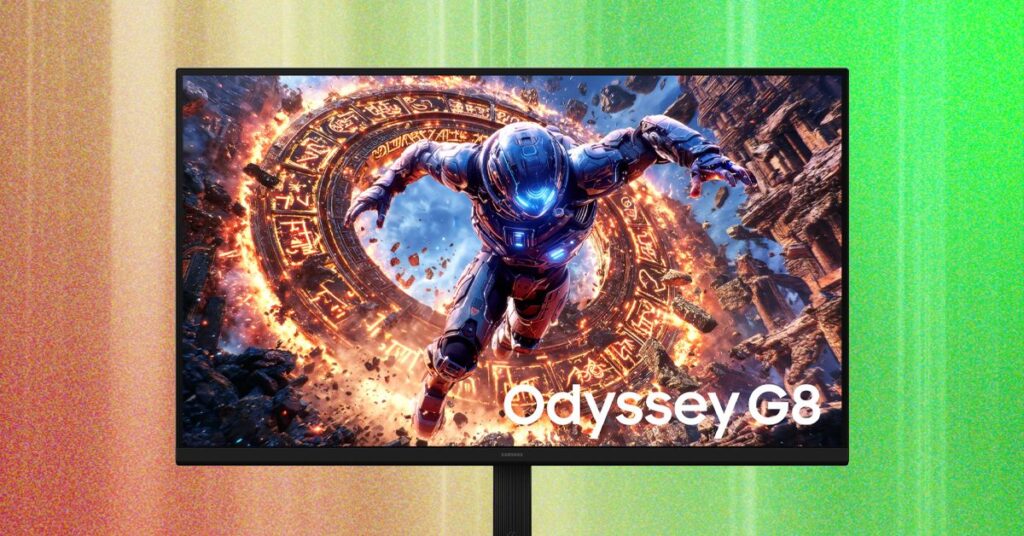
That’s a lot of pixels, and it results in an extremely sharp image. How much of a difference it makes is likely up to your viewing preferences, and perhaps even your visual acuity, but I found the difference obvious and dramatic.

The thing about sharpness is that it can make virtually everything you view look sharper. The Windows desktop is better. Games are sharper. Photos—if they’re of high quality—are sharper. The only thing that won’t see much improvement is video, as very few video sources exceed 4K resolution.

And the leap to 6K can solve some persistent visual quality issues in games. Fine objects, like power lines or a chain-link fence, are notoriously difficult for games to render without blocky, jagged aliasing. 6K nearly eliminates the problem, providing a clean and crisp image with extreme detail in even the smallest, finest objects.

Too Many Pixels?

Unfortunately, 6K has a big downside, too. You need a PC that can actually handle it, and most can’t.

Modern PCs will generally output 6K without an issue, though if you’re on a system more than five years old, you should double-check your available video outputs. Hitting 6K at 165 Hz is a different story, though. You’re going to need a DisplayPort 2.1 output or an HDMI 2.1 output. That’s not rare on new PC hardware, but your PC may lack these ports if it’s more than a few years old.

Even if you have the required ports, though, rendering a 3D game at 6K resolution is a lot more demanding than rendering a 2D application. As mentioned, it’s a roughly 155 percent increase in pixel count over 4K—and an incredible 10X increase over 1080p.

Rendering all those extra pixels isn’t easy, and odds are high that your PC can’t handle it in modern games at a playable frame rate and acceptable detail settings. Mine certainly can’t, at least not in demanding titles, and I’m fortunate enough to have a gaming desktop with a recently released AMD Radeon RX 9070 XT graphics card. Most PC gamers aren’t so lucky. Even the mighty Nvidia RTX 5090 is going to struggle if you’re playing path-traced games like Alan Wake 2 or Halo Campaign Evolved.

To be fair, you can play these games at a lower resolution, like 4K, without a hugely bothersome hit to image quality. Modern image upscaling can also make up some of the difference. But if you have to play at 4K or lower to achieve playable frame rates, you’ve lost the 6K monitor’s greatest strength.

6K resolution can also lead to problems in older games. Titles more than a decade old often have a user interface that targets a lower resolution. Sometimes the UI can’t scale up, which results in tiny icons and text. In other cases the UI can scale up, but the art assets remain at a lower resolution, which leads to a fuzzy and muddy look.

LCD in an OLED World

Photograph: Matthew S. Smith

On its own, the G80HS’s resolution would be an acceptable compromise. It requires a beefy rig but also delivers unparalleled sharpness. Unfortunately, there’s another problem. The monitor has an IPS-LCD panel.

Read the full article here

Share. Facebook Twitter Pinterest LinkedIn Tumblr Email

Related Articles

How to Disable Gemini in Gmail and Google Docs

August 9, 2026

The Best AI Notetakers to Record Your Meetings, Interviews, or Classes

August 9, 2026

Review: Laduora Duo 4-in-1 Red Light Therapy Scalp and Hair Care Device

August 9, 2026
Add A Comment
Leave A Reply Cancel Reply

Demo
Top Articles

The Nintendo Switch 2 Is In Stock and In Bundles, So You Can Game More and Spend Less

July 10, 2026

TikTok Shoppers Thought They Were Bidding on iPhones. Instead, They Won Teddy Bears

June 16, 2026

This World Cup, You Can Watch the Game From a Ref’s Point of View

June 11, 2026

Cozyla’s Digital Calendar Just Took a Prime Day Dive to $280, but Expect This Deal to End Soon

June 29, 2026
Don't Miss

The AI Notetaker Has Been Invited to All the Meetings

By Press RoomAugust 8, 20260

As Wispr Flow CEO Tanay Kothari chats with me about his company’s new Notetaker feature,…

Review: Shark PowerDetect Speed

August 8, 2026

Review: Alienware 27 QD-OLED Gaming Monitor (AW2726DM)

August 8, 2026

All the Ways You Can Make Reading on Your Phone Easier

August 7, 2026
About Us
About Us

Modern Life Today is your one-stop website for the latest gadget and technology news and updates, follow us now for the news that matters to you.

Facebook X (Twitter) Pinterest YouTube
Featured News

The Top New Features in Apple’s iOS 27 and iPadOS 27

June 10, 2026

GM Wants Your Electric Car to Power Your House—and Your Neighborhood

June 10, 2026

Apple Struck the Right Notes With Its New AI Tools. Here Are 4 Features I’m Excited to Try

June 10, 2026
Trending Now

The 2-Minute Microwave Cleaning Trick That Beats Every Spray You’ve Tried

June 10, 2026

Walmart Deals of the Day: The AirPods Pro 3 Just Dropped to Their Lowest Price Ever

June 10, 2026

Best 2-in-1 Laptop for 2026

June 10, 2026
  • Home
  • Privacy Policy
  • Terms of use
  • For Advertisers
  • Contact
2026 © Prices.com LLC. All Rights Reserved.

Type above and press Enter to search. Press Esc to cancel.