

Buying a security camera is the easy part. Figuring out exactly where to put it, how to attach it and which mounting method will keep it stable, weatherproof and pointed at the right angle is where most people run into trouble, usually after they’ve already drilled a hole in the wrong spot.
I’ve installed cameras on nearly every surface type and with every common mounting method, and the differences in how well each option holds up are more significant than most installation guides acknowledge. Here’s what I’ve found works, what doesn’t and what I’d do differently if I were starting from scratch.
So, which camera mount is best?
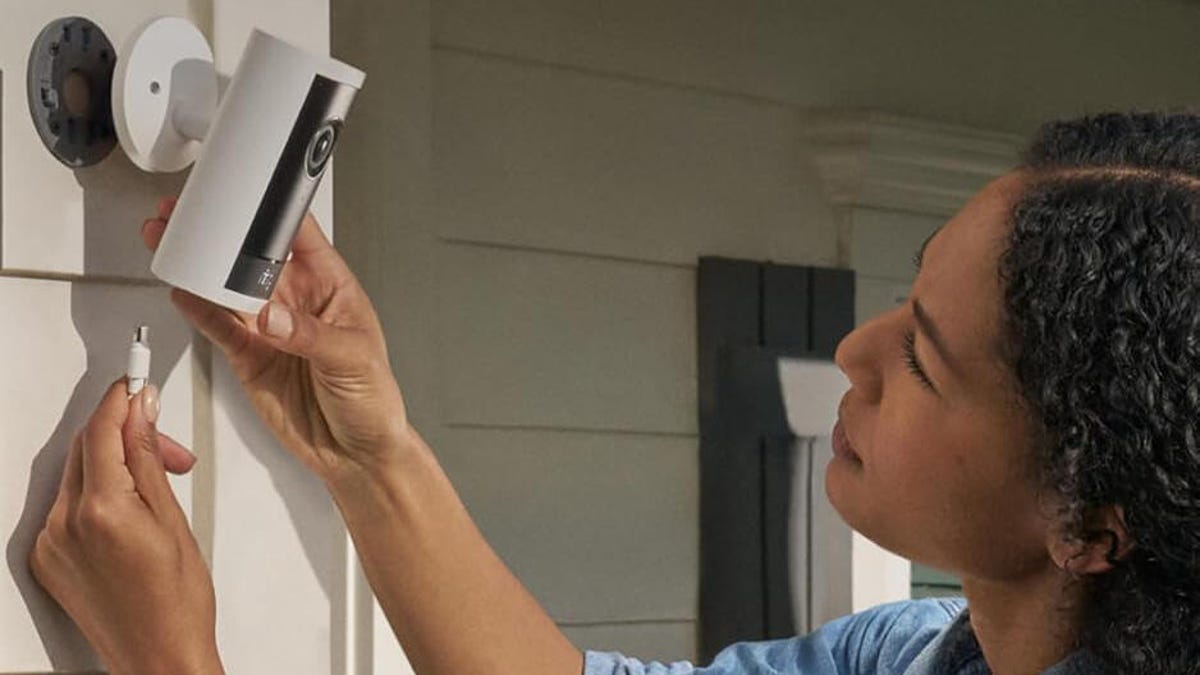
The best camera mounts remain versatile while offering reliability in all kinds of conditions. My personal favorites are screw-in or wire-in mounts that use magnetic connectors for the camera so you can easily adjust or remove it. That includes Google Nest options, custom Arlo magnetic mounts and certain Tapo cams. However, traditional screw-in bases have their advantages and wireless shelf mounts have a versatility that’s hard to beat.
However, if you’re using an adhesive mount or light bulb socket mount, I’ve found these options are much more limited in where they can go. I’ll take each choice one at a time so you can see what I mean.
Screw-in wall bases
Screw-in bases use a couple of screws to attach a camera base to a wall, so users can then attach the camera to the base and angle it. It’s a no-nonsense approach that’s reliable for outdoor camera installation, especially wireless cameras (they work on indoor walls, too). You don’t have to worry about the base falling down in a windstorm and they’re pretty hardy against other elements.
The only trick with screw-in bases is that you need to find the right spot and material to screw them in. That can be harder than it sounds. Screwing into stucco, for example, doesn’t work well without specialized components and may damage the stucco. And my house has fiber cement siding, which you can’t drill through, so many prime locations for security cameras are off limits. These cases require a little creativity, like finding siding, eaves or a fence post that you can screw into safely — preferably nonstructural wood.
Screw-in base with magnetic mount
Another type of screw-in mount uses a magnetic base instead of a physical latch-on design to attach the camera. Nest’s outdoor floodlight is one example of how these magnetic bases work but Tapo and many other brands also have them.
This is my favorite version of screw-in mounts. The cameras are so easy to pop off and clean, or make small adjustments to the angle to get them just right. The only issue is that wind or time can somewhat dislodge them so you may need to course-correct after a while.
Wired-in mounts
I prefer wireless cameras outdoors, simply because of the options they open up for placement. But there’s another popular type of camera mount, a wired-in solution where the camera is directly connected to the home’s electrical system. This is more common with floodlight cameras, larger dome security cameras, any PoE (Power over Ethernet, which requires a cable connection) camera and similar models.
On the plus side, you never have to worry about battery issues with these cameras. However, they may fail if your home loses power. Also, they’re a bit of work to install. You’ll need to replace the base, plus strip and connect three wires, which not everyone is comfortable doing. Also, it requires a junction box or similar wired opening, which limits these cameras to spots where lights or cams are already installed.
Overall, I like wired-in solutions for any camera with big light panels, which don’t usually play well with battery models.
Plug-in shelf mounts (indoor)
The quintessential indoor camera is a simple plug-in model that requires a nearby wall outlet, usually with a cable that’s about 4 to 6 feet long. No work involved here, just plug and play — as long as you have a handy shelf or table to put the camera on.
This is a strictly indoor mounting option unless you have specialized outdoor-safe cables. It’s a simple, cheap choice but I recommend picking the exact outlet and spot on a shelf where you will use a security camera first. Many of these plug-in models have pan/tilt features so they can fit in an out-of-the-way place.
Wireless shelf mounts
This is a rare type of shelf and table mount that supports a wireless, battery-powered camera. Only a few brands offer this option. Nest’s indoor/outdoor cam has a compatible cam stand that can charge it but you don’t have to plug it in when the camera is charged, which makes it more maneuverable.
More versatile is the Ring Outdoor Cam Plus, previously called the Ring Stick Up Cam, which has shelf/table mounts and a built-in battery. I like this option because you can move these cameras around, taking them from a playroom to an entryway to a backyard, whatever you want to keep an eye on. They also have more permanent mounting options.
Adhesive sticker mounts
Some cameras come with bases similar to screw-in models but with two-sided adhesive stickers to attach the cam. I’m not going to knock these adhesive pads much: They’re usually 3M stickers designed for outside use and they’re seriously powerful. But they aren’t a great fit for security cameras.
Security cams, especially outdoor models, tend to be heavy and a single adhesive strip doesn’t, in my experience, hold for very long before the weather and weight lead to cameras falling.
There’s also another issue — these adhesive stickers require a smooth, flat, very clean surface to work well. That means you can’t use them on siding, concrete or any type of wood or stone. They’re mostly limited to metal and glass outdoors, so people may have a hard time finding a spot. Only choose this option for small, lightweight security cams. Many cams with adhesive options still include a screw-in alternative.
Light bulb mounts
Light bulb mounts, like they sound, are used for special security cameras that screw into light bulb sockets, like a socket above your porch or entryway. That sounds convenient, and it absolutely can be in the right situations, but this is probably my least-favorite mounting option.
Light bulb cameras are cheap but they’re usually limited and lack the quality or extra features that other security cams do. You also lose a light in an important spot for a not-as-useful spotlight instead.
And while these cams can usually rotate, they are limited to what they can see from a light socket, so you have very few placement options. It’s a fun idea but rarely practical in the real world. I do recommend them for small, out-of-the-way additions for those who don’t want to add a bunch of complex home security.
What about solar panel add-ons?
If you’re mounting a wireless outdoor camera, you also have the option of adding a compatible solar panel to most brands. That means you don’t have to worry about replacing the rechargeable battery — but you will need to install the solar panel at the right angle or find a model with a solar panel built in.
The process takes extra work and placement, and won’t be as effective in every climate. But if you are getting a wireless outdoor camera for the right sunny spot, it’s certainly worth considering.
While you’re here, why not stop by my guide to the best DIY home security systems, too?
Read the full article here