

All earbuds and headphones gather all sorts of grime every day. From earwax and dried sweat to dust and dirt, it can become a breeding ground for bacteria that can lead to actual health issues. Even if you’re not worried about that, the buildup of gunk can negatively affect the sound — and really, they can just look gross. Simply cleaning your earbuds and headphones regularly can prevent this.
While most sports headphones are water resistant, you shouldn’t dunk any headphone under running water. Many household cleaning agents can also damage them. Which is to say, there are specific ways to clean headphones without damaging them. Here’s how.
How to clean wireless earbuds
The first step is to detach the silicone tips, if your earbuds have them, and soak them in warm, slightly soapy (diluted) water for about 30 minutes. For stubborn stains, you can agitate the container to loosen up the gunk. Once clean, use a soft cloth or cotton swab to wipe away any remaining earwax or dirt and set aside the silicone tips to air dry completely. If you used soap, rinse them first, then let them dry.
If your eartips are worn or beyond cleaning, replacements are cheap. We recommend these affordable $13 ear tips that can be attached to standard AirPods. Memory foam tips like those from Comply might give you a better seal than the stock tips that came with your earbuds, and most come with a mesh so earwax can’t clog up the earbud drivers.
For the microphone and speaker meshes, we recommend you use a microfiber cloth or a soft-bristled brush to gently wipe away dirt and grime. Cotton swabs might work, but be careful the cotton doesn’t get grabbed by the mesh. Also, don’t press too hard, since you could push the wax through the mesh and it would be nearly impossible to remove it.
CNET Senior Editor Matt Elliott also suggests using Fun-Tak to remove any stubborn earwax that’s leftover after your initial wipe down. He instructs that you rub the Fun-Tak together to warm it up and then press it against the speaker. Then, you can use a wooden toothpick to scrape off anything stuck to the sides of the speaker hollow.
Don’t forget your charging case
Yes, your charging case gets grimy too. And it doesn’t make much sense to go through the effort of cleaning your earbuds only to return them to a dirty charging case.
To clean the case, use a dry, lint-free microfiber cloth to wipe away any visible dirt. You can slightly dampen the cloth with water, but be careful to avoid getting any liquid inside the charging ports. If there’s anything in the charging port, compressed air or a soft brush should be able to get it out. Don’t use water and be careful if you use anything hard or metal as it could damage the wires in the port.
How to clean over-ear headphones
Like earbuds, you should never run over-ear headphones under water, use abrasive tools or get liquids in any openings. Even models with some level of IP water resistance rating, that rarely covers high-intensity blasts of water like holding them under a faucet.
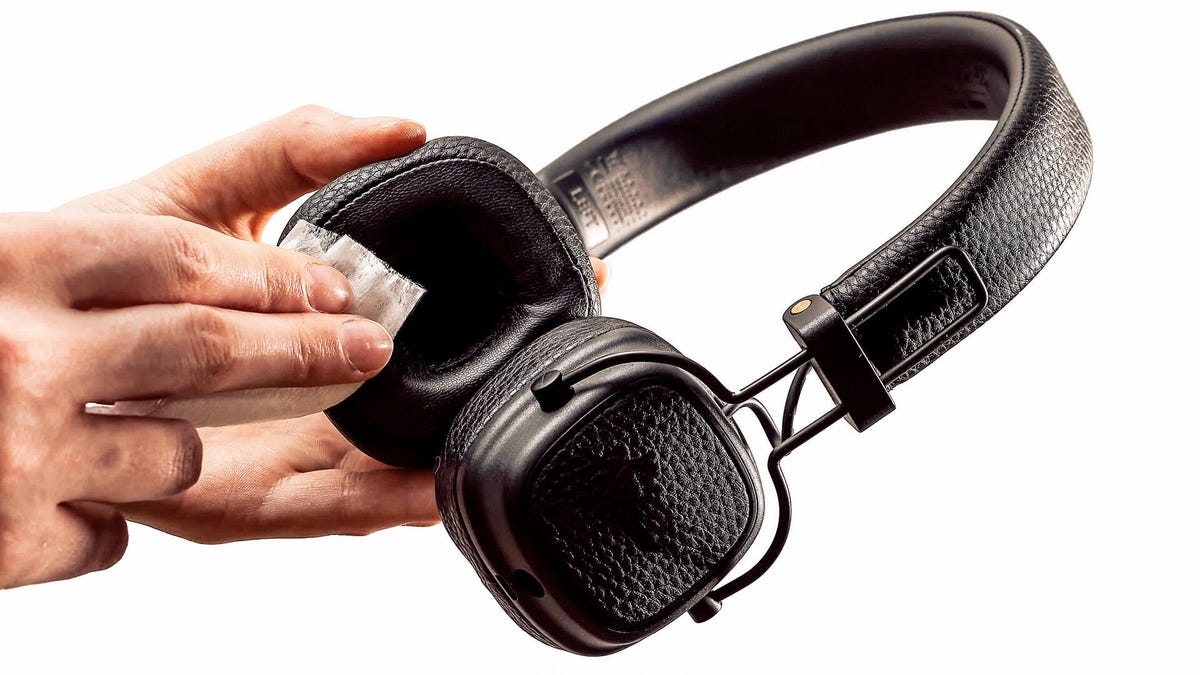
The best method is to wipe down the headband portion with a dry cloth, ideally microfiber. If necessary, a damp (but not wet) cloth is fine. Typically you should avoid using rubbing alcohol, alcohol wipes, and really, most cleaning products as the chemicals can damage many headphone materials. Unscented, alcohol-free baby wipes might be acceptable for some surfaces of headphones, but not all.
If a damp cloth can’t get a spot clean, the manufacturer likely has recommendations for what you can use and just as important, what not to use. This may include specific leather cleaners for headphones with real leather components. Other materials, like velour and Alcantara, might be damaged with any type of cleaning product.
If you use any cleaning product, unless otherwise specified, make sure you wipe it off with a damp cloth. Letting some surfaces air dry with chemicals still on them can accelerate damage and wear.
If the earpads are removable, pop them off to get better access to them and the surfaces behind, which might also need cleaning.
General cleaning tips to follow
Here’s a rundown of a few more earbud-cleaning tips to remember:
- Never fully submerge your earbuds or headphones in water — even if they’re advertised as “waterproof” or “water-resistant”.
- Microfiber cloths are your best bet. Dry is good, damp is (usually) fine. Dripping wet should be avoided.
- Refrain from using sharp objects, like safety pins, pens, broadswords, and kitchen utensils, to clean the speaker or microphone mesh.
- Make sure not to get any liquid in the openings.
- Avoid exposing your headphones and earbuds to products that can cause stains or other damage, including harsh soaps, shampoos and conditioners, lotions, perfumes, solvents, detergents, sunscreen, oils or hair dyes and other hair products. If you use it to clean kitchen and bathroom surfaces, it’s probably too harsh. Even less-harsh soaps should be diluted significantly and used sparingly.
Read the full article here