

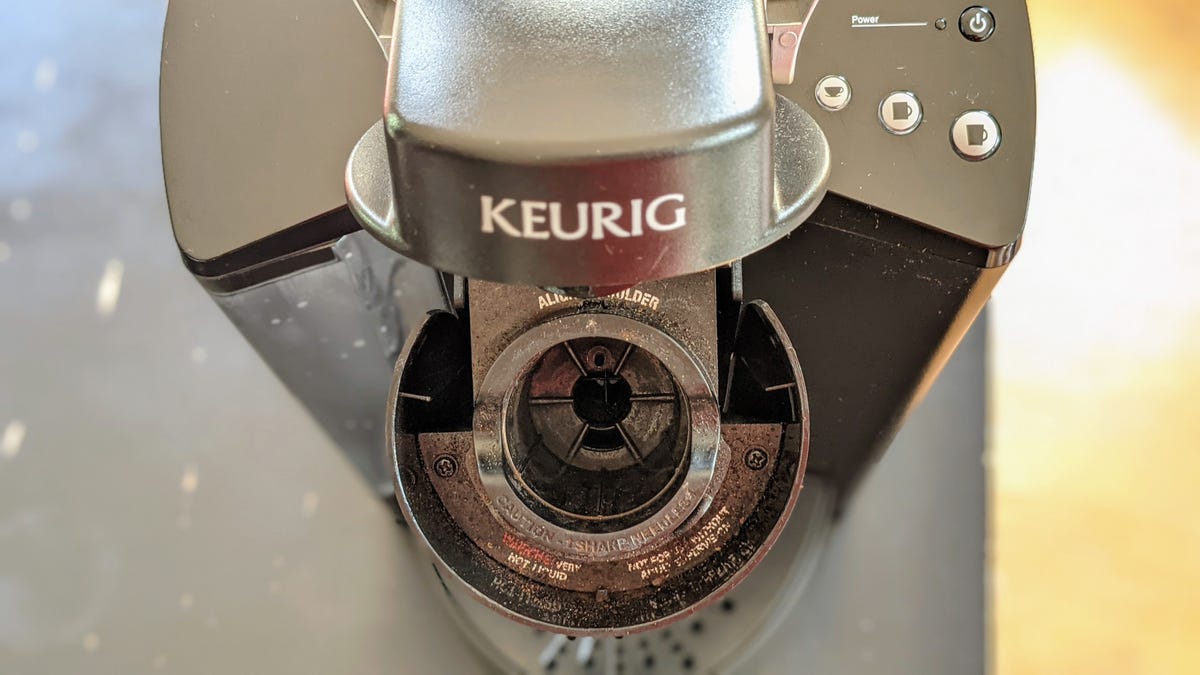
Making a cup of coffee with your Keurig is the easiest way to get that caffeine fix without leaving the house. Choose the right K-Cups, and your taste buds will never know it all happened with the push of a button. But here’s an uncomfortable question: When did you last clean your Keurig?
If you have to stop and think about it, that’s a problem. That compact, convenient machine is essentially a warm, moist environment where gunk, bacteria and mold proliferate — and it happens far more than people realize. Reddit users have been posting genuinely alarming photos of coffee makers left uncleaned for months, and the results aren’t pretty.
The fix for a dirty, mildewy or moldy Keurig is simple and even the most dire scenarios shouldn’t warrant tossing it to the curb. A proper Keurig cleaning — descaling the inside, washing the removable parts — will keep your machine running better and for longer and avoid coffee that’s teeming with some pretty nasty stuff.
Here’s a guide to cleaning and descaling your dirty Keurig today.
Before cleaning your Keurig
Before you start cleaning, make sure there isn’t a used pod still in the machine’s pod holder. Leaving your K-Cups for days on end before taking them out can promote mold growth, and where do you think that mold could eventually end up? That’s right, your favorite coffee mug. Take your K-Cups out after your brew has cooled a bit.
Make sure you also unplug your Keurig before cleaning. This will make it easier to spin it around and move it if necessary while you’re cleaning it.
1. Wash down the outside of your machine
We’re not talking about using a water hose, but give your Keurig a nice cleaning on its exterior surfaces to remove any dried coffee residue. Keurig itself suggests wiping down your machine every day.
2. Clean the drip tray
Spilled coffee is likely to build up in the drip tray, so make sure you’re emptying and cleaning it regularly. Otherwise, expect mold and smells to develop after weeks of neglect. Washing the drip tray is quick and easy — dish soap and warm water will do the trick.
3. Clean the reservoir
Although its primary purpose is just to hold water, don’t skip on giving the water reservoir and lid some love. You can hand-wash it with warm water and dish soap or throw it in your dishwasher. Before you clean these, make sure you remove the water filter at the bottom of the reservoir first; otherwise, you’ll just create a new problem for yourself.
4. Clean the K-Cup holder
This part of your Keurig sees most of the action and in turn, can be one of the grosser parts to clean. While it’s best if you clean every part of your machine, if you choose to just do one of these steps, it should be this one, by a lot.
Check the user manual that came with your machine or online to see how to properly remove the holder and so you can clean underneath it. You can run the holder under hot water to wash away any coffee grounds, residue or oils, but wiping it down a bit will be helpful as well. Also, don’t forget there’s a sharp needle in this area used to puncture K-Cups, so take care around it.
5. Descale your machine with vinegar or a descaling solution
This one you probably expected to see on this list at some point. But if you didn’t know, descaling your machine is necessary to ensure it works properly and continues to do so in the long run.
Given the sheer number of different models, activating the descaling mode on your specific coffee machine may be a little different, but Keurig’s descaling support page should help you find the right combination of buttons to press.
In general, descaling involves filling your Keurig’s water reservoir with a mixture of vinegar and hot water (or Keurig’s pre-made solution) and running all of the solution through the machine without a pod until you need to add more water. Make sure you have a container large enough to catch the vinegar-and-water solution as it flows out. Let the Keurig sit for a few minutes and then fill the reservoir with water and repeat the brewing process. You’d probably benefit from repeating this a few times to avoid any potential vinegar aftertaste.
Luckily, descaling your machine isn’t required weekly. Keurig encourages you to descale every few months, though.
FAQs
What is the most important part of the Keurig coffeemaker that I should be cleaning?
If you clean only a single part of your Keurig, it should be the K-Cup holder. That’s where most of the grime and waste will accumulate, making it a breeding ground for mold that could affect your future coffee cups.
How often should I clean my Keurig?
You should clean your coffeemaker once every few weeks, making sure there’s no mold building up in the K-Cup holder or the drip tray. A full descaling of the appliance should be performed every few months.
Read the full article here