

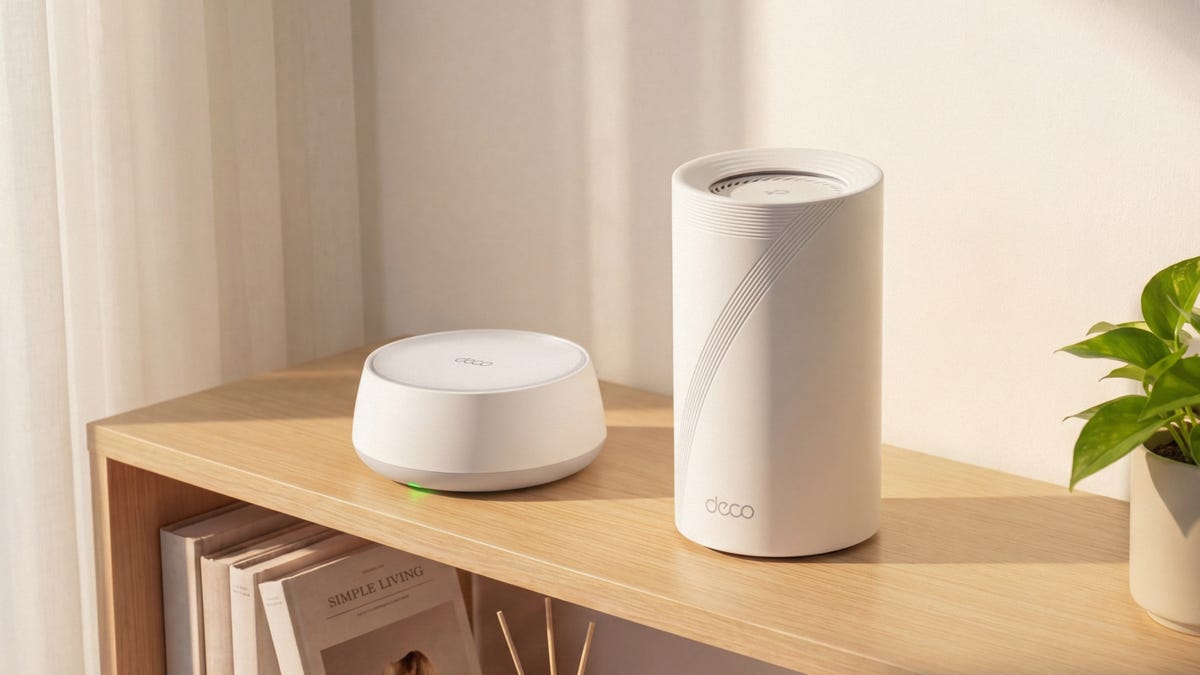
When just about everything you do requires reliable Wi-Fi, spotty home internet can be a big problem. Dead zones, slow speeds and unreliable connections can lead to dropped video calls, affect remote work and make you miss big moments while streaming your favorite shows or live sports. And if you’ve tried a range extender, you know it’s rarely the answer.
Replacing your Wi-Fi router is one of the best upgrades you can make — but the right choice depends on your home and how you use it. The latest Wi-Fi 7 technology, found in mesh systems like TP-Link’s Deco 7 collection, delivers faster speeds, lower latency and greater device capacity — so the more you understand what your household needs, the easier it is to find the perfect fit.
What Wi-Fi 7 changes for your home network
Wi-Fi technology has been improving every few years since it became widely available in the late ’90s. If you haven’t updated your router in the past decade or so, you’re likely missing out on faster speeds and greater efficiency that newer models offer.
The latest standard, Wi-Fi 7, has been tested by CNET Labs and delivers a significant speed boost over previous standards. It also offers lower latency, higher efficiency and greater network capacity, all of which add up to fast, reliable wireless even in high-demand situations like 4K sports streaming, gaming or when multiple users are on video calls at the same time.
To enjoy those speeds, you need a router built for Wi-Fi 7. TP-Link’s Deco 7 mesh systems are fully Wi-Fi 7 compatible — and even if you’re not chasing the latest tech, choosing a Wi-Fi 7 system now means your home network is ready for whatever comes next.
How a mesh Wi-Fi system works (vs. a single router)
Your router plays a key role in your home’s internet ecosystem. While your modem connects to your internet provider, the router connects to all the Wi-Fi-enabled devices in your home — laptops, cell phones, tablets, smart appliances, even your thermostat. But that signal gets weaker the further you move from the router. It can also be blocked by walls or other structures, resulting in dead zones where the connection is spotty or doesn’t work at all.
Deco 7 mesh systems solve this by placing satellites throughout your home that work together to extend and strengthen your signal. Instead of fighting for a connection to a single router, your devices automatically connect to the nearest node — giving you broader coverage and a more consistent signal in every room.
That means fast, reliable Wi-Fi for streaming, gaming and video calls, even in places that used to be dead zones: the finished basement, the back bedroom, the porch. No more resets, no more spotty range extenders — just whole-home coverage that works.
How to choose the right Wi-Fi 7 mesh system
Not all homes or households are the same. A couple in a one-bedroom apartment has very different Wi-Fi needs than a family spread across three floors with remote workers, kids gaming and multiple 4K streams running at once.
The right Deco 7 system comes down to three things: How big your home is, how many people are using it and what they’re doing online. Here’s a breakdown to help you find your fit.
Best for apartments and small homes: TP-Link Deco 7 BE25
If you’re renting your first place and just need everything to work — Netflix, Instagram, the occasional video call — this one’s got you covered.
- Recommended model: TP-Link Deco 7 BE25 (Deco 7 series)
- Speed: 5Gbps
- Coverage area: Up to 6,600 square feet with 3-pack
- Connected devices: 150+
- Best for: Everyday browsing and streaming, apartments, starter homes
Best for large families and 4K streaming: TP-Link Deco 7 Pro BE67
If your household has four people streaming, gaming and video-calling at the same time, this is the mesh router that won’t make anyone the bad guy.
- Recommended model: TP-Link Deco 7 Pro BE67 (Deco 7 series)
- Speed: 14Gbps Tri-Band Wi-Fi 7
- Coverage area: Up to 8,100 square feet with 3-pack
- Connected devices: 200
- Best for: Large homes, heavy-streaming households
Best for smart homes and gamers: TP-Link Deco 7 Elite BE85
If your Wi-Fi has to work overtime to power your smart home devices, work calls and live sports streaming, this model can handle it all without breaking a sweat.
- Recommended model: TP-Link Deco 7 Elite BE85 (Deco 7 series)
- Speed: 22Gbps
- Coverage area: Up to 9,600 square feet with 3-pack
- Connected devices: 200+
- Best for: Power users, smart homes, serious sports fans and gamers
Best for outdoor coverage: TP-Link Deco BE25 Outdoor
If you want Wi-Fi while you’re grilling on the back patio or you need to power your outdoor devices and security cameras, this one keeps you covered both inside and out.
- Recommended model: TP-Link Deco BE25-Outdoor (Deco 7 series)
- Speed: 5Gbps
- Coverage area: Up to 2,800 square feet
- Connected devices: 150+
- Best for: Indoor-outdoor living, patio entertaining, security cameras
Find the right Deco 7 mesh system for your home and get fast, reliable Wi-Fi everywhere it matters.
Read the full article here