







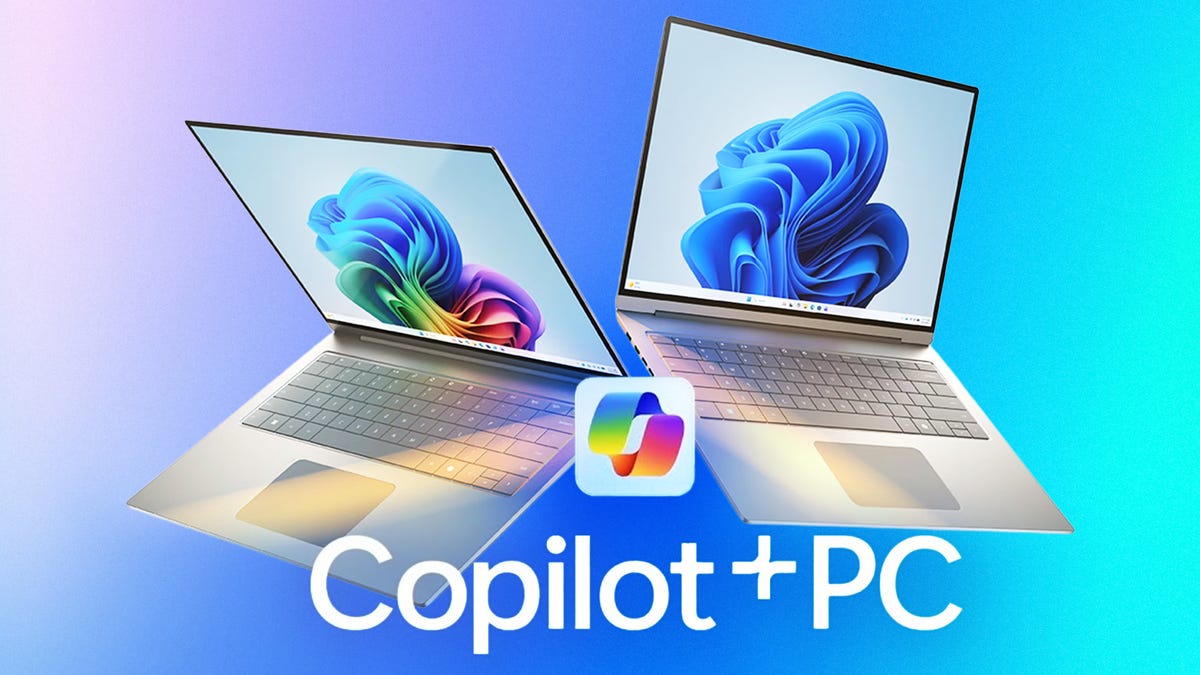
Every Windows laptop sold in recent years comes equipped with Microsoft Copilot, but not every Windows laptop is a Copilot Plus PC. If that sounds confusing to you, you’re not alone. Microsoft isn’t always great at naming things and has given two similar names to two very different products.
Keep reading to learn what defines a Copilot Plus PC, how it differs from Microsoft Copilot, and what features separate it from regular Windows laptops.
Copilot vs. Copilot Plus PC
The AI assistant built into Windows 11 and Microsoft apps is called Copilot. Microsoft’s AI PC platform is labeled as Copilot Plus PC. But simply having the Copilot virtual assistant doesn’t make a laptop a Copilot Plus PC. Let’s break it down.
Copilot is Microsoft’s version of ChatGPT or Google Gemini. It is built into Windows 11 and accessed from the taskbar or by pressing the dedicated Copilot key just to the right of the spacebar. Copilot is also integrated into Microsoft’s Edge browser and Microsoft 365 apps like Word, Excel and Outlook. Powered by OpenAI’s GPT-4o, Dall-E 3 and Microsoft’s own Prometheus model, the Copilot virtual assistant uses LLMs to write text, generate images, search the web, summarize emails, perform real-time translation, blur the background for video calls, take continual snapshots of your activity with Windows Recall and more.
With more people using their laptops to perform AI tasks, chipmakers started adding a neural processing unit to their CPUs to perform the simple but repetitive calculations needed to field their AI queries and requests. And doing so on the device is faster and more secure than sending your queries to a server in the cloud.
An NPU frees up a processor’s CPU and GPU to perform more complicated operations, so your laptop doesn’t slow to a crawl or heat to a boil every time you engage with Copilot or another AI assistant. An NPU requires much less power to do its work than a CPU or GPU, so it’s also beneficial to a laptop’s battery life.
The presence of an NPU is the key ingredient in the hardware requirements Microsoft established for its Copilot Plus PC platform. To be labeled as a Copilot Plus PC, a computer must have an NPU capable of performing 40 trillion operations per second. Also, two other hardware requirements must be met: A Copilot Plus PC must have 16GB of RAM and a 256GB SSD at a minimum.
In addition, a number of security features come with a Copilot Plus PC, starting with a Microsoft Pluton security processor that protects your credentials, identities, personal data and encryption keys. A Copilot Plus PC must also have a Windows Hello biometric authentication feature, either facial recognition via the webcam or a fingerprint reader.
In summary, a Copilot Plus PC is a computer (the majority are laptops, though some are desktops) with a modern CPU capable of on-device AI acceleration, long battery life and the latest in Windows 11 security standards.
First Qualcomm, then Intel and AMD
A common misconception is that a Copilot Plus PC must use an Arm-based processor from Qualcomm. And while it’s true that Microsoft partnered with Qualcomm to launch the Copilot Plus PC platform two years ago, Copilot Plus PCs now also feature x86 chips from Intel and AMD.
The first Copilot Plus PCs featured an Arm-based Qualcomm Snapdragon X series processor with an NPU capable of 45 TOPS. Intel and AMD have since followed suit and have released processors with NPUs that eclipse the 40 TOPS threshold, including Intel’s Lunar Lake and Panther Lake series and AMD’s Ryzen AI 300 series. More recently, Qualcomm released its second-generation Snapdragon X2 series chips that further push the TOPS envelope.
Following are some of the more popular mobile processors powering Copilot Plus PCs:
Popular processors powering Copilot Plus PCs
| Processor | CPU cores | NPU TOPS |
|---|---|---|
| Qualcomm Snapdragon X X1-26-100 | 8 | 45 |
| Qualcomm Snapdragon X Plus X1P-42-100 | 8 | 45 |
| Qualcomm Snapdragon X Elite X1E-78-100 | 12 | 45 |
| Qualcomm Snapdragon X2 Elite Extreme X2-E94-100 | 18 | 80 |
| Intel Core Ultra 7 258V | 8 | 47 |
| Intel Core Ultra 7 355 | 8 | 49 |
| Intel Core Ultra X7 358H | 16 | 50 |
| AMD Ryzen AI 7 350 | 8 | 50 |
| AMD Ryzen AI 7 450 | 8 | 50 |
What isn’t a Copilot Plus PC?
It might also be helpful to understand what a Copilot Plus PC is by seeing which kinds of laptops are not labeled as such. Here are some examples of laptops that are not Copilot Plus PCs:
- A budget laptop with an older CPU that lacks an NPU or has one that’s under the 40 TOPS limit
- A budget laptop with only 8GB of RAM or a 128GB SSD
- A gaming or content creation laptop based on an Intel Arrow Lake CPU. Unlike Intel’s Lunar Lake series, Arrow Lake processors have an NPU capable of only 12 or 13 TOPS — well short of the 40 TOPS needed to qualify as a Copilot Plus PC
- A MacBook or Chromebook
Looking at this list, the takeaway is that a Copilot Plus PC is simply a mainstream Windows laptop that sits between older or underpowered budget models and high-powered laptops with CPUs geared toward raw CPU performance (and usually paired with an Nvidia RTX GPU) to handle graphics-intensive workloads more so than AI tasks.
Should I buy a Copilot Plus PC?
We are coming up on the two-year anniversary of Microsoft’s launch of the Copilot Plus PC platform. In this time, the big three of Intel, AMD and Qualcomm offer many processors with the required NPU performance for a laptop to be called a Copilot Plus PC. And the minimal hardware requirements for RAM and storage won’t disqualify many models either.
The result is a wide swath of today’s laptops meet Microsoft’s Copilot Plus PC definition. It’s just a marketing term for a modern, mainstream laptop that guarantees some level of on-device AI performance. You’ll likely end up with a Copilot Plus PC without intending to, unless you’re shopping at either end of the laptop price spectrum.
Even if you aren’t chatting with Copilot or using another LLM on a regular basis today, your usage may increase during the lifetime of your next laptop. And who knows? You might decide to use the controversial Windows Recall feature or other AI-powered features, like Paint Cocreator, Windows Studio Effects or Live Captions, or a yet-to-be-released AI app. Being able to offload these AI tasks to an NPU will help keep your laptop running smoothly, quietly and coolly as well as for longer on a single charge.
So while you don’t necessarily need to care about the Copilot Plus PC marketing itself or search it out when shopping for a laptop, when you see it, you’ll know that a laptop has a recently released processor that’s equipped to handle AI tasks while also offering a good balance between strong overall performance and battery life.
With thin-and-light designs, long battery life and capable overall performance beyond just strong AI computing, many Copilot Plus PCs are among my favorite laptops of late. Here are six Copilot Plus PCs that earned high marks. Among them, you’ll see both 14-inch and 16-inch models as well as processors representing each of the big three: Intel, AMD and Qualcomm.
Read the full article here


