

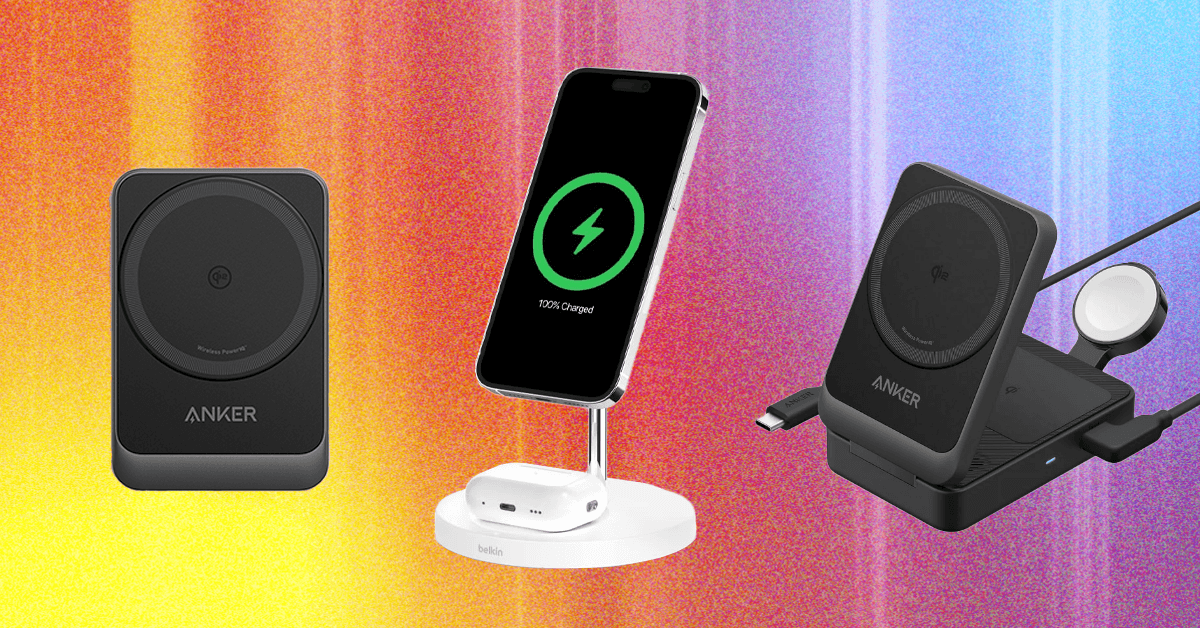
More Good MagSafe and Qi2 Chargers
Here are a few other MagSafe wireless chargers we have tested that didn’t quite manage to earn a place above.
Photograph: Simon Hill
Mous Dual Charging Station for $100: This dual charger from Mous is a looker, but disappoints on charging speeds, maxing out at 15 watts for the main MagSafe pad and just 5 watts for the second Qi pad, though there is a spare USB-C port that can charge at 18 watts. You can also add an Apple Watch charger ($55) that connects magnetically to the pogo pins at one end (5-watt maximum) and pops up for Nightstand mode.
Anker MagGo Wireless Charger Pad (Qi2) for $30: Our top pick until Apple’s redesign, this Qi2 charger brings MagSafe-style magnetic charging and a 15-watt charging rate. This pad stays put, has a durable aluminum casing that remains relatively cool, and comes with a 5-foot USB-C cable permanently attached. It can also charge AirPods with a magnetic charging case, but it does not come with a power adapter.
Belkin BoostCharge Pro Convertible Magnetic Wireless Charging Stand for $60: This Qi2-certified stand has a magnetic pad that can lie flat to charge older phones or fold out to act as a stand for MagSafe iPhones and other Qi2 phones in portrait or landscape orientation (handy for StandBy mode). It charges at up to 15 watts and comes with a 5-foot USB-C to USB-C cable and a power supply.
Casetify PowerThru 2-in-1 Charging Stand for $92: If you want a charger for your MagSafe iPhone and AirPods (or other earbuds), this one from Casetify is a decent pick. It has a squared-off base with an indent for AirPods, a metallic rod, and a slightly adjustable MagSafe pad for your iPhone that charges at 7.5 watts. I don’t love the visible logo around the pad, the options with basketball courts and other designs for the base, or the bright LED.
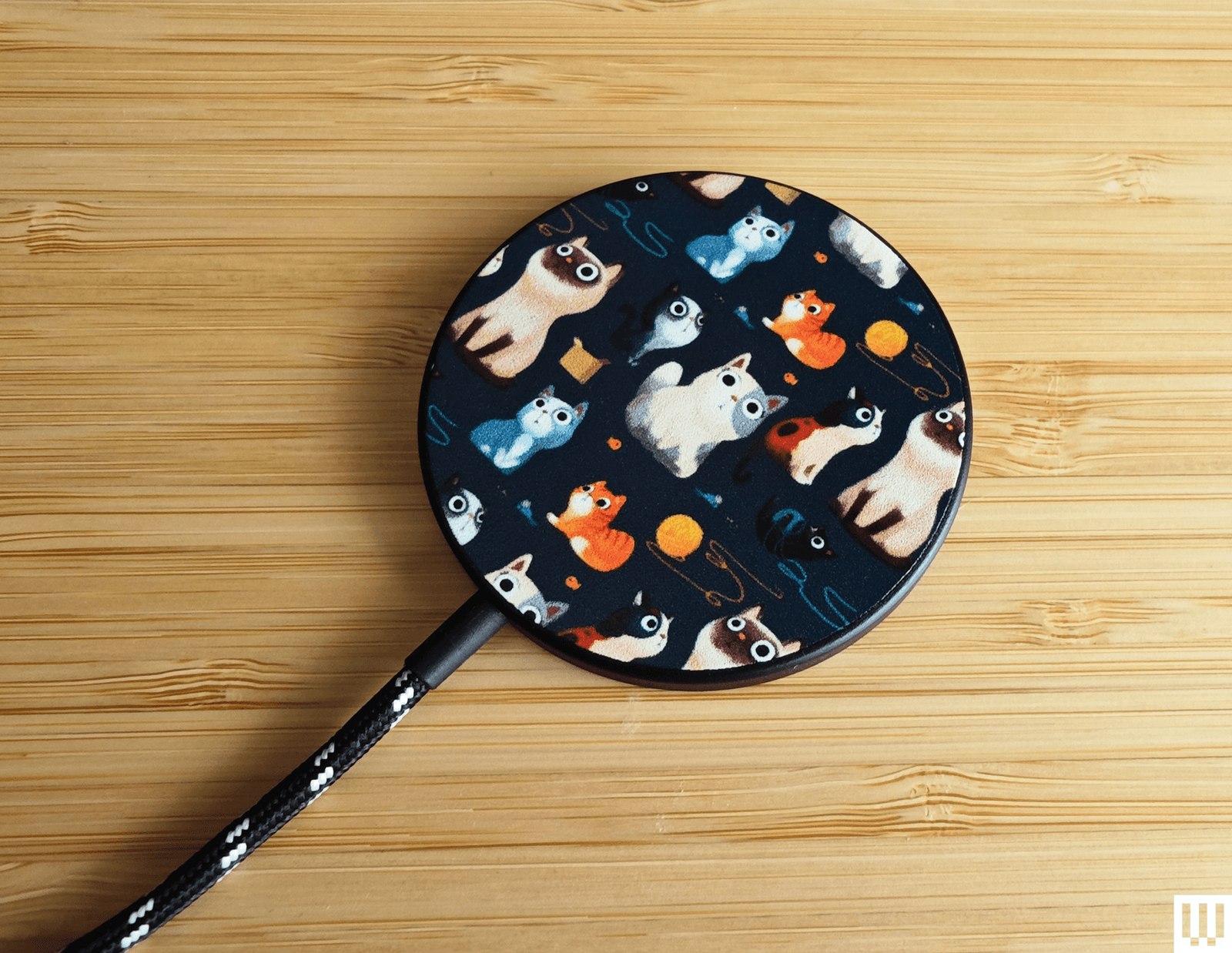
Casetify Magnetic Wireless Charger for $38: Cute design galore elevates Casetify’s MagSafe charger lineup. It offers more than 600 designs, from cat art to sports teams. It is a Qi charger with MagSafe, so it will align perfectly with MagSafe iPhones and charge at 7.5 watts, but it also supports Qi charging and can juice up any Qi phone at up to 15 watts. It comes with a 3.3-foot (permanently attached) and a black-and-white braided USB-C cable, but you need a power adapter.
Mophie 3-in-1 Travel Charger with MagSafe for $150: This is a nice travel option, though it takes up a bit more space when it’s unfolded. It folds neatly into a fabric case with a cable and charging adapter. It will fast-charge iPhones at 15 watts, supports fast charging for the Apple Watch, and has a spot for your AirPods Pro.
MagSafe is the name of Apple’s accessory system integrated into the iPhone 12, iPhone 13, iPhone 14, iPhone 15, iPhone 16, and iPhone 17 range, excluding the iPhone 16e. A ring of magnets on the back of the phone (and in MagSafe cases) can help transfer power more precisely and faster than traditional wireless chargers. However, it’s also a handy way to hold an accessory in place, like a wallet, or to mount the iPhone without requiring clamps. There’s an enormous range of MagSafe-compatible accessories now.
Qi2 is the next-generation wireless charging standard, and Apple worked with the Wireless Power Consortium to develop it. Compared to the original Qi standard, it brings MagSafe-style magnetic charging, faster charging rates, and improved efficiency—but where MagSafe is an Apple technology designed for Apple products, any device can support Qi2. Apple updated the iPhone 12 and newer to support Qi2, so Qi2 should be a term you look for when shopping for a magnetic wireless charger. We are starting to see more Qi2 Android phones, such as the Google Pixel 10 lineup (except the 10a), and Qi2 Ready phones that add magnets using a compatible case. A Qi2 charger can charge your iPhone and any other Qi2 phones.
Qi2 25W is the latest Qi2.2 update, supporting faster charging up to 25 watts for phones that support the standard, such as the iPhone 17 series and the Pixel 10 Pro XL.
StandBy mode was introduced in iOS 17 and enables you to use your phone as a bedside alarm clock. When you place your iPhone on a charger in landscape orientation, it will turn the screen into a dock of sorts, showing the clock (with different designs you can choose from), photos from your library, or widgets. If you have an iPhone that supports an always-on screen, you can choose to have the display automatically turn off after some time when the iPhone isn’t in use or if the room is dark. Head to Settings > Standby to customize it.
Android phone owners can set a screensaver to pop up when their phone is placed on a Qi2 charging stand. You can set a digital or analog clock, a slideshow from Google Photos, or Google Home controls for fast access to your smart home devices. Head to Settings > Display & touch > Screensaver to configure it.
I test every Qi2 or MagSafe charger for at least a week, using it to charge my iPhone 16 and my wife’s iPhone 12. I also test Qi2 chargers with my Pixel 10 Pro XL. I live with most chargers on my nightstand or work desk. Where possible, I check the charging rate and note the time it takes to charge my iPhone. I assess the usability of the design, the strength of the magnets, test any additional charging pads or ports, and try out any special features.
Power up with unlimited access to WIRED. Get best-in-class reporting and exclusive subscriber content that’s too important to ignore. Subscribe Today.
Read the full article here