







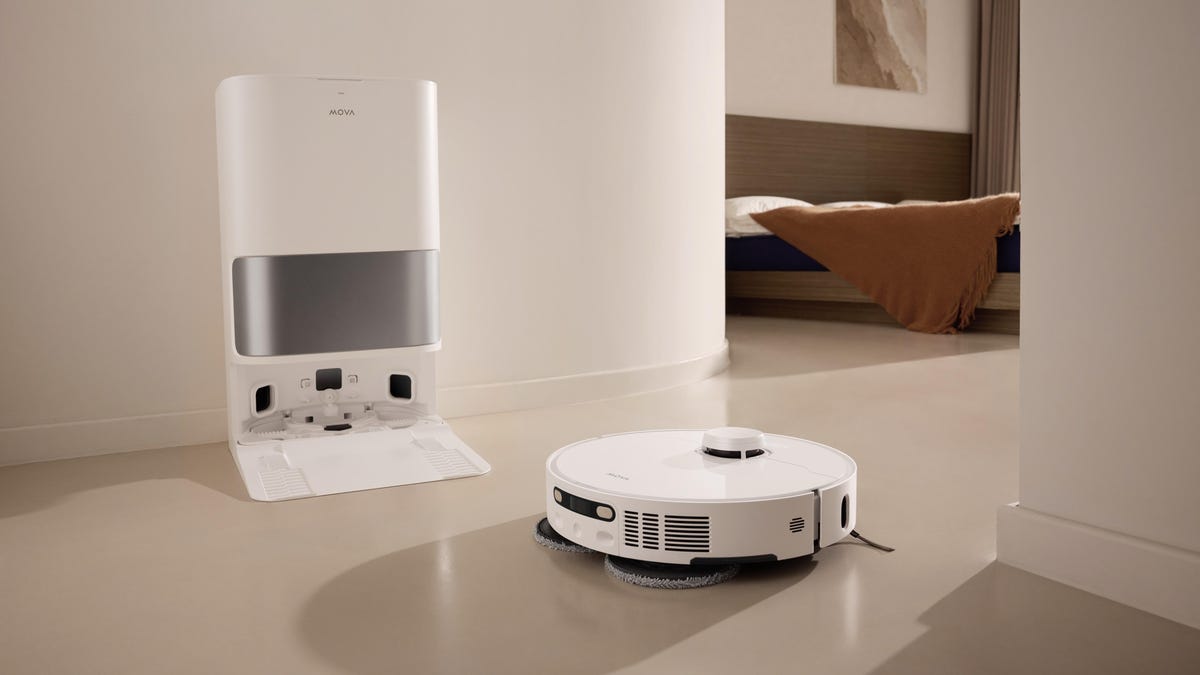
The appeal of a robot vacuum with an auto-empty base is obvious: You get weeks (maybe even months, depending on how regularly you’re running your ‘bot) of hands-free cleaning, without the hassle of daily bin dumping.
The reality, though, is that you’re deferring maintenance rather than eliminating it. When you do empty the bin, it can be a larger and often more involved process. An auto-emptying dock may also lead to less apparent problems, including nagging odors, clogs, sensor glitches and bag replacements.
So is an auto-emptying model worth the extra investment? Let’s dive in.
What auto-emptying docks actually do
Instead of requiring you to empty the little onboard dustbin on your robot vacuum after every run or two, an auto-emptying unit will return to its dock and position itself over an intake valve. There, a powerful vacuum in the base station will suction the dust and debris into a larger container. It will then hold the debris behind a filter (if bagless) or in a sealed bag.
An auto-emptying base works great for fine particulates like dust, dander and pollen, as well as small debris like crumbs and pet hair. Where you may run into trouble is with larger trash. Stuff like bottle caps, cat toys or even longer hairs can clog the intake system or filter and may eventually block suction.
“This has happened to me,” said CNET editor Ajay Kumar. “I’ve lost more small cat toys than I can count, and I can only assume a fair number of them are stuck somewhere inside a robot vacuum’s base station or bag, though I’ve been lucky that none of them have ever caused a clog.”
Hidden maintenance
The downside of an auto-emptying model is that it entails maintenance tasks and costs that may not be obvious at the time of purchase. In addition to clearing the sorts of clogs mentioned above, self-emptying units can also accumulate dust internally, coating sensors and ducts. This can lead to false “bin full” notifications and other software errors. Neglecting the filter can also lead to clogs or incomplete emptying and reduce efficiency over time.
Self-emptying models are generally louder than standard robot vacuums because of the powerful suction motor in the dock. That powerful motor revs up each time the dock empties the robot and can stress seals, ducts and filters, creating new failure points.
How often do you actually need to clean the dock?
The frequency with which you need to clean out your base will depend mainly on your home and how often you run your robot. Remember, most robot vacuums also do mopping these days. While most newer models will self-clean and self-empty their mopping pads or roller, the dirty water tank can sit there and fester if you forget about it.
“Beyond just emptying the dustbin, it’s crucial to regularly check and clean ‘hidden’ spots that keep everything running smoothly,” Ryan Wu, the head of Narwal Americas, told us in an earlier interview that touched on common robot-vacuum problems. “When sensors are obscured or brush rolls are tangled, the robot’s navigation and suction power drop significantly. It’s recommended to check brushes, filters, sensors and wheels every few weeks or more frequently if there are long-haired pets at home, and to perform simple tasks such as cutting away tangled hair. A quick 5-minute tune-up is essential for longevity.”
For smaller homes, or lighter work like hardwood floors, you may only need to give the base station a once-over every month or so, and little to no maintenance or cleaning may actually be required.
For moderate use cases, such as daily or every-other-day runs in a medium-sized home, you should check the base every two to three weeks. Make sure to thoroughly clean the intakes and check the seals. You should pay special attention to both the dirty and clean water tanks to ensure nothing is growing in them or that they aren’t smelling weird. A quick rinse with warm soap and water in your sink should help keep things fresh.
In heavy-use scenarios, for larger homes with lots of carpet or multiple pets, you’ll want to do a thorough weekly inspection and a monthly deep clean. Also, regardless of your home’s size, you’ll want to thoroughly clean or fully replace the device’s filters every one to three months (depending on the model). Be sure to check the manufacturer’s recommendations.
Bagged vs. bagless
If you’re considering an auto-emptying robot vacuum, you’ll also need to decide whether you prefer a bagged or bagless system.
There are pros and cons for each:
Bagged
Pros
- Cleaner disposal
- Better dust containment
- Fewer initial odors
Cons
- Recurring cost
- Airflow decreases as the bag fills
- Less transparent and harder to identify when the bag is full
Bagless
Pros
- No consumables
- Visible dirt level
- More eco-friendly
Cons
- Messier to empty
- More frequent cleaning
- Dust exposure when you empty
Bagged systems reduce day-to-day hassle but are more expensive over the long term and can lead to complacency about maintenance if you’re not mindful.
The cost of convenience: Bag replacements aren’t cheap
While individual maintenance costs are relatively low, they can add up over your ‘bot’s lifetime, especially since you’ll likely own it for many years. Replacement bags will likely cost between $15 and $30 a month, effectively turning your vacuum into a subscription service.
Some models like the new Dyson Spot+Scrub AI avoid this by coming with a bagless waste bin that can easily empty into the trash, but that may come with other downsides, such as dust getting into the air when you empty.
The additional dock filters are another expense unique to self-emptying models, and prices can vary widely between manufacturers, though you can expect to spend between $10 to $20 each.
Some robot vacuums also come with recommended cleaning solutions that they’ll want you to buy from them, naturally, which can be another extra cost.
The other cost is time. While marketing may lead you to expect a hands-free experience, the reality is that you will need to perform some regular upkeep, and we outline many of these maintenance tips in our guide to keeping a robot vacuum running smoothly.
Four common points of failure to watch
There are a number of issues that can crop up with a self-emptying base, often tied to a handful of common problems.
- Weak suction during empty cycle: This can mean a partial clog or a full bag.
- Frequent “bin full” alerts: This can be due to dirty sensors or airflow restrictions in the vacuum.
- Robot not aligning properly: Debris around dock intake.
- Dust leaking inside the dock: Worn seals or improper bag installation.
Is a self-emptying robot vacuum a good fit for you?
Whether a self-emptying robot vacuum works for you largely depends on your household and your expectations. They’re generally a good fit for people with busy lifestyles that don’t have time to empty a vacuum every day or two, or for pet owners who aren’t afraid of a little routine maintenance. They also work well for users who like to keep their floors spotless and vacuum frequently, especially those without kids who leave toys or larger debris around that can jam the intake/filter.
Kumar reports that he’s been perfectly happy with the self-emptying robot vacuums he’s tested. “Aside from changing out the bag maybe once every two months, my only frequent task is cleaning out the dirty water tank. Some of the newer models I’ve tested will also self-clean the internal piping with steam or hot water, so there’s less worry about things growing inside. For me, it’s been totally worth it and time-saving.”
On the other hand, you may want to save your money and skip auto-emptying if you’re really expecting a zero-maintenance situation. You can also probably pass if you’re particularly sensitive to noise or odors, or if you strongly prefer simple, low-failure devices.
Ultimately, auto-empty bases are a quality-of-life upgrade, not a set-it-and-forget-it solution. The best experience comes from regular maintenance; neglect can actually make them more of a hassle than a standard robot vacuum.
Read the full article here


