

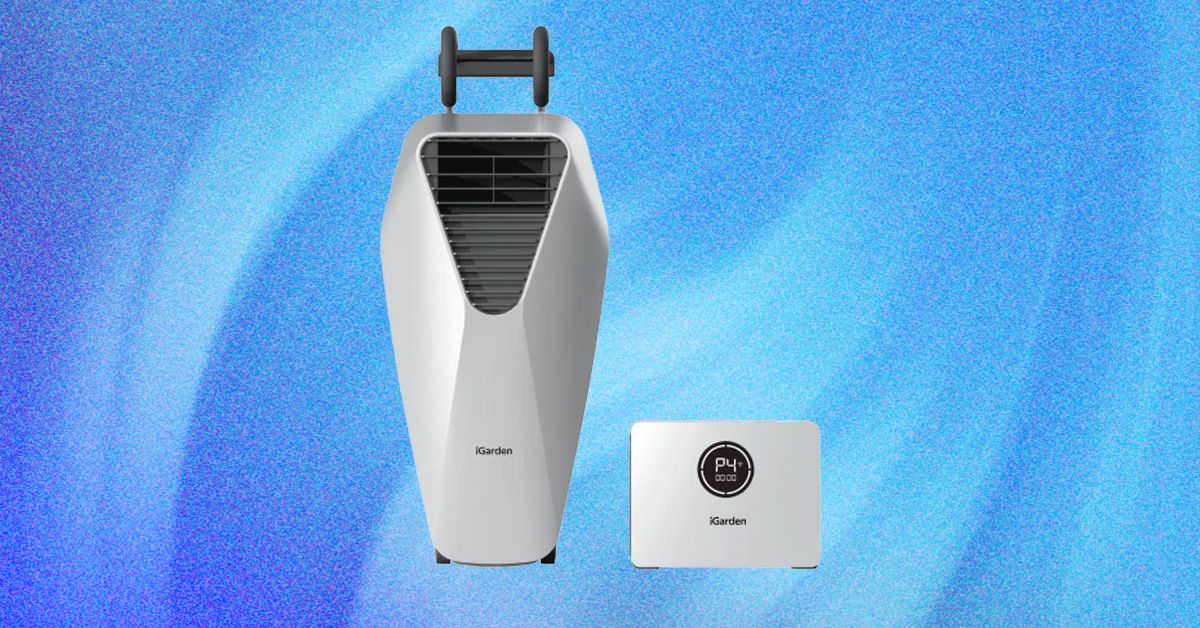
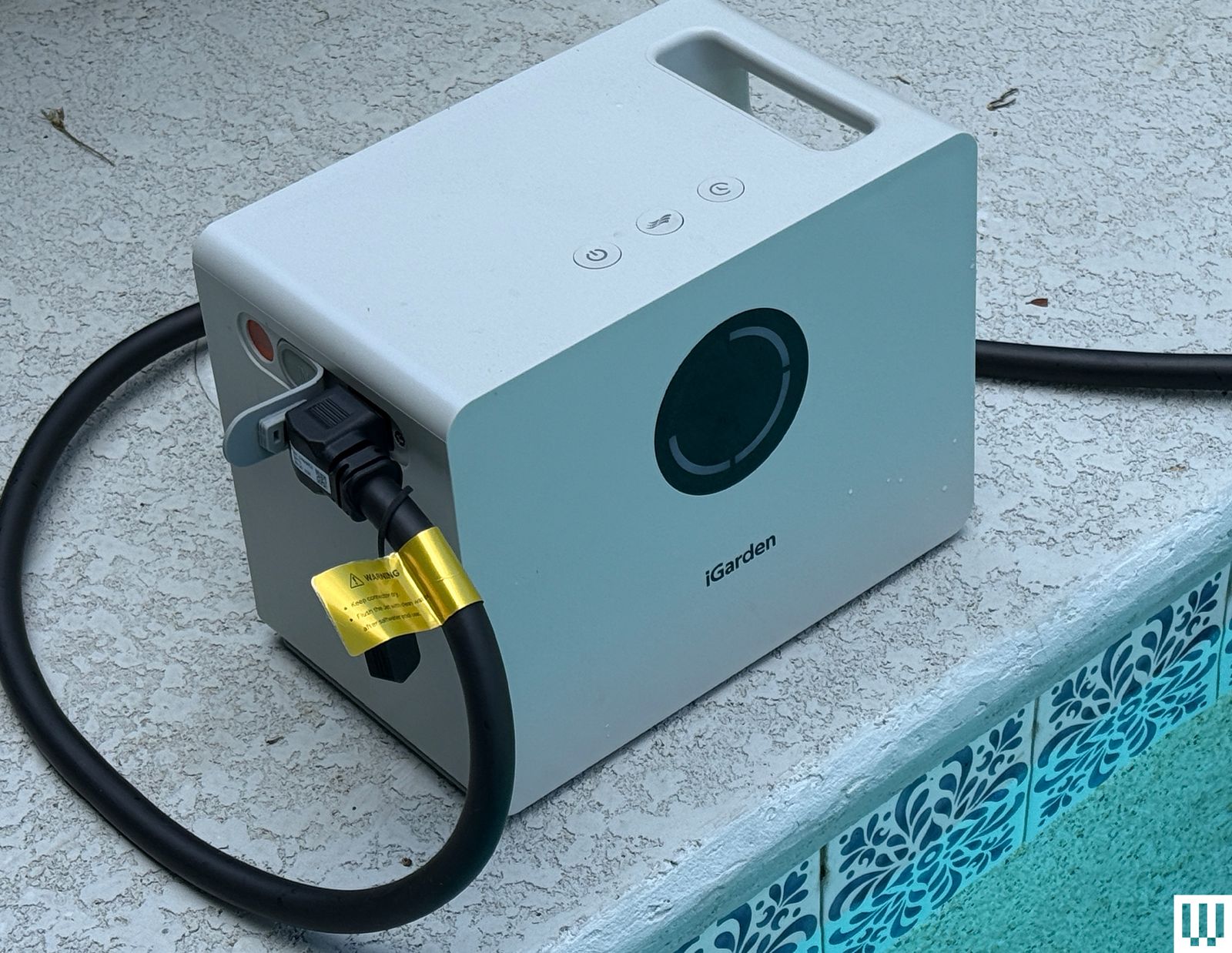
The second piece of the kit is effectively an enormous battery with a few simple controls onboard. Three different battery sizes are available, each one offering more wattage and more power than the last. I received the top-level battery, denoted the X Pro 10, which weighs 26 pounds on its own and is rated for a whopping 60 amp-hours (Ah) of capacity. That provides a maximum running time of 10 hours—albeit on the device’s slowest setting. (Two lower-capacity models are available with 30 Ah and 15 Ah of capacity, respectively; note that these also have lower GPM throughput power in addition to shorter maximum running times.)
Photograph: Chris Null
Photograph: Chris Null
The two components connect via a thick cable; when not in use, this wraps around the jet unit’s handle for storage. The only other item of note is the inclusion of a metal tethering cable on the jet unit, designed to be wrapped around a pool ladder or another anchor fixed topside to prevent the jet from falling into the water (and taking the battery into the drink with it). In practical terms, I doubt many pools have a suitable anchor point. I was never able to use the tethering cable and, for what it’s worth, never felt any concern that the jet would slip and fall.
Aside from charging the device (which can take up to seven hours), the only real setup required is adjusting the height of the jet in the water. iGarden suggests one of two settings: If the top of the jet is 2 to 4 inches below the water’s surface, the current is smoother and more stable, best for lap swimming. Alternately, you can set the top edge of the jet at or slightly above the water line, which creates a much bolder surface spray but less current—ideal for splashy playtime. The height is adjusted by a somewhat crude system of knobs and brackets attached to a movable frame on the backside of the device; the design is awkward but ultimately works well enough.
Dial-a-Swim
Operationally, the Swim Jet is simple—your main decision being at which power level you want to run the device. Four standard power levels are available through a button on top of the power pack, plus a turbo mode that runs the jet at its maximum speed—but only for five minutes. A final mode, coded “PF” on the battery pack’s display, is designed to mimic open water, cycling through various speeds to evoke the ebb and flow of the ocean. The only other real option is a timer that shuts down the jets after anywhere from 15 to 90 minutes. (In the iGarden app, which pairs via a 2.4 GHz Wi-Fi connection, the same options are available but are considerably more intuitive to choose from.)
I did most of my testing with the Swim Jet in the below-water swimming mode rather than the above-water play mode, in large part because it’s easier to quantify its performance this way. Also, my wife is a seasoned lap swimmer, which gave me the perfect guinea pig to determine how effective the Swim Jet was for a waterborne workout.
Video: Chris Null
I quickly found that power level 3 was the sweet spot for creating the perfect amount of resistance for vigorous swimming, though more leisurely swimmers might be able to get away with level 2. In the water, you quickly discover how the current level drops off the farther you get from the jet. At point blank, next to the wall, the current is far too strong to swim in place, but on the other end of the pool, more than 30 feet away, the flow isn’t even noticeable. At a distance of 5 to 10 feet, you’re in the sweet spot, able to swim in the current while remaining almost exactly in the same place. This can get a little boring over time, so eventually my wife decided to swim back and forth, letting the current push her to the far wall, then swimming back against the current until she had reached the stasis position.
While the unit can theoretically turn out 10 hours of life on its slowest mode, it soon becomes evident that more powerful (and worthwhile) modes chew up a lot more battery life. On level 3, the system ran for only two hours in my testing, and higher power levels have an even shorter lifespan.
As for the workout, it’s legit. Swimming against the current is hard work, and you can quickly see whether you are keeping up based on the position of your body in the pool. I deferred to my wife on how this compared with real lap swimming, and in her estimation, a full workout with the Swim Jet was about the equivalent of 80 percent of a lap-lane workout—solid but not perfect, even though she said she felt she was swimming at the same relative speed. Still, the Swim Jet workout was a little easier. The difference, she theorized, was that in the pool you aren’t just swimming at pace, you are moving your body through space, pulling it through the water. With Swim Jet, you don’t have to cover any distance, which makes things just a bit easier. Of course, you could always swim for longer, at a higher power level, or closer to the jet if you wanted to close some of that gap.
Read the full article here