

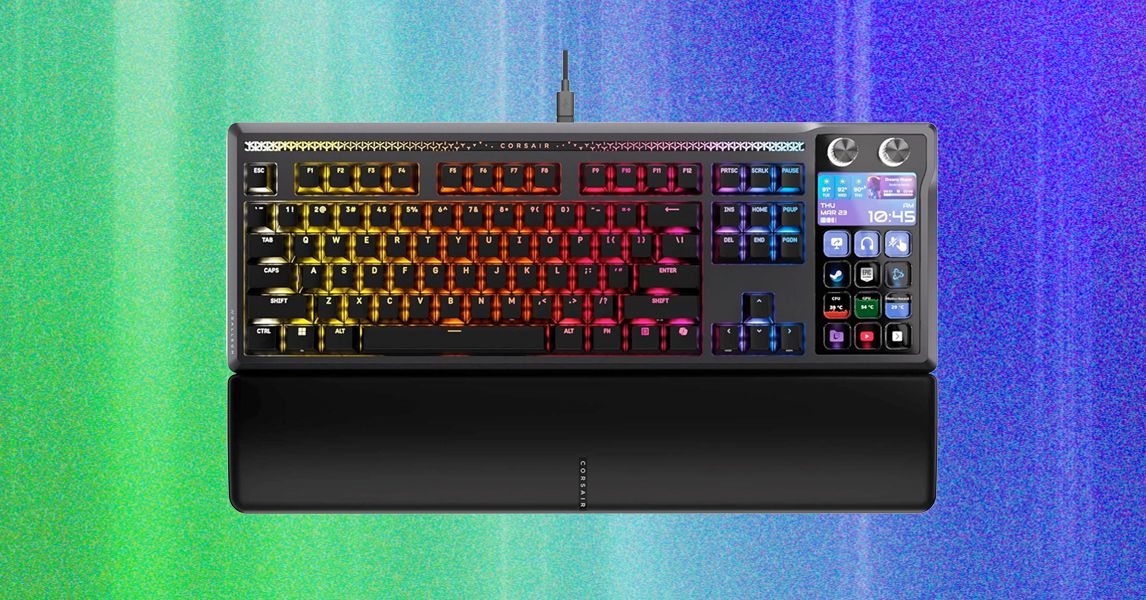
Instead of using cutting-edge Hall Effect switches with adjustable actuation points and features like Rapid Trigger, this keyboard comes with standard mechanical switches. This means the actuation point cannot be changed, and some performance and customization are left on the table.
The benefit of mechanical switches is that there is more physical customization. Underneath each key is a hot-swap socket, meaning these switches can be replaced with any MX-style switch. While this allows for extensive fine-tuning of the typing feel, the feature won’t objectively increase gaming performance.
Considering the switches and the size of this keyboard, it’s really not meant to be a fully performance-oriented gaming keyboard. Instead, it strikes a middle ground of high performance paired with open-ended customization options.
Shipshape Typing Experience
The Galleon is made using a gasket-mount assembly, which means the entire internal assembly is suspended inside the case using rubberized gaskets instead of screws. This creates a softer typing feel. I found this to be very comfortable. When you bottom out on a key press, it feels like landing on a trampoline instead of a hard surface.
A small bonus of the integrated Stream Deck, as opposed to a normal number pad, is the resulting internal packaging and assembly. In this design, the PCB of the keyboard area is separated from the Stream Deck area, resulting in consistent rigidity over the alphabet keys for typing. This delivers the same feel as a tenkeyless (TKL) keyboard for typing.
The gasket mount, which provides some cushioning without being overly flexible, finds a middle ground between gaming and typing that’s comfortable without losing accuracy. Beyond that, I’m also impressed by the stabilizers. Instead of the typical plate-mount stabilizers, which are prone to rattling, Corsair opted for PCB-mount stabilizers that are really well tuned from the factory.
All Fingers on Deck
The integrated Stream Deck is practically identical to a stand-alone version, with four rows of three buttons, two knobs, and a customizable screen. Each button can be freely programmed, remapped to display any feature or macro, or used to display live data.
I’ve also seen some people integrate their Stream Deck directly into games. One of my favorite uses is setting up macros for different Stratagems in Helldivers 2, where the displays on the buttons show the icon for each ability. Another obvious example is setting up an auto-buy for Counter-Strike 2 or programming dedicated for commands like Alt+Tab, Ctrl+Alt+Del, or muting the microphone.
There are a few small issues with the Stream Deck. My biggest gripe is that the buttons are designed for a direct viewing angle. Since the keyboard is far more horizontal, viewing them from this non-ideal angle results in the outer edge of the display being cut off. If there is any text at the top or bottom of the button, you might not be able to see it during regular use.
Photograph: Henri Robbins
Read the full article here