

Pros
- The only pan-tilt-zoom webcam sized well for a laptop
- Very good tracking and autofocus, voice and gesture controls
- Above-average video quality, plus support for 1080/120fps
- Nice object-tracking implementation, which can be useful for presenters, how-to videos and the like
- Excellent audio options, including uncompressed and omnidirectional, with better-than-usual performance
Cons
- Really expensive
- Hand tracking not supported in desk mode (for overhead demonstrations)
Pros
- Very good tracking and autofocus, voice and gesture controls
- Above-average video quality, plus support for 1080/120fps
- Nice object-tracking implementation, which can be useful for presenters, how-to videos and the like
- Excellent audio options, including uncompressed and omnidirectional, with better-than-usual performance
Cons
- Expensive, though not overpriced for what you get
- The mount doesn’t tilt, so you can’t counterbalance for stability in cases where it’s too narrow to fit a display
Obsbot has become a jack-of-all-trades with the Tiny 3 series of robotic webcams, geared toward podcasters, streamers, and musicians, as well as the more traditional single-purpose or dual-purpose user. And while the pricey $349 Tiny 3 is the best webcam I’ve tested, you’ll also get excellent audio and video quality with the Lite, plus about 90% of the features, for $199. That’s a lot more for your money than similarly priced competitors, and it’s a much better value than the fully loaded Tiny 3, making the Tiny 3 Lite a clear Editors’ Choice candidate.
The company has vastly upgraded the weakest aspect of the Tiny 2: audio. It’s also improved just about everything else, including 1080p 120fps streaming support, expanded and significantly updated tracking, and better video quality. Obsbot also added some useful new tools in its virtual camera since I last used it, such as background replacement and a basic teleprompter, though other new capabilities aren’t fully baked yet.
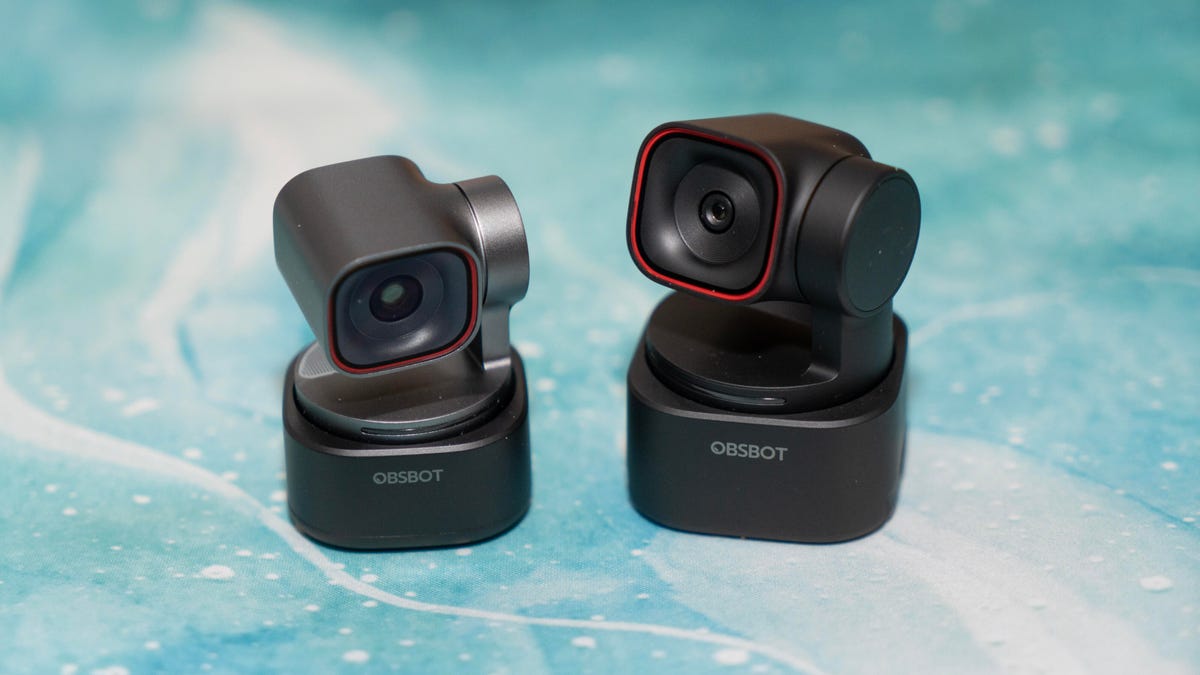
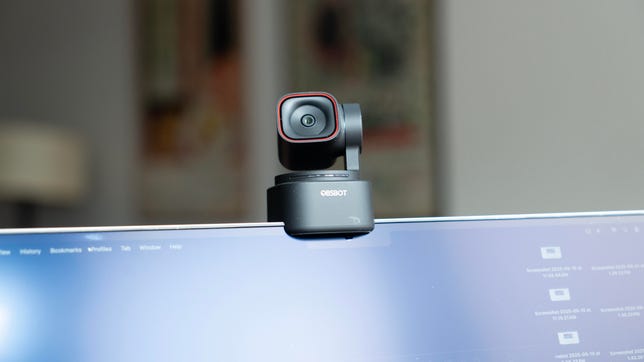
The top-end Tiny 3 has been getting smaller with every generation, and now it really does qualify as “tiny” (1.5×1.5×1.9 inches and 2.2 ounces, without the also-shrunken mount). It’s not only the smallest robotic webcam available that fits comfortably on a laptop display; it’s also smaller than many nonrobotic models, despite incorporating a larger sensor and multiple microphone pickups.
Obsbot’s ability to cram class-leading performance and features into a device of its size is quite a technical achievement in my mind. But it also hits that painful $349.
Specifications
undefined
| Obsbot Tiny 3 | Obsbot Tiny 3 Lite | |
|---|---|---|
| Sensor | 1/1.3 | 1/2 |
| Native resolution (megapixels) | 50 | 48 |
| Maximum video resolution | 4K | 4K |
| Maximum fps | 4K@30fps, 1080p@120fps | 4K@30fps, 1080p@120fps |
| Native field of view (degrees) | 70 | 66.9 |
| Built in mic | Yes | Yes |
| PTZ (robotic pan/tilt/zoom) | Yes | Yes |
| Zoom | Digital | Digital |
| Focus type | PDAF/MF | PDAF/MF |
| Vertical video orientation | Yes | Yes |
| Auto/manual exposure | Yes/yes | Yes/yes |
| HDR | Yes | Yes |
| Software runs on Windows/MacOS | Yes/yes | Yes/yes |
| Price | $349 | $199 |
| Release date | January 2026 | January 2026 |
The lower-end Tiny 3 Lite makes some sacrifices compared to the premium Tiny 3: The Lite version has a less flexible mount, a somewhat smaller sensor, it lacks the overhead desktop and whiteboard views, and is a bit larger.
And they both work with the Nintendo Switch 2, for what it’s worth.
Great sound
Both Tiny 3 webcams incorporate a MEMS solid-state mic array with omnidirectional and two directional pickups. MEMS technology enables mics that are more compact, perform more consistently, are less prone to distortion and generally offer a broader frequency response.
The Obsbot Center software offers five different modes, most notably Pure Audio Mode, which transmits unprocessed audio for uses such as music recording. It sounds fuller and a bit flatter, and I could see the differences (using Adobe Audition’s spectral frequency display and analysis) between it and the other modes — visibly less filtering, especially in the lowest frequencies, and less quantization.
While the mic is good, keep in mind that it doesn’t have the frequency response range of a pro mic (in the lows, since its range starts at 50Hz rather than the usual 20Hz), nor can you be as close to the mic as you’d want. At the same time as it launched the Tiny 3, Obsbot announced a new wireless mic, the $59 Vox SE, which connects to the cameras via GFSK (rather than Bluetooth).
My general favorite for speech (and the default) is the Spatial Audio Mode, optimized for stereo capture, which I think delivers the most natural-sounding speech and a small amount of noise cancellation.
The two directional modes (one front-only and one front-and-back) sound very similar to a gaming headset mic, optimized for voice clarity by boosting higher frequencies and incorporating noise cancellation. The Dual-Directional Mode is for applications such as podcasting. Because they’re robotic, the Tiny 3 models can flip or rotate to focus on multiple subjects, and can be bolstered by the solid new voice tracking.
My least favorite is the Smart Omni Mode, which uses AI to process audio from everyone and everywhere in a room during a typical conference session. To me, the result sounds muffled, like there’s no gain (or negative gain). If you plan to stream or record in 120fps 1080p mode, Smart Omni is the only option, which is disappointing.
Still, I really would like an equalizer, mostly because I hate my voice and tend to reduce the high frequencies where possible. The more you get, the more you want, of course.
Top-flight video
Despite the different sensors, the video quality of the two webcams is pretty similar, and they’re both quite good: excellent automatic white balance as long as the lighting isn’t too warm, first-rate autoexposure, and reasonably low noise and color desaturation in low light.
The biggest difference between the two is the way their sensors handle HDR. The higher-end Tiny 3 can simultaneously increase gain in dark areas and decrease it in bright areas, providing a more even exposure across the frame rather than blowing out highlights and crushing shadows. In practice, the effect was more subtle than I expected; it wasn’t as aggressive as I wanted on bright backlights, both white and RGB, though it did a better job than usual at exposing the colors against my back wall. The lights themselves remained too blown out.
The Tiny 3 Lite performed similarly to competitors, effectively reducing bright areas while leaving shadows and midtones relatively untouched.
If you need the speed, the 120fps 1080p video is unique for the moment, and certainly captures motion more distinctly than a 60fps mode, but 4K at 60fps might deliver better perceived sharpness if the motion falls somewhere between the two.
It tracks
Autofocus is fast and accurate, though if you’re using a tracking mode, both tend to adjust focus a little too often; the cameras don’t have enough depth-of-field control to throw you out of focus that often. While the phase-detection focus doesn’t hunt iteratively like typical contrast-detection, I find the brief pulse annoying enough that I still turn AF off most of the time.
Tracking and autoframing are where pan-tilt-zoom webcams distinguish themselves from fixed cameras. Since a PTZ can rotate and tilt, you don’t face the same limitations on the area it can cover, and when framing, the subject is always in the center of the lens and sensor. Obsbot has improved the already excellent tracking accuracy noticeably — the new sound-assistance option, which supplements camera tracking, probably helps (it’s hard to isolate the effects). It didn’t need any improvement in tracking speed.
My favorite addition is object tracking, which works very well and may be beneficial for how-to videos. You just draw the bounding box for an object in the preview window, and you’re set. And the object can be relatively small.
Voice tracking is nice, too, especially if you have multiple speakers or if the other tracking options don’t respond quickly enough. It only works in the directional modes, which makes sense.
Hand tracking is a little better, but, rather bafflingly, continues to have trouble determining left and right when it has a choice. I still have to put the relevant hand in front of the camera to orient it. Disappointingly, though the Tiny 3 supports desktop mode, it can’t hand track in that mode, which is for properly oriented top-down video.
Virtual camera tricks
When a webcam feature requires processing by the system it’s connected to, it uses a virtual camera for things like background removal, filters and so on. I tend to separate them from the hardware-based features because they’re less reliable than those based on the camera hardware and can degrade video quality. On the other hand, it’s a lot easier to add features in software than in firmware.
Obsbot added background replacement, which performs a lot better than what you typically get from conferencing software because its advanced background removal works well (the basic doesn’t).
On the other hand, Obsbot’s new Avatar and Virtual Voice are pretty undercooked at the moment. You can create motion capture profiles, which you then map to one of four similar characters with some voice effects. If the webcam gets supported by other software, that would be great. But it’s clear that the avatar and voice are more proof-of-concept features than real ones at the moment, given the limited options. And while you can assign props to the avatars, the software doesn’t understand that the props should not pass through the characters. You also have to create an account to use the features, which likely track licensing fees (Obsbot uses third-party software), and it only runs on Windows.
There’s also a new eye contact feature, the latest fad in videoconferencing, which makes it seem like you’re looking at the camera when you’re not. It uses Nvidia’s Maxine, so it only works on systems with a GeForce RTX 3050 or better. I didn’t find it as off-putting as most of the eye contact implementations I’ve seen, but I did get some random weirdness, like my eyes peering over my glasses when they weren’t.
It’s all about the $$
This barely scratches the surface of the capabilities of the Tiny 3 webcams, like the great gesture and voice controls — though I disable gestures because I flail my hands when I talk and end up turning something on or off. There’s also Obsbot Center’s ability to manage multiple cameras, myriad tracking options and more. I covered a lot of the core features in the Tiny 2 review.
The Tiny 3 Lite’s built-in mount, unlike the magnetic attachment on the Tiny 3 that lets you raise and tilt the camera, is its biggest drawback. Even on a PTZ, the ability to raise the camera’s height so you’re not looking down into it is really useful.
I also found I needed to balance these smaller webcams on my gaming monitor, which was too thick for the small mounts. Being able to adjust the camera’s position allowed it to balance more securely. The Lite just fell off. Time to go OLED, I guess. It has a tripod mount, so that’s not an insurmountable problem.
The Tiny 3 is expensive, but it’s designed for travel and includes a case (Insta360 includes one as well, too), if those are important to you. It’s a great little webcam, but $349 is really steep. The step-down model for $199 is expensive, but it’s a lot more justifiable, and the Tiny 3 Lite delivers for that price. As an incentive, Obsbot is offering trade-in discounts of $20 to $100 through the end of February for models from all brands.
Read the full article here