

Pros
- Roomy 16-inch OLED with fantastic color coverage
- Good everyday performance from Ryzen AI 7
- Practical two-in-one flexibility
- Solid build quality
Cons
- Integrated Radeon GPU is underwhelming for 3D work and gaming
- No discrete GPU option at this size
- No Thunderbolt 4 or USB4 ports
- Annoying keyboard quirk
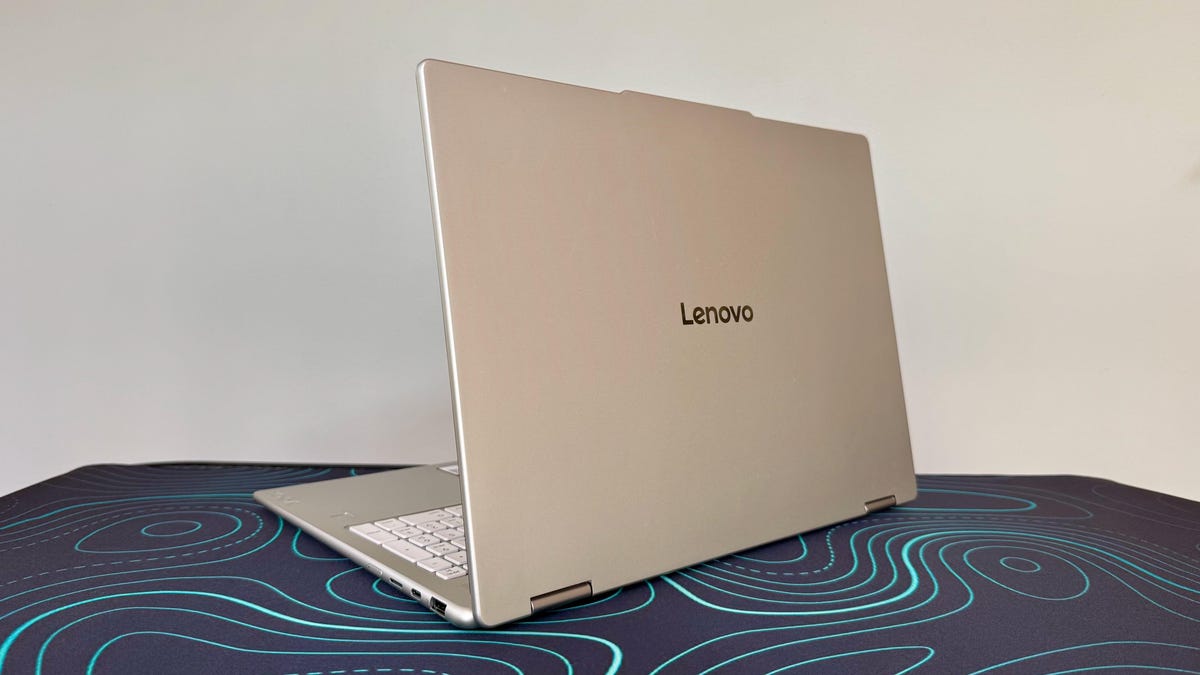
Lenovo’s Yoga 7A 2-in-1 16 is aimed squarely at creators and students who want a big, color-accurate OLED canvas with a 360-degree convertible design without having to dish out workstation money. The $1,700 configuration I tested — AMD Ryzen AI 7 445 processor, 24GB of RAM, Radeon 840M graphics and a 1TB SSD — is close to the top of the range and is clearly positioned as a “prosumer” device.
With that audience in mind, the Yoga 7A 16 mostly delivers. The 16-inch OLED touchscreen is a gorgeous panel and looks fantastic for editing photos and streaming video. AMD’s latest Ryzen AI chip makes Windows 11 feel responsive even when you’re juggling dozens of browser tabs. Where this 16-inch OLED laptop falls short is with graphics performance and screen brightness. The modest 300-nit brightness on this particular 16-inch panel means it’s not ideal for HDR, and its multi- and single-core CPU performance falls behind competing models. Also, the integrated Radeon 840M GPU makes the Yoga 7A 16 ill-equipped for using the huge, color-accurate OLED display for 3D gaming or serious video editing.
Buy the Yoga 7A 16 if you want a big OLED convertible with excellent color coverage, healthy battery life and a reasonably travel-friendly 3.95-pound chassis. But if a two-in-one convertibility isn’t essential, then you can find better performance in a 16-inch OLED clamshell laptop for roughly the same price, such as the Asus Zenbook A16 or Acer Swift 16 AI.
Lenovo Yoga 7A 2-in-1 16
| Price as reviewed | $1,700 |
|---|---|
| Display size/resolution | 16-inch 1,920×1,200 touch OLED |
| CPU | AMD Ryzen AI 7 445 |
| Memory | 24GB LPDDR5X-8000 |
| Graphics | AMD Radeon 840M |
| Storage | 1TB SSD |
| Ports | USB-C (10Gbps), USB-C (5Gbps), USB-A (10Gbps), HDMI 2.1, microSD card reader, combo audio |
| Networking | Wi-Fi 7 and Bluetooth 5.4 |
| Operating system | Windows 11 Pro |
| Weight | 3.95 lbs (1.79 kg) |
The Yoga 7A 2-in-1 16 sits below Lenovo’s flagship Yoga Pro line but above its more budget Flex and IdeaPad convertibles. It’s clear Lenovo is targeting users who want premium touches like OLED and AI-ready Ryzen chips without paying hundreds extra for discrete graphics. The Yoga 7A 16 series starts at $1,250 for a Ryzen AI 5 430 processor, 16GB of RAM, a 512GB SSD and a 16-inch IPS display. My test system costs $1,700 and upgrades each of the aforementioned specs, serving up a Ryzen AI 7 445, 24GB of RAM, a 1TB SSD and an OLED display. At the time of this review, the entry-level model was discounted to $1,000, and my test system was discounted to $1,450.
Both display options have the same 1,920×1,200-pixel resolution and touch support, but the OLED offers better color coverage but a lower maximum brightness. (OLEDs don’t need to get as bright as IPS panels because they have near-perfect black levels, which allows for superior contrast and a more dynamic image at lower brightness.)
In addition to the screen resolution, the Yoga 7A 16’s graphics are locked to AMD’s integrated Radeon 840M GPU. No option to upgrade to discrete graphics will disappoint anyone looking to the Yoga 7A 16 for gaming or video editing.
The Lenovo Yoga 7A 2-in-1 16 model starts in the UK for £1,280 and listed as coming soon in Australia.
Lenovo Yoga 7A 2-in-1 16 performance
The Ryzen AI 7 445 silicon at the heart of the machine gives the Yoga 7A 16 enough CPU heft for the kinds of productivity work it targets. In benchmark testing, the CPU performance puts it roughly in line with competing Intel Core Ultra-based two-in-ones such as the Dell XPS 14 and Dell 16 Plus 2-in-1 as well as the HP OmniBook X Flip 16 that has a previous-gen Ryzen 7 300 series chip.
In everyday use, this level of performance translates to a machine that feels snappy when juggling dozens of browser tabs, multiple docs, chat apps and light Photoshop or Lightroom work. It hangs in during basic 4K video editing and exports, but it’s not the kind of dedicated workstation you’d want if you’re a professional in that field. Fan noise remained fairly modest during these tasks, and temperatures were reasonable, with the chassis warming up around the keyboard deck but not to a distracting degree.
You can see the limits of the system’s performance when you push the Radeon 840M integrated graphics. In synthetic graphics and gaming tests, the Radeon 840M GPU trailed the Intel Xe and Arc integrated graphics in some Intel Core Ultra machines. Casual and indie games run acceptably at 1080p if you tweak the settings, but it really starts to lumber in demanding AAA titles.
Where the Yoga 7A 16 lacks 3D power, it makes up for it in part with efficiency. It lasted 14 hours on our YouTube streaming battery drain test, which is a strong result for a 16-inch OLED laptop. Fast charging over USB-C helps top up quickly if you do run low, and the included 65-watt charger is compact enough to lug around.
Convertible OLED with keyboard quirk
The Yoga 7A 2-in-1 16 uses a mixed metal-and-plastic construction that’s a notch below Lenovo’s all-aluminum flagships but still feels premium in hand. There is minimal flex in the keyboard deck and lid, and the 360-degree hinge feels smooth and controlled through its range of motion. The subdued, professional styling should help it blend into both classroom and conference-room environments.
The Yoga 7A 2-in-1 16 is not an ultra-light, and using it as a handheld tablet for long stretches is tiring, but in stand or tent mode on a desk it works well for sketching, watching movies or annotating documents. At 3.95 pounds, it’s reasonably portable for a large two-in-one, landing in roughly the same weight class as other 16-inch convertibles. It’s lighter than the 4.2-pound HP OmniBook X Flip 16 and 4.4-pound Dell 16 Plus 2-in-1, but traditional clamshell models such as the 2.9-pound Asus Zenbook A16 or 3.3-pound Acer Swift 16 AI are better travel companions.
The keyboard presented some odd quirks. The layout appears roomy, with a comfortable key pitch, and the key action is crisp with a clear tactile bump, but I found myself repeatedly hitting the Num Lock key when I was reaching for Backspace, something I’ve never encountered on another laptop or keyboard. The touchpad has a standard mechanical design rather than a haptic response, but it’s spacious and offers reliable palm rejection.
The display is a major selling point. It’s a 16-inch, 2K OLED touchscreen and delivers deep blacks and vivid colors. The 2K (1,920×1,200 pixels) resolution suffices for its size, creating sharp-enough text and images. Color performance was excellent, with 100% coverage of the sRGB and P3 gamuts and 91% of the larger AdobeRGB color space. The display’s biggest weakness is its brightness. Hitting a peak of 286 nits in testing, it’s well below the 1,000-nit peaks seen on some smaller Yoga OLEDs.
Audio performance was workmanlike and unremarkable. The dual-microphone array and 1440p webcam, however, are very strong points for video calls, producing a sharp picture and capturing clear audio. The webcam also has an always-appreciated privacy shutter.
Port selection is practical rather than luxurious. You get both Type-C and -A ports, but the USB-C ports are slow, topping out at 10Gbps, which is far from the 40Gbps you’d get with Thunderbolt 4 or USB4.
Is the Lenovo Yoga 7A 2-in-1 16 a good laptop?
The Lenovo Yoga 7A 2-in-1 16 hits a sweet spot for those in the market for a big touchscreen OLED two-in-one. It offers a great display for the price and good build quality along with a nice balance between everyday productivity performance and long battery life without straying into workstation pricing. This config feels fast and capable for office work and content consumption and is also suitable for light creative tasks. Paired with the webcam, dual mics and overall design, it’s easy to recommend as a quasi-premium everyday machine.
Where it stumbles is graphics horsepower and some future-facing connectivity, with the Radeon 840M iGPU and lack of Thunderbolt/USB4 leaving performance on the table compared with similarly priced 16-inch laptops built for heavier creative or gaming duties. If your workload or entertainment choices lean more toward CPU-bound productivity than GPU-heavy rendering, the Yoga 7A is a very good choice. If you prioritize gaming or video work, however, you’ll be better served by a machine built around discrete graphics.
The review process for laptops, desktops, tablets and other computerlike devices consists of two parts: performance testing under controlled conditions in the CNET Labs and extensive hands-on use by our expert reviewers. This includes evaluating a device’s aesthetics, ergonomics and features. A final review verdict is a combination of both objective and subjective judgments.
The list of benchmarking software we use changes over time as the devices we test evolve. The most important core tests we’re currently running on every compatible computer include Primate Labs Geekbench 6, Cinebench 2024, PCMark 10 and 3DMark Fire Strike Ultra.
A more detailed description of each benchmark and how we use it can be found on our How We Test Computers page.
Geekbench 6 CPU (multicore)
Asus Zenbook A16 21856Apple MacBook Pro 14 (M5, late 2025) 17946Lenovo Yoga Pro 9i 16 Aura Edition 17748Acer Swift 16 AI 16187Dell XPS 14 11207Dell 16 Plus 2-in-1 11080HP OmniBook X Flip 16 10919Lenovo Yoga 7A 16 10554
Geekbench 6 CPU (single-core)
Apple MacBook Pro 14 (M5, late 2025) 4263Asus Zenbook A16 3714Lenovo Yoga Pro 9i 16 Aura Edition 2980Acer Swift 16 AI 2850Dell 16 Plus 2-in-1 2760HP OmniBook X Flip 16 2727Dell XPS 14 2599Lenovo Yoga 7A 16 2591
Cinebench 2024 CPU (multicore)
Asus Zenbook A16 1599Lenovo Yoga Pro 9i 16 Aura Edition 1218Apple MacBook Pro 14 (M5, late 2025) 1118Acer Swift 16 AI 915Lenovo Yoga 7A 16 645Dell XPS 14 530HP OmniBook X Flip 16 509Dell 16 Plus 2-in-1 491
Cinebench 2024 CPU (single-core)
Apple MacBook Pro 14 (M5, late 2025) 199Asus Zenbook A16 150Lenovo Yoga Pro 9i 16 Aura Edition 130Dell 16 Plus 2-in-1 122Acer Swift 16 AI 121HP OmniBook X Flip 16 120Dell XPS 14 117Lenovo Yoga 7A 16 106
PCMark 10 Pro Edition
Lenovo Yoga Pro 9i 16 Aura Edition 9754Acer Swift 16 AI 9219Dell XPS 14 7467Lenovo Yoga 7A 16 7174Dell 16 Plus 2-in-1 6805HP OmniBook X Flip 16 6723
3DMark Steel Nomad
Lenovo Yoga Pro 9i 16 Aura Edition 2278Acer Swift 16 AI 1440Apple MacBook Pro 14 (M5, late 2025) 1129Asus Zenbook A16 1033HP OmniBook X Flip 16 819Dell 16 Plus 2-in-1 815Dell XPS 14 524Lenovo Yoga 7A 16 305
Online streaming battery drain test
Apple MacBook Pro 14 (M5, late 2025) 22 hr, 59 minDell XPS 14 21 hr, 7 minHP OmniBook X Flip 16 14 hr, 38 minAsus Zenbook A16 14 hr, 25 minLenovo Yoga 7A 16 14 hr, 1 minAcer Swift 16 AI 13 hr, 34 minLenovo Yoga Pro 9i 16 Aura Edition 11 hr, 33 minDell 16 Plus 2-in-1 8 hr, 58 min
System configurations
| Lenovo Yoga 7A 16 | Windows 11 Home; AMD Ryzen AI 7 445; 24GB DDR5 RAM; AMD Radeon 840M Graphics; 1TB SSD |
|---|---|
| HP OmniBook X Flip 16 | Windows 11 Home; AMD Ryzen AI 7 350; 32GB DDR5 RAM; AMD Radeon 860M Graphics; 1TB SSD |
| Asus Zenbook A16 | Windows 11 Home; Qualcomm Snapdragon X2 Elite Extreme X2-E94-100; 48GB DDR5 RAM; Qualcomm Adreno X2 Graphics; 1TB SSD |
| Lenovo Yoga Pro 9i 16 Aura Edition | Windows 11 Home; Intel Core Ultra 9 285H; 32GB DDR5 RAM; Nvidia GeForce RTX 5050; 1TB SSD |
| Acer Swift 16 AI | Windows 11 Home; Intel Core Ultra X7 358H; 32GB DDR5 RAM; Intel Arc B390 Graphics; 1TB SSD |
| Dell XPS 14 | Windows 11 Home; Intel Core Ultra 7 355; 16GB DDR5 RAM; Intel Graphics; 512GB SSD |
| Dell 16 Plus 2-in-1 | Windows 11 Home; Intel Core Ultra 7 258V; 32GB DDR5 RAM; Intel Arc 140V; 1TB SSD |
| Apple MacBook Pro 14 (M5, late 2025) | Apple MacOS Tahoe 26.0.1; Apple M5 (10-core CPU, 10-core GPU); 16GB LPDDR5; 1TB SSD |
Read the full article here