

Pros
- Excellent color and scene options
- New features such as presence sensing supported by the Bridge Pro
- Quick app controls in the Hue app
- Bulb design quality is high
Cons
- Setup, especially with other Matter platforms, can be frustrating
- MotionAware requires several bulbs in the same room
Spring daylight saving time does mean more light when we’re active — but that also causes problems. Longer sunlit hours in the evening can play havoc with sleep cycles, the natural wind-down times that help us relax.
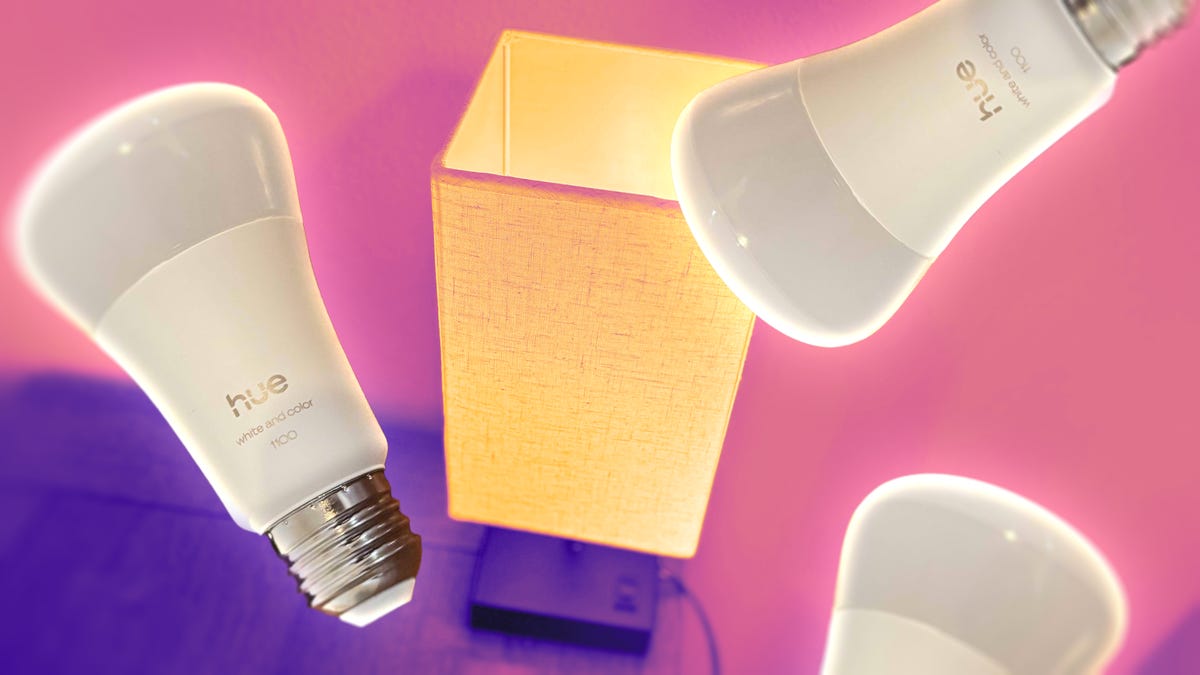
Smart lights can help, and this year I’m turning to the latest Philips Hue offering, a hub and LED light combination that offers capabilities I’ve never seen in smart lights before. If you’re looking for a soothing way to handle DST or other light-related issues, these bulbs could be the place to start for you, too.
Typically, I’d hesitate to recommend a smart light start kit that requires a hub, since so few do these days and they’re a hefty extra expense, but Philips Hue has made the setup far more attractive by adding unique features in its latest Pro hub model. Here’s what I found.
Basic setup
The new Philips Hue Bridge Pro and bulbs are fully Matter compatible, which means they can work with Apple Home, Alexa and Google Home. There’s a Smart Home option in settings, but I found I typically had to use the Matter QR codes included in the manuals, which made the process a bit clunky, when it worked at all. For more advanced options, like the ones I’m using to tackle daylight saving time blues, it’s better to use the Hue app anyway.
Otherwise, connecting the Bridge Pro and adding smart bulbs was relatively painless. You can set the bridge device on a counter or hang it on a wall to save space, an alternative that few home hubs offer. The Bridge Pro did try to detect my existing Philips Hue lights but ultimately couldn’t, so I had to set them back up with the bridge at the end. Since they’re smart bulbs that only took a few minutes to scan codes and screw in, but be warned, setup may include more than you expect.
Soft lights to help a thrown-off sleep schedule
How does a smart bulb kit like this help with sleep cycles? The key is creating a smart light schedule that sets the bulbs to warmer, dimmer settings than the sunlight outside, helping you ease into a new cycle. Shade your windows and set lights to go softer ahead of the sunset, and it will help you feel sleepier according to your typical schedule. Likewise, keep windows covered in the mornings and set lights to a gentler, later wake-up time that suits you. (You can, of course, reverse this process for a fall Daylight Saving Time.)
Philips Hue has some of my favorite smart light color options and controls, behind only GE Cync. Once everything is connected, the app makes it particularly simple to set and switch color scenes and create schedules. It will even suggest scenes based on what you’ve chosen in the past.
I found I particularly liked the effect of a few lights switching to the rosy warmth of “Honolulu” and the calm dusk of “Rolling hills.” But the app has suggested “Dreamy dusk,” which I also like, and the scene gallery is full of other options, too. This is where Philips Hue shines — gently — making it a great accompaniment for a home that needs a little color therapy.
Hue also has an “AI assistant” (who doesn’t) these days to recommend personal experiences for your lighting. This requires sharing your data with Philips and doesn’t offer much value in return, but it’s there to experiment with if you want.
New motion sensing tricks
The Philips Hue Bridge Pro includes a particularly important feature that you’ll start seeing everywhere in the smart home this year. It’s called presence sensing, or devices sensing general activity trends in a home without identifying specific people or using cameras. One popular method is by studying disruptions in the Wi-Fi signals propagating through our homes, and the Bridge Pro is equipped to do just that.
With enough Philips Hue smart bulbs in the same place, the Bridge Pro can enable MotionAware, allowing you to add tricks like motion-detection to turn lights on when people enter a room. That’s an alternative to scheduling that people may find more natural for their home environment, and it can help save a bit of money, too.
I explored the setup options for MotionAware and can confirm it’s simple to implement. However, while I have several Philips Hue lights, I don’t have three compatible smart bulbs to put in the same room, so I didn’t get to test the full extent of the presence-sensing technology.
I’ll acquire more bulbs to give this sensing technology a full review in the near future, but for now I can say it’s a better choice for open floor plans and large rooms where you want multiple smart bulbs that can light up based on your activity.
Final thoughts on Philips Hue Bridge Pro and smart bulbs
While the Philips Hue Bridge Pro can be a bit frustrating during setup, it rewarded me with an excellent scene gallery of lighting hues to help manage daylight saving time sleeplessness, plus the option for new presence-sensing capabilities using MotionAware.
While I’ve shied away from smart light hubs in the past because they’re typically unnecessary, the new features make Philip Hue’s bridges look better than they have in years, and once properly set up the app is quite zippy. If you’ve been searching for a way to change your home ambiance for the better, this kit is a strong starting place.
Read the full article here