





Buying a laptop used to be fairly straightforward: You’d choose your screen size, decide how much power you need and compare prices. But if you’re replacing an aging PC, you’re probably seeing new terms like Copilot+ PC, NPU and local AI processing alongside the usual specs.
Those aren’t just marketing terms. A dedicated AI processor can help improve battery life, power creative applications and save time throughout the workday. Dell’s latest lineup includes options for everything from everyday productivity to demanding creative workflows.
Dell AI Laptop Key Features
- Dedicated NPU: Handles AI work efficiently while helping preserve battery life.
- Copilot Key: One-touch access to Microsoft’s AI assistant.
- InfinityEdge Displays: More screen space with a smaller footprint on XPS laptops.
- Thermal Advanced Cooling: Maintains performance during demanding work sessions.
- 14-inch and 16-inch Options: Portability versus a larger workspace.
Here’s what makes a Copilot+ PC different and which Dell AI laptop may be the best fit for your needs.
What makes a laptop a Copilot+ PC?
Copilot is Microsoft’s AI assistant, which comes built into newer Windows laptops. Copilot+ PCs include a dedicated Neural Processing Unit (NPU) capable of delivering at least 40 TOPS (trillion operations per second) of AI performance. Unlike a CPU (Central Processing Unit) or GPU (Graphics Processing Unit) — processors built for general computing and graphics — an NPU is built specifically to handle AI-related tasks efficiently.
A dedicated NPU is designed to handle AI workloads more efficiently than a traditional processor. That can help support features such as:
- Live captions and real-time language translation
- Background blur and automatic eye-contact correction framing during video calls
- AI-assisted image creation and editing
- Document summaries and writing assistance through Copilot
- Improved battery efficiency during AI-enabled workloads
How Copilot+ improves your everyday workflows
The biggest benefit for AI laptop computer users may be a simple one: saving time. Copilot+ PCs can help automate small tasks throughout the day, including summarizing long documents, generating meeting notes and improving video-call quality. The dedicated, physical Copilot key on supported systems provides quick access to Microsoft’s AI assistant without interrupting your workflow.
Remote workers may notice smoother video conferencing and better battery life. Students can use AI tools to get organized and do research. Creators can accelerate editing and asset generation tasks without relying solely on cloud-based services.
AI doesn’t make for a completely different computing experience, but it provides several small improvements that can really add up over the course of a workday.
Dell Inspiron Plus series: accessible AI productivity
Dell 14 Plus: portable AI productivity
The Dell 14 Plus is the most travel-friendly option in the lineup. Its compact footprint makes it easy to carry between meetings, classes or remote work locations while still providing the AI capabilities of a Dell 14 Plus.
For people who spend most of their day juggling browser tabs, documents, video calls and productivity apps, the 14 Plus strikes a practical balance between portability and performance.
Dell 14 Plus highlights:
- Portable 14-inch design
- Copilot+ PC capabilities
- Built for everyday productivity
- Easy to carry between work and school
Best for: students, commuters and remote workers.
Dell 16 Plus: more room to work
If your workflow regularly involves spreadsheets, multiple browser windows or side-by-side documents, the Dell 16 Plus offers additional screen space without stepping into workstation territory. The larger display can reduce the need for an external monitor when working from home or traveling. Combined with AI-assisted productivity features and modern Intel Core Ultra processing, it’s a strong option for professionals who spend a lot of their day multitasking.
The Dell 16 Plus is a great fit for businesses, students managing research projects and anyone who values a larger workspace.
Dell 16 Plus highlights
- Larger 16-inch display
- Better for multitasking
- Extra room for spreadsheets and side-by-side windows
- Strong everyday performance
Best for: multitaskers and office users.
Dell XPS Series: premium AI powerhouses
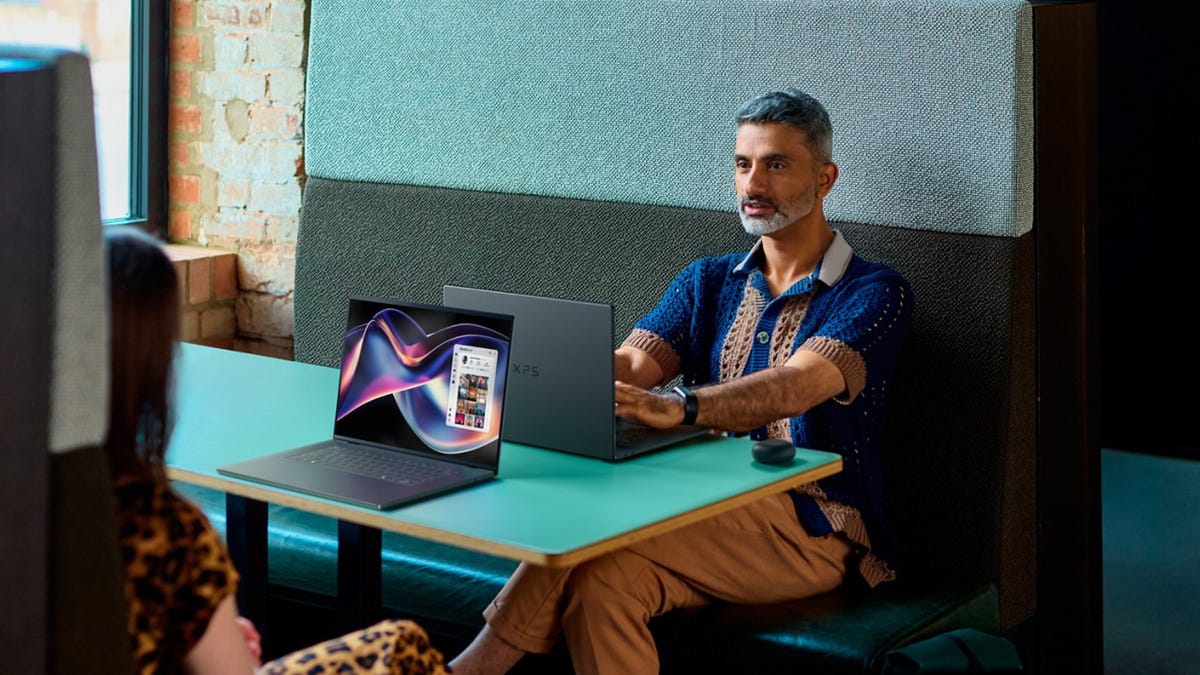
XPS 14: premium features in a portable package
The XPS line remains Dell’s flagship everyday consumer laptop family, and the XPS 14 brings premium materials, advanced displays and built-in Windows 11 AI-ready hardware together in a highly portable design.
It offers an optional 2.8K OLED touchscreen with adaptive refresh rates for smooth visuals and better power efficiency, making it a strong fit for commuting students and remote workers who need a lightweight laptop for everyday productivity and light creative tasks.
XPS 14 highlights
- Premium design
- OLED display options
- Compact casual creator-focused machine
- Optional discrete graphics
Best for: students, casual creators and professionals on the go.
XPS 16: Dell’s most powerful AI laptop
For casual creators who prize larger screen size, the XPS 16 sits at the top of Dell’s AI laptop lineup. It takes the same premium formula as the XPS 14 and stretches it into Dell’s thinnest 16-inch laptop, resulting in a total weight of just 3.6 pounds while still managing a jaw-dropping maximum battery life of up to 31 hours.
The graphite keyboard with built-in backlighting is a joy to type on, even after hours of work, while the CNC aluminum chassis and unibody structure gives the impression of total solidity in the hand.
For those who need extra screen real estate that doesn’t sacrifice battery life, the XPS 16 is the most capable option in the group.
XPS 16 highlights
- Largest display option
- Variable refresh rate between 1-120Hz
- Built for long work sessions away from the office
Best for: content creators and professionals wanting a larger screen.
Which Dell AI laptop is right for me?
An NPU is designed specifically for AI workloads. It can handle tasks like noise cancellation, live captions and video effects more efficiently while helping preserve battery life.
Yes. Many AI features supported by modern Copilot+ PCs run locally on the device — including certain accessibility tools, image assistance features and live captioning — eliminating the need for a constant cloud connection.
The Dell Plus lineup focuses on enhanced productivity, dependable hardware and value, while XPS models add premium materials, advanced displays and additional performance for creative and demanding workloads.
The physical Copilot key provides a quick shortcut to Microsoft’s AI assistant for tasks like summarizing content, answering questions and adjusting settings.
AI-enabled laptops can improve efficiency by routing supported workloads through a dedicated NPU, which uses less power than relying solely on the CPU or GPU.
Read the full article here


