

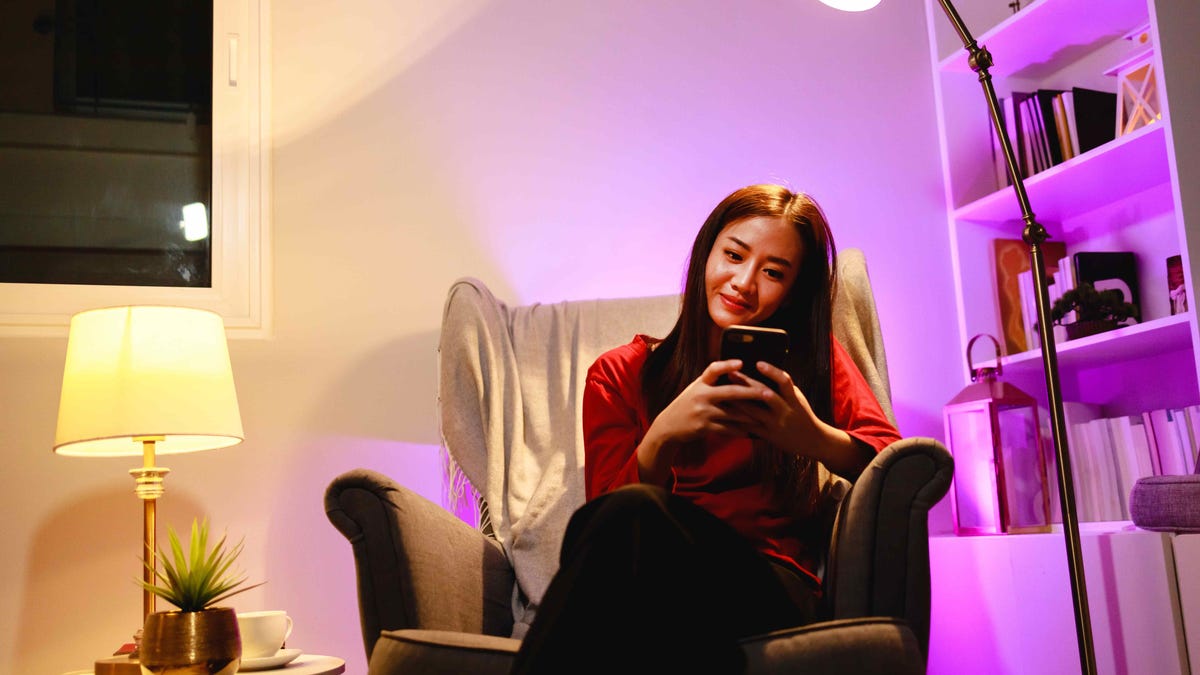
Staying alone at home has its perks, like unlimited thermostat control and fridge snacks. But, you may also worry about home safety and even break-ins. Don’t let those fears ruin the vibe: There are tech-friendly practices and devices you can pick up that can make all the difference.
Check out my tips below to see how you can easily monitor a home or room when you’re alone, what gives you helpful warnings and more super-easy security add-ons you can use while at home solo.
Read more: Essential Security Tips When Staying at an Airbnb or Rental
1. Install a motion sensor or tinkly bell
One of the best safety measures to take when living alone is to know when someone else is around. A traditional option is attaching a string of bells to your door handle, but we have more dependable choices these days like this $12 light-up LED motion sensor.
If you prefer an outdoor alert or a motion sensor that can cover a long hallway/open floor plan, then you can choose this $35 weather-resistant sensor and hub with an adjustable chime instead.
This tip works especially well for those living alone because detectors old or new can be easily triggered by kids or partners, creating more confusion than confidence. You’ll want to put them at locations and heights pets can’t reach or activate too.
2. Grab a portable door lock to give a room extra protection
Portable locks can give any traditional, non-deadbolt door an extra lock that’s harder to force through, for people truly worried about a violent break-in. You can easily put them on bedroom doors, rental doors or any other door where you want more defense – no matter what other security the house has. It’s a useful, versatile solution if you’re not sure how long you’ll be living alone and you want something extra for a specific room.
Portable locks are affordable too. Here’s a two-pack for only $16. And if you want a more substantial upgrade, you can always choose a smart lock with app controls.
3. Use an all-purpose sensor that can detect any tampering
No matter what you’re worried about, this small Aqara P100 sensor ($30) can help you track it. The stick-on device takes seconds to calibrate, and can tell if a door or window has been opened, an object moved or rattled, a drawer opened or something knocked off a table. In addition to access control, you can put it inside a car door, in a mailbox, on a safe, on a refrigerator, in a bag you don’t want stolen and much more.
The sensor even includes automations — you stick it on a bedroom table,and have it activate lights or sirens if you rap the table three times, for example. The only trick is that you really need an Aqara hub (Zigbee or Matter) to enable all the features. If you have another Matter hub, like an Amazon Echo or Apple TV, you’ll be limited to open/close sensing for access, which is still handy.
4. Pick a portable cam you can move wherever you need
A security cam can be a welcome eye on your home if you’re living alone, but our experts recommend a portable, wireless indoor model in this case. You can move a portable cam to watch over whatever room you want or any particular hallway, corner or shadow that’s giving you the creeps.
Our favorite cams for these purposes include the Google Nest indoor/outdoor camera ($176) and the Ring Stick Up Cam Battery ($80). Both these cams can work outside as well if you’re worried about a dark yard.
5. Equip the main door with a video doorbell
A video doorbell alerts you when someone is approaching, allows you to talk with a visitor remotely and can even sound sirens or speak up with automated messages. It’s an all-in-one security device that’s especially useful if you’re home alone, and we have a full guide on the best models for your door. If you’re keeping an eye on your wallet, we can also recommend several excellent cheap video doorbells.
Keep in mind, most doorbells require a subscription or microSD card to store video footage. Some even allow you to set the doorbell to recognize familiar faces and warn about an unfamiliar face, which users may prefer.
6. Set your indoor/outdoor lights to turn on at night
Most random trespassers or burglars don’t know you’re home alone. You can make the illusion even more convincing with smart lighting that turns on at scheduled times to make it look like more people are arriving home and active in multiple rooms. It’s a lot more effective than trying to mimic a flashing TV or other old-fashioned tactics.
Smart bulbs are more affordable than ever, with options like this Amazon Basics four-pack available for $36. They’re made to fit into standard home sockets, and many no longer require hubs to work so they’re very flexible. Set and forget a “turn on” schedule to keep your home looking busy no matter what’s happening. And take a look at my picks for the best LED floodlights for larger options.
7. Change the passwords for your device and lock logins
People living alone, especially women, are far more likely to be attacked by someone they know when they are at home. So I recommend that when your living situation changes, you should prioritize changing the passwords on your security apps, Wi-Fi routers, security cameras and even your phone. Don’t forget to change codes for your locks and garage door, if necessary. This is a basic security step that’s all-too-easy to forget when you’re getting used to living alone.
Read more: We Asked a Criminologist About The Most Common Ways Burglars Break In
8. Choose a high-quality keychain pepper spray
You never want to be in a situation where you feel physically threatened by someone, but if it happens it’s great to have a little can of Mace or pepper spray close by. This Sabre spray is available for $10 and attaches to your keychain so you always have it nearby. You could even loop it to some phone cases, purses or belts. It has a quick detach clasp for easy access, plus a twist lock for safety.
9. Set up a voice assistant emergency service
Many voice assistants can call 911 for you or perform other tasks if you’re not near your phone. But some go further. One of the best current examples is Alexa Emergency Assist, which can store your health information and emergency contact, put you in touch with an urgent response agent, and give you notifications about fire alarms or breaking glass when you aren’t at home. The service starts at $6 per month. Other home security monitoring can offer similar services, but Alexa Emergency Assist is one of the more affordable options if you already have an Echo speaker.
Bonus tip: Invest in a panic button
If you want to go the extra mile for solo safety, you pick up a panic button that you can carry with you or set nearby to immediately contact responders whenever you need to. These panic buttons are a common part of home security systems. Ring Alarm offers one for $30, while SimpliSafe has a wall-mounted $20 model. Systems like ADT Plus combine panic buttons with their access fobs, and you can even find standalone models from brands like Silent Beacon.
These devices take a subscription to work properly and aren’t for every wallet, but they do complete your home security when no one else is around (or home safety for a loved one in a similar situation).
For more spot-on security tips, check out if you can use a security cam in an apartment building, how to deter burglars from your home, if a dog is good for home security and the worst places to put a security camera.
Read the full article here