



Close Menu
Modern Life Today
  • Tech
  • Smart Home
  • Energy
  • Home Security
  • Kitchen & Household
  • Outdoor
  • Home Internet
  • More Articles
Trending Now

Best Handheld Fans for a Breeze on Demand (2026)

August 7, 2026

Review: Alienware 15 Gaming Laptop

August 7, 2026

Best Ethernet Switches: Fast, Reliable, and Secure

August 7, 2026
Facebook X (Twitter) Instagram
Modern Life Today
  • Tech
  • Smart Home
  • Energy
  • Home Security
  • Kitchen & Household
  • Outdoor
  • Home Internet
  • More Articles
Subscribe
Modern Life Today
Home»Tech»3 Clever Things You Can Do With an Old Amazon Kindle
Tech

3 Clever Things You Can Do With an Old Amazon Kindle

Press RoomBy Press RoomAugust 7, 2026No Comments4 Mins Read
Share Facebook Twitter Pinterest Copy Link LinkedIn Tumblr Email

The best Amazon Kindles are reliably good at their main job: displaying ebooks in a crisp, easy-on-the-eye format. But Kindle e-readers are actually more versatile than you might imagine.

If you’ve just upgraded to a new Kindle and are looking for something to do with your old one, or if you’re simply interested in seeing how hackable these e-readers are, we’ve got three projects for you to attempt.

These projects vary in terms of difficulty and the amoung of time and effort you’re going to have to invest, but full instructions for all of them are available online, so you can follow the steps on your own Kindle.

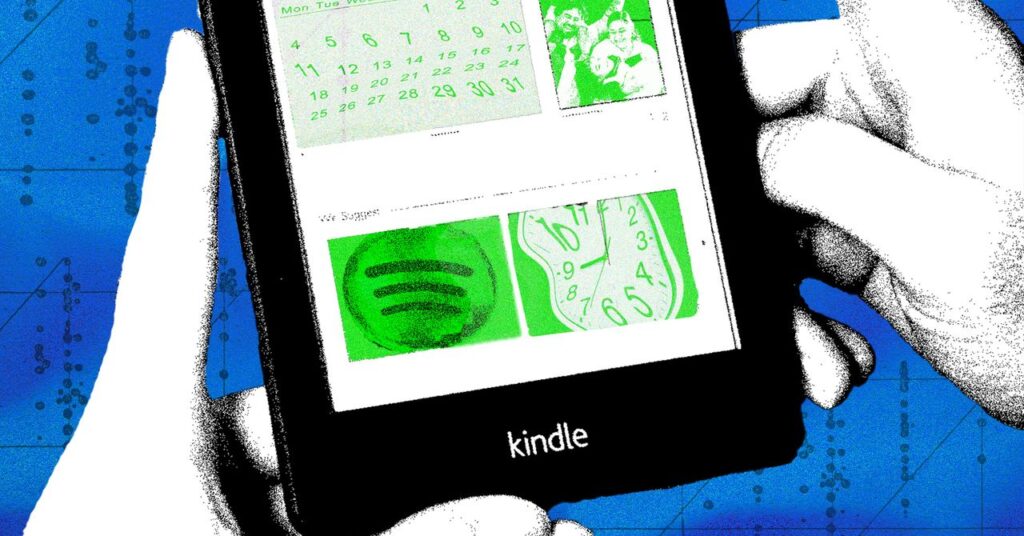
Turn Your Kindle Into a Spotify Controller

Part of the appeal of Spotify is that it can work across so many different devices and connect to so many other services. There are lots of ways to use Spotify, and that includes through your Kindle. All you need to do is supply your Spotify credentials, and then make sure your Kindle is on the same Wi-Fi network as the other device you’re using to play your music, podcasts, or audiobooks.

This is made possible through Kindlify.co. Open the site in the Kindle’s built-in web browser, then tap Connect Spotify to log in. Once that’s done, you should see details of whatever you’re currently playing in Spotify—though you will need to use another device to choose something from your library. There’s more discussion about this hack on Reddit, which is where I found it.

It all works through the magic of Spotify Connect, which you may already have come across. This feature lets you play something on your laptop and then control playback from your phone, for example, or vice versa. You can also use the feature to manage playback through compatible smart speakers.

Bear in mind that you’re not actually storing any music on your Kindle or running an official Spotify app. This hack is just a way to connect to your Spotify account and control whatever’s being played through it, from your Kindle. You can skip forward and backward, and pause and resume playback, all from the e-reader.

Turn Your Kindle Into a Smart Home Display

Another way to repurpose a Kindle and its E-Ink screen is to turn it into a smart display that pulls in all kinds of data from other services. You can use the e-reader to show a variety of information related to your devices, including weather forecasts, calendar information, and your to-do lists.

This is just about the most involved of the projects featured here, and you need to do everything from setting up a custom website to cutting out a custom-made frame for your Kindle. Developer Matt Healy, who originally put all this together, has diligently provided instructions online.

It’s the sort of project you can try if you want to learn more about hardware hacking, coding, the inner workings of Kindles, and how various apps and services talk to one another. By the time you’ve finished, you may well have some ideas about similar hacks of your own you could attempt.

The information you display is entirely up to you, but it will need to come from platforms that allow third-party connections. You can see from the scripts supplied by Matt Healy that he’s managed to pull in real time information from weather services, calendars, and even status reports for upcoming deliveries.

Turn Your Kindle Into a Literary Clock

Finally, you can also consider turning your Kindle into a literary clock. This hack keeps the e-book theme but repurposes the device into a display you can glance at any time you want to know what time it is, with each minute represented by a different quote from a book that mentions that particular time.

As with the smart home display, this requires a significant amount of work in terms of coding and getting everything set up, but again, there are full instructions online, so you can tackle it yourself. You can fashion a stand or frame for the clock, but it’s not essential if you don’t mind the original look of the e-reader clock.

Read the full article here

Share. Facebook Twitter Pinterest LinkedIn Tumblr Email

Related Articles

Best Handheld Fans for a Breeze on Demand (2026)

August 7, 2026

Review: Alienware 15 Gaming Laptop

August 7, 2026

Best Ethernet Switches: Fast, Reliable, and Secure

August 7, 2026
Add A Comment
Leave A Reply Cancel Reply

Demo
Top Articles

The Nintendo Switch 2 Is In Stock and In Bundles, So You Can Game More and Spend Less

July 10, 2026

TikTok Shoppers Thought They Were Bidding on iPhones. Instead, They Won Teddy Bears

June 16, 2026

This World Cup, You Can Watch the Game From a Ref’s Point of View

June 11, 2026

Cozyla’s Digital Calendar Just Took a Prime Day Dive to $280, but Expect This Deal to End Soon

June 29, 2026
Don't Miss

The Best Cordless Vacuums

By Press RoomAugust 7, 20260

Honorable MentionsBissell’s PowerClean FurFinder for $160: This is a great stick vacuum, and it was…

Meta Quest Promo Codes and Coupons for August 2026

August 7, 2026

Groupon Promo Codes: 60% Off in August 2026

August 6, 2026

The Delicate Art of Making a 1907 House Smarter

August 6, 2026
About Us
About Us

Modern Life Today is your one-stop website for the latest gadget and technology news and updates, follow us now for the news that matters to you.

Facebook X (Twitter) Pinterest YouTube
Featured News

Last Hours: Save $300 With This M4 MacBook Air Deal Before It’s Too Late

June 8, 2026

Ranking the Best Red Light Therapy Mask and LED Devices of 2026

June 8, 2026

9 Surprising Foods You Can Make in Your KitchenAid Stand Mixer

June 8, 2026
Trending Now

Review: Velotric Nomad 2 Fat Tire Ebike

June 8, 2026

Best Places to Buy Glasses Online in 2026, Reviewed by Experts

June 8, 2026

Lavazza Just Beat Keurig to the Punch with Pods Made Entirely of Coffee — No Plastic Involved

June 8, 2026
  • Home
  • Privacy Policy
  • Terms of use
  • For Advertisers
  • Contact
2026 © Prices.com LLC. All Rights Reserved.

Type above and press Enter to search. Press Esc to cancel.