






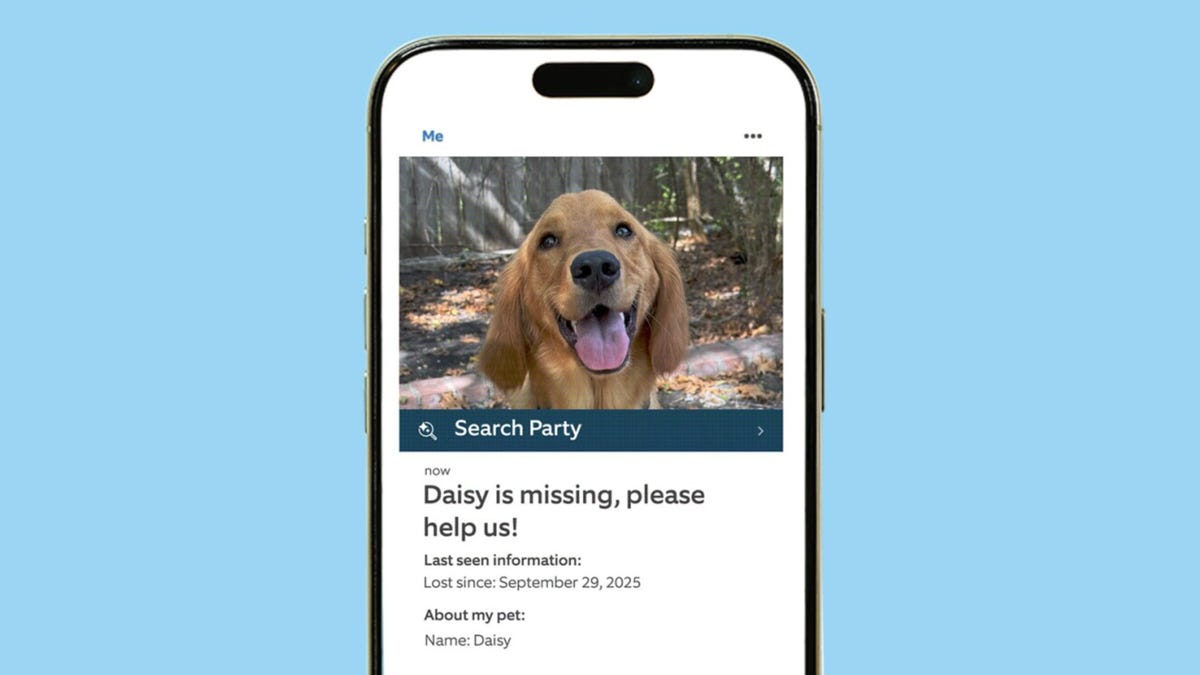
Amazon’s Ring hit it big with its Super Bowl ad about pet tracking, but possibly not in the way the security company wanted. In the wake of the ad on Search Party, or AI pet recognition using Ring cameras, many people on Reddit and elsewhere shared their concerns about AI surveillance, privacy fears and how the technology could be potentially used.
This stirred up a cloud of misinformation that I’m dealing with using a brief FAQ. Ring’s Search Party feature really does help save lost pets, and it gives you tools to handle privacy the way you want. Ring employees will not be viewing your videos trying to find pets or for any other reason without your explicit permission.
If you don’t like the AI analysis Ring is using here, there are plenty of alternatives — although this technology is rapidly becoming a core part of home security.
How does Search Party work, exactly?
Search Party is a part of the Ring Neighbors platform, available on the Ring app to let people share information about local events or help needed. If a Ring account holder loses a pet, they can use the Search Party function to upload a picture of their dog as a pet profile and activate a search for free.
Search Party then scans nearby Ring accounts to see whether any recent videos were uploaded after an animal was detected. Using Ring’s AI, the feature automatically looks for animals that resemble the photo of the lost pet.
If a match is found, Search Party alerts the pet owner to the general location where a similar animal was spotted. It also notifies the Ring device owner, who can decide whether to share the video with the pet owner and other neighbors on the Neighbors platform.
Is Search Party an opt-in feature?
The basic functions of Search Party are opt-out, which means they’re automatically enabled for Ring devices that save video to the cloud. Sharing video clips with a pet owner is a separate feature that’s opt-in, meaning you’ll get an alert but have to manually choose to send over video to a stranger.
Does Search Party share my videos with other people?
Not automatically, no. The videos in the cloud stay hidden and Ring encrypts those videos when they aren’t being used, as well as offering end-to-end encryption for certain plans. The only way other people can see your saved Ring videos is if you receive a notification that someone has started a Search Party in your area and one of your videos has a match. Then you have to specifically agree to send that video to the person who started the Search Party.
Does Search Party look out of my camera’s live view?
No. Search Party appears to only use saved videos in Ring’s cloud. It won’t start recording new video that wouldn’t otherwise have been triggered by your motion detection settings, and it does not seem to use live feeds from cameras.
Does Search Party mean Ring is looking at my videos?
No, not directly. Ring’s AI service analyzes videos automatically. Ring associates (the people who answer when you call customer service) cannot access stored videos at all.
As for Ring specialists viewing videos, the company has laid out a clear policy:
“Employees are not able to view, access, or control live streams. To help improve Ring’s products, services, and technology, our research and development team does view a small number of video recordings. These video recordings are either from users who have made them publicly available (by posting them on Neighbors or otherwise on the Internet), or from users, team members, and their friends and family who have given us explicit permission to use them for this purpose (which they may revoke at any time).”
Ring is presumably using these publicly available videos to train its AI, among other purposes.
Can I disable my participation in Search Party?
Yes, but you have to know where to go. Open the Ring app and select the hamburger menu, followed by Control Center. Scroll down until you find Search Party. Here you can select Enabled to disable the feature, camera by camera.
What if I don’t want Ring’s AI to examine my videos at all?
Never opt into any video sharing, and never post videos on Ring Neighbors. For complete privacy, avoid signing up for a Ring plan and don’t use Ring’s video cloud storage at all.
Of course, avoiding Ring’s cloud creates other issues. Without a plan, valuable object detection services won’t work, and Ring doesn’t offer many onboard video storage options.
Are there security brands that don’t analyze my videos?
If a security camera offers any kind of AI detection, it probably has ways to analyze your videos, although you typically have to give consent or sign up for a plan for that to happen (or post videos publicly on their platform).
If that gives you privacy heebie-jeebies, your best bet is to avoid cloud video storage altogether and stick with local video storage on a hub or microSD card. Many brands offer local storage, including Eufy, Blink, Tapo, Reolink and Wyze.
What about Ring and Flock surveillance connections?
Ring does have a contract with the surveillance company Flock, but it reports that the partnership has not yet gone into effect, so no video sharing is currently happening. If it does, Ring owners will need to give explicit consent to share their video if local law enforcement reports an event and requests footage. Flock says that it doesn’t share data with federal agencies, but that has been disputed by the ACLU and other organizations.
Read the full article here


