

Pros
- Complete offline, built-in voice assistant
- Acts like a mini power strip
- USB-C and USB-A ports
- Setup is instant
- Commands are effective and include timers
Cons
- Only one outlet supports voice commands
If you like the idea of voice assistants, but hate that they force you to download apps, collect your data and analyze your voice commands, there are options. Home device and appliance brand Emerson showcased a new option at CES 2026: Smart devices offering voice assistant technology housed entirely on the devices themselves, with no Wi-Fi, app, cloud data collection or privacy settings needed.
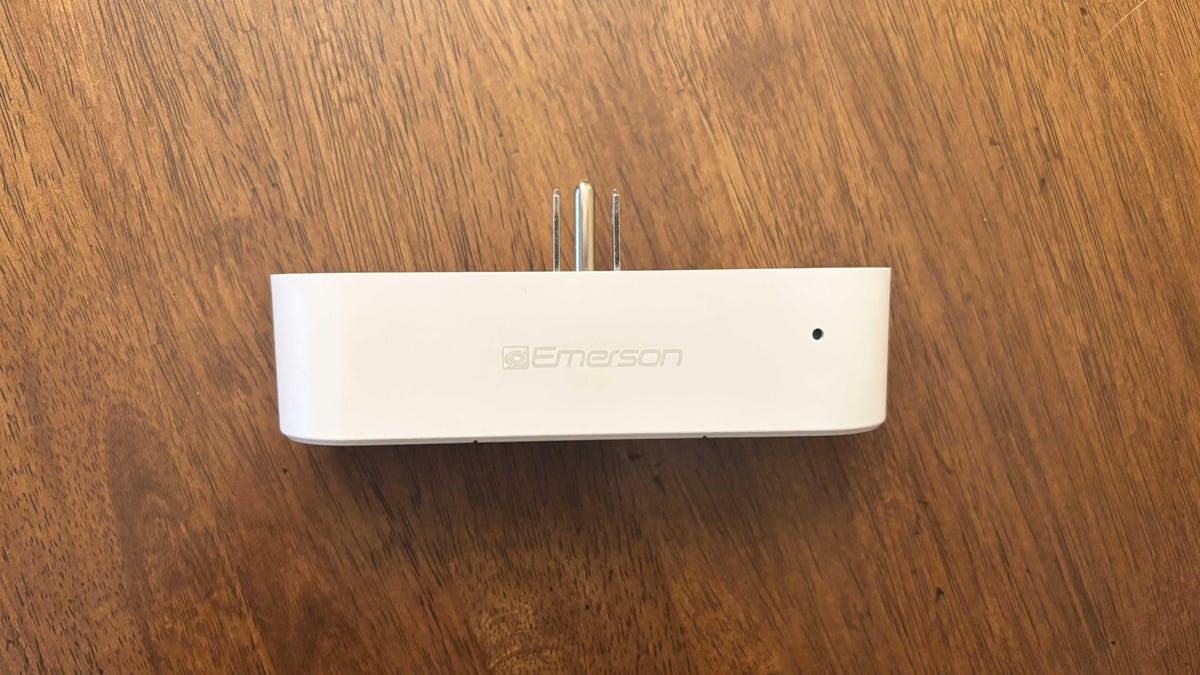
The most versatile of these devices is the Emerson SmartVoice smart plug, so I decided to test the largest one they had. This 4-in-1 plug ($35) not only gives you many more connections on a single outlet, but it also lets people use voice commands right out of the box — no app required.
While the plug is more limited than classic voice assistants like Alexa, Google Home or Apple Siri, it provides important functions for people who may want to control devices out of reach, no fuss included. Here’s what I thought.
A large plug to expand your outlets
A four-in-one plug is large. While the SmartVoice plug leaves enough room for most adapters to use the other socket in a dual-socket wall outlet, it does stick out significantly, so you’ll need the surrounding space.
That said, setup has never been easier. Emerson’s plug is technically a smart plug, but since you don’t need to download an app or connect to the internet, you just plug it in and press a button to turn it on.
On the plug are two separate 15-amp outlets, a USB-A port and a USB-C port. I tried plugging devices into all of them at once, and the plug continued to work fine, although your USB charging speeds aren’t likely to be fast. It functions like a mini power strip for an outlet that needs it, even if you don’t use the voice commands very often.
Emerson voice commands: The basics, but it works
With apps, Emerson’s voice commands are limited to a number of presets. Fortunately, the company includes a little cheat sheet to help you get started. The default wake word is “Hey Emerson,” although you can press the power button and program it to respond to “Hey plug one,” “Hey plug two” and so on, up to five.
The biggest limitation? Only the right-hand outlet offers voice command support. The other outlet and the USB ports don’t have it. I would have liked to see voice command support for both plugs with “plug one” and “plug two” wake words instead, but for this model, you’ll have to carefully choose what device you want to make smarter.
For my testing, I connected a couple of lamps, small appliances and the SwitchBot candle warmer I tested previously to see how they all functioned in the SmartVoice plug. The plug works best with simple on/off states — it struggled, for example, with the candle warmer, because that device already had on-cable controls for turning on/off, setting timers and increasing the heat. The plug worked best for lamps, and Emerson notes that it can also help turn on holiday lights or reset a router at a distance, both of which I think would work very well.
As for the voice commands themselves, I found them effective and well-implemented. Say the wake word, and the plug’s light will pulse for 7 seconds while waiting for the voice command. All the commands I tried worked immediately with expected accuracy, though you may need to speak louder than you would with a standard voice assistant, since the mic is small and not always positioned for easy hearing.
The wake/sleep timers in particular seemed useful to me, allowing you to turn on heaters, humidifiers or similar devices for a set period of time, then switching them off when you’ve left or fallen asleep.
Final thoughts on the Emerson SmartVoice plug
Emerson’s claim of totally offline voice commands is a bold one, but in practice, I found they worked quite well, although I wish the plug had more than one “smart” socket. The voice command limitations didn’t really matter since smart plug controls are simple anyway, and even without voice commands, it’s still a useful outlet expander.
Using these privacy-safe commands can help manage a variety of devices, from setting timers to controlling out-of-reach gadgets (perhaps for aging-in-place elders). But consider positioning, as the plug is very large and won’t fit into every space.
Emerson has a number of these SmartVoice products, including a tower fan that I’m also ready to test. So far, it’s proving a serviceable alternative that gives voice assistant powers without all the baggage.
Read the full article here