

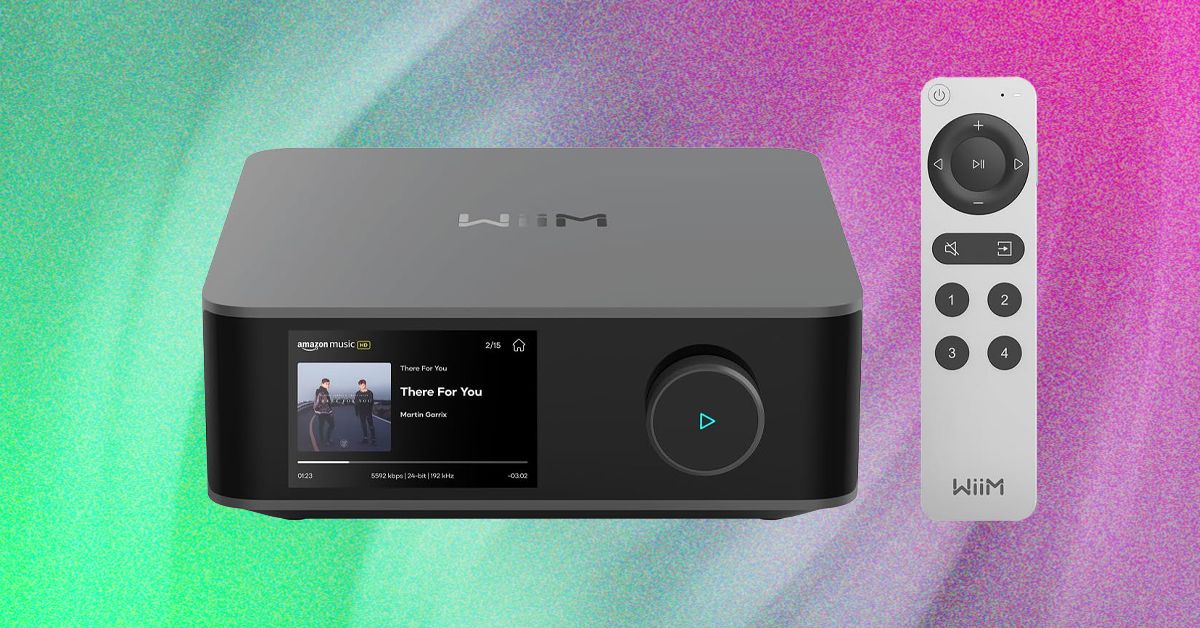
The Wiim Amp Ultra aims to fix this issue, catering to those after a bit more than just worry-free performance at a very nice price. On that front it proved an immediate success, providing noticeably cleaner, more expansive stereo sound than the Amp Pro I’ve had at the center of my living room for the past few months. The sound isn’t perfect, and it leaves out some features I’d expect at this price (like AirPlay and a dedicated phono input), but it easily won my heart anyway. The Wiim Amp Ultra showed off a lovely mix of performance, design, and quality over multiple weeks on my TV stand.
Swift Setup
Getting going with the Amp Ultras is about as slick as it gets. Opening the box reveals two boxes of cables, a hearty rechargeable voice remote, and a cold aluminum cube with an obsidian glass front. It looks like a Mac Mini on steroids. For those new to amplifiers, you’ll need to grab some speaker wire, but otherwise, Wiim includes all your accessories, including four banana plugs (pushable cable ends) for plug-and-play connection.
Photograph: Ryan Waniata
After plugging in my TV via HDMI ARC and connecting my speakers, I plugged in power to reveal a QR code on the 3.5-inch color touchscreen (this has a color touchscreen!) for the Wiim Home app, which takes the wheel for network setup. The app couldn’t find my unit at first, but after tapping on the volume knob, the Amp Ultra quickly popped on. After a five-minute update, I was off to the races.
The beauty of the Wiim system—like Sonos—is that there are a ton of ways to play. From smart services to multi-room audio, you can do a ton in the app to customize your home listening experience.
Loaded Little Box
Wiim makes a lot of products, including the very similar-looking Wiim Ultra, which does not provide amplification, instead acting as an add-on streamer to future-fy older amplifiers. The Amp Ultra packs it all in one 7.87 x 8.3 x 3-inch box.
Inside is a small Class-D amplifier with up to 100 watts per channel at 8 ohms (200 watts at 4 ohms), which should power virtually any speakers you’ve got, unless you’re lugging around something very special The digital audio conversion is handled by an ESS ES9039Q2M SABRE DAC chip—the thing that converts your digital sound to analog sound waves—with support for high-resolution audio at up to 24-bit/192-kHz, which is better than CD quality. At the back is a concise selection of physical inputs, including the aforementioned HDMI ARC TV port, digital optical, RCA analog line-in, a USB port for flash drives, Ethernet connection, and a subwoofer output.
Wireless connection starts with Wi-Fi 6 and includes support for Google Cast, Alexa cast, and a cascade of streaming services, from the usual suspects like Spotify Connect and Tidal Connect, to network apps like Plex and random services you’ve likely never heard of like SoundMachine. Spotify Connect is on by default, while others need to be enabled to “reduce network load,” according to the brand. AirPlay 2 and Apple Music are conspicuously absent, which will be a big miss for some listeners. You can access it via Bluetooth 5.3, but frankly, if Apple music is your main listening hub, I’d go with another option, including the standard Wiim Amp.
Read the full article here