







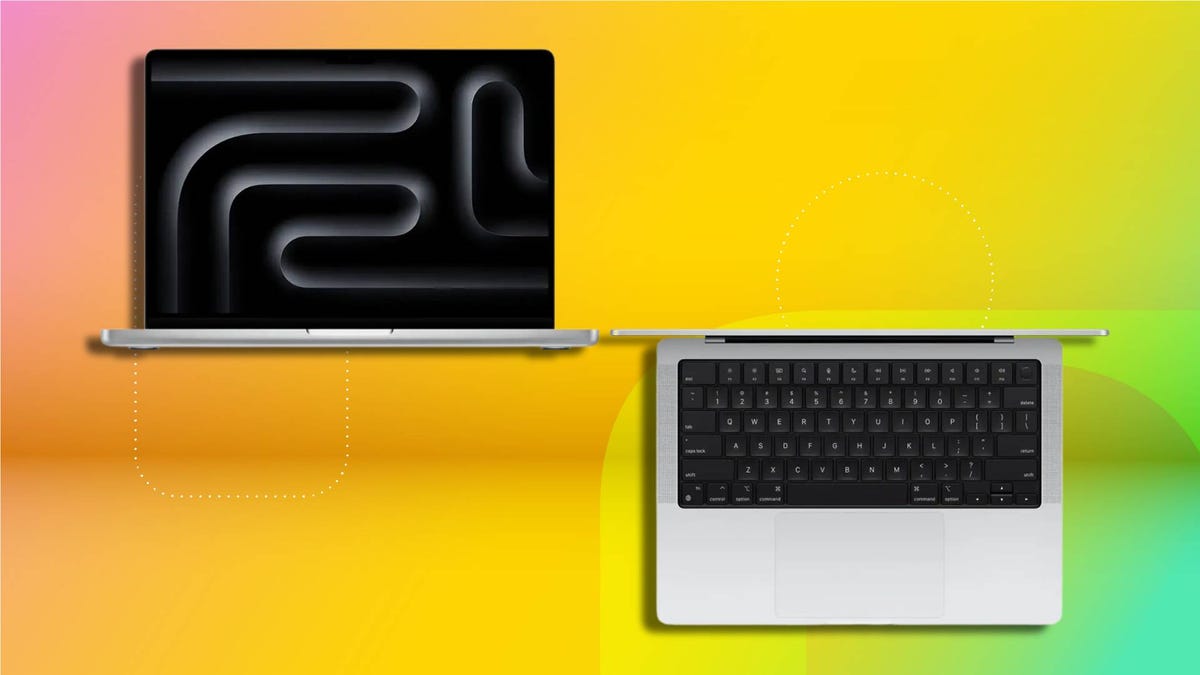
Before this week, it was an either/or question: Do you either buy a MacBook Air or a MacBook Pro? With the arrival of the new MacBook Neo, MacBook shoppers now have three lines from which to choose. But if you’ve decided that you need more power than what the Neo can provide, you still need to choose between buying a MacBook Air or spending even more for a MacBook Pro.
Within the MacBook Air and Pro series, there are two sizes offered in each, giving you four distinct models to decide between. From the outside, the Air and Pro models don’t look much different from one another, but there are key differences — from cost and components to performance and battery life — that you need to know to pick the right one. We’ve tested the latest M5 models in the MacBook Air and Pro lines (along with the new MacBook Neo) and can help you decide whether you can get by with a MacBook Air or need the added power of a MacBook Pro.
The 15-inch M5 MacBook Air is the best MacBook for most people, but there are some good reasons to spend more for a MacBook Pro. Let’s break down the differences in price, performance, display size and features and find the best MacBook for you.
MacBook Air vs. Pro: Refresh cycle
No one wants to buy a laptop only to see it get updated a week or a month after you make a purchase. So, it’s important to know which MacBook have been refreshed most recently. With all three of Apple’s laptop lines receiving updates earlier this week (the second week of March), now is a great time to buy a MacBook.
Along with introducing the MacBook Neo this week, Apple updated the MacBook Air with its latest M5 processor while also bringing the higher-powered M5 Pro and M5 Max chips to the MacBook Pro. The oldest MacBook model in the current lineup is the 14-inch MacBook Pro, which was the first MacBook to get the M5 update at the end of 2025.
Read more: Best MacBook for 2026
Now that you know where each line stands in its refresh schedule, let’s take a look at the current pricing of the MacBook Air and MacBook Pro.
MacBook Air vs. Pro: Cost and components
The MacBook Neo significantly lowers the barrier to entry to a MacBook. The Neo costs just $599, which is nearly half the cost of the cheapest MacBook Air but has a smaller 13-inch display powered not by one of Apple’s M-series processors but an iPhone processor in the form of the A18 Pro. If you want a MacBook with an M5 chip, you are looking at an Air or Pro.
The MacBook Air is available with a 13.6- or 15.3-inch display. The 13-inch Air starts at $1,099, and the 15-inch Air starts at $1,299. Both of the baseline MacBook Airs feature Apple’s latest M5 processor along with 16GB of RAM and a 512GB solid-state drive. There is a slight difference in GPU cores between these two starting models — the 13-inch Air’s M5 chip has eight GPU cores, and the 15-inch Air’s M5 chip has 10 GPU cores.
MacBook Air vs. Pro components
| 13-inch MacBook Air (M5) | 15-inch MacBook Air (M5) | 14-inch MacBook Pro (M5) | 16-inch MacBook Pro (M5 Pro) | |
|---|---|---|---|---|
| Starting price | $1,099 | $1,299 | $1,699 | $2,699 |
| CPU | M5 | M5 | M5 | M5 Pro |
| No. of CPU cores | 10 | 10 | 10 | 18 |
| No. of GPU cores | 8 | 10 | 10 | 20 |
| Starting RAM | 16GB | 16GB | 16GB | 24GB |
| Starting storage | 512GB | 512GB | 1TB | 1TB |
The MacBook Pro is available with a 14.2- or 16.2-inch display. The 14-inch Pro starts at $1,699, and the 16-inch Pro starts at $2,699. The 16-inch model has such a higher starting price because it has a more powerful M5 Pro chip, while the base model of the 14-inch Pro features an M5 (non-Pro) chip.
The M5 Pro chip in the 16-inch MacBook Pro is truly a pro-level processor, with 18 CPU cores and 20 GPU cores, while the M5 chip in the 14-inch model has 10 CPU cores and 10 GPU cores.
You can, however, get the M5 Pro chip in the 14-inch Pro. The step-up model in the 14-inch MacBook Pro series costs $2,199 and features an M5 Pro chip with 15 CPU cores and 16 GPU cores. Or you can get the same 18-CPU, 20-GPU M5 Pro found in the 16-inch MacBook Pro for $2,399.
For system memory, the baseline 14-inch MacBook Pro offers the same 16GB of RAM as you get with the MacBook Air, but the higher-end 14-inch models and every 16-inch model has a minimum of 24GB of RAM.
You also get more storage with the MacBook Pro than you do in the MacBook Air. The MacBook Air offers a minimum of 512GB, and Pros come with 1TB or more.
MacBook Air vs. Pro: Weight and battery life
The Air wins on weight, but the Pro takes the crown for battery life.
The 13.6-inch MacBook Air weighs 2.7 pounds, and the 15.3-inch Air weighs 3.3 pounds. The 14.2-inch MacBook Pro at 3.4 pounds weighs more than the larger Air. And it weighs appreciably more than the smaller Air, whose display is only 0.6 inches smaller.
MacBooks by size, weight and display
| 13-inch MacBook Air (M5) | 15-inch MacBook Air (M5) | 14-inch MacBook Pro (M5) | 16-inch MacBook Pro (M5 Pro) | |
|---|---|---|---|---|
| Screen size | 13.6 in | 15.3 in | 14.2 in | 16.2 in |
| Screen resolution | 2,560×1,664 pixels | 2,880×1,864 pixels | 3,024×1,964 pixels | 3,456×2,234 pixels |
| Weight | 2.7 lbs | 3.3 lbs | 3.4 lbs | 4.7 lbs |
| Dimensions (HWD) | 0.44 x 11.97 x 8.46 in | 0.45 x 13.4 x 9.35 in | 0.61 x 12.31 x 8.71 in | 0.66 x 14.01 x 9.77 in |
| Connections | Thunderbolt 4 x2, headphone, MagSafe 3 | Thunderbolt 4 x2, headphone, MagSafe 3 | Thunderbolt 4 x3, HDMI, SDXC card, headphone, MagSafe 3 | Thunderbolt 5 x3, HDMI, SDXC card, headphone, MagSafe 3 |
| Battery | 52.6-watt‑hour | 66.5-watt‑hour | 72.4-watt-hour | 100-watt-hour |
I use a 14-inch Pro for work, and my daughter has a 13-inch Air for school. The difference in weight between the two is striking. I’m always jealous of the lighter carrying weight of the Air whenever I pack up my Pro for travel or just to take it down to my local coffee shop. The MacBook Air also takes up less space in a backpack. It’s just 0.44 inches thick, and the MacBook Pro is a chunkier 0.61 inches thick. The Neo sits in the middle at 0.5 inches thick.
The added weight and thickness, however, allow Apple to pack a bigger battery inside the MacBook Pro than the Air. And the MacBook Air has a much bigger battery than the Neo. The Neo still has enough battery life to get students through a day of school, but the Air and Pro models run even longer.
MacBook battery life test results
| MacBook Pro 14 (M5, late 2025) | 22 hr, 59 min |
|---|---|
| MacBook Air 13 (M5, early 2026) | 17 hr, 2 min |
| MacBook Air 15 (M4, early 2025) | 16 hr, 41 min |
| MacBook Neo (early 2026) | 13 hr, 26 min |
MacBook Air vs. Pro: Display and speakers
MacBook Pro models have a slightly higher-resolution display and a higher pixels-per-inch count (224ppi on the Air to the Pro’s 254ppi), but the bigger differences between the displays are their brightness, HDR support and refresh rate.
The Macbook Pro’s Liquid Retina XDR display is a mini-LED panel rated for 1,000 nits in SDR and 1,600 nits in HDR. The MacBook Air’s Liquid Retina display is rated for 500 nits, which is bright enough for most lighting environments but lacks the range and contrast to make HDR content pop.
You’ll also get smoother movement in videos and games on the MacBook Pro’s 120Hz ProMotion panel. The MacBook Air offers a standard 60Hz refresh rate, which makes me a little sad.
The MacBook Air and Pro each offer good audio output for a laptop, but the Pro’s sound is better. The MacBook Pro features a six-speaker array, and the Air has four speakers.
MacBook Air vs. Pro: Ports and fans
The MacBook Pro features more external connections. It has an HDMI port and SD card slot — neither of which you’ll find on the Air — along with an extra Thunderbolt port. The M5 Pro-based models also support Thunderbolt 5 for faster data and support for more external monitors than you get with Thunderbolt 4 on an Air.
The MacBook Air has the advantage in acoustics. It lacks a cooling fan and operates in complete silence.
MacBook Air vs. Pro: Performance
So, what do those extra CPU and GPU cores get you with the M5 MacBook Pro? We just tested the 13-inch MacBook Air with the M5 chip and a pair of 16-inch MacBook Pros, one with the M5 Pro chip and the other with the M5 Pro Max chip. And last October, we tested the 14-inch MacBook Pro, which was the first MacBook to get the M5 chip..
On our Geekbench 6 test that measures overall CPU performance across a mixed workload, the 16-inch MacBook Pros put more distance between them and the 14-inch MacBook Pro than the smaller Pro could between it and the M5 MacBook Air. And that makes sense when you consider the M5 Pro and Max processor have many more cores than the M5 chip, and the same 10-core M5 chip is featured in both the 14-inch Pro and 13-inch Air.
We saw similar results on the multicore GPU test for Cinebench 2024, where the even greater number of GPU cores of the M5 Pro and Max chips allowed the 16-inch MacBook Pro to enjoy an even greater lead on the Cinebench 2024 GPU test over the 14-inch MacBook Pro. Results were closer, however, on the Cinebench 2024 CPU tests.
Geekbench 6 CPU (multi-core)
| Apple MacBook Pro 16 (M5 Pro, early 2026) | 29099 |
|---|---|
| Apple MacBook Pro 16 (M5 Max, early 2026) | 28666 |
| MacBook Pro 14 (M5, late 2025) | 17946 |
| MacBook Air 13 (M5, early 2026) | 16890 |
| MacBook Neo (early 2026) | 8958 |
Geekbench 6 CPU (single-core)
| Apple MacBook Pro 16 (M5 Max, early 2026) | 4307 |
|---|---|
| Apple MacBook Pro 16 (M5 Pro, early 2026) | 4277 |
| MacBook Pro 14 (M5, late 2025) | 4263 |
| MacBook Air 13 (M5, early 2026) | 4148 |
| MacBook Neo (early 2026) | 3541 |
Cinebench 2024 GPU
| Apple MacBook Pro 16 (M5 Pro, early 2026) | 22283 |
|---|---|
| Apple MacBook Pro 16 (M5 Max, early 2026) | 12669 |
| MacBook Pro 14 (M5, late 2025) | 5768 |
| MacBook Air 13 (M5, early 2026) | 5518 |
| MacBook Neo (early 2026) | n/a |
Cinebench 2024 CPU (multi-core)
| MacBook Pro 14 (M5, late 2025) | 1118 |
|---|---|
| Apple MacBook Pro 16 (M5 Pro, early 2026) | 1113 |
| Apple MacBook Pro 16 (M5 Max, early 2026) | 1078 |
| MacBook Air 13 (M5, early 2026) | 926 |
| MacBook Neo (early 2026) | 333 |
Cinebench 2024 CPU (single-core)
| MacBook Air 13 (M5, early 2026) | 199 |
|---|---|
| MacBook Pro 14 (M5, late 2025) | 199 |
| Apple MacBook Pro 16 (M5 Max, early 2026) | 198 |
| Apple MacBook Pro 16 (M5 Pro, early 2026) | 197 |
| MacBook Neo (early 2026) | 143 |
Should I buy a MacBook Air or MacBook Pro?
Creative pros and hobbyists who need to run demanding graphics applications would be better served by investing in a MacBook Pro with an M5 Pro or M5 Max processor. The superior CPU and GPU performance will allow such power users to complete creative workloads more quickly. The cheapest MacBook Pro with an M5 Pro processor costs $2,199, however, which is considerably more expensive than a MacBook Air.
The added memory you get with the MacBook Pro models and up helps justify the higher cost. You might not need the 48GB of RAM of the M5 Pro-based MacBook Pro we tested, but the 24GB of RAM you get with any M5 Pro-based MacBook Pro will certainly serve you well compared with the 16GB of RAM offered on the MacBook Air.
The only compelling reason for the $1,699 M5-based MacBook Pro I can see is the HDR ProMotion display — I really want one for the Air — if you watch or work with a lot of HDR content. Or you are sensitive to video stutter on a 60Hz display. If neither of these characteristics describes you, then you are better off spending more for the greater performance of an M5 Pro-based MacBook Pro or saving some money and getting the more affordable and portable MacBook Air.
Read more: Best MacBook Deals
For general home use, where you primarily use Chrome, Gmail, Google Docs and Sheets with perhaps the occasional project in iMovie or Garage Band, the M5 MacBook Air offers ample performance and is the better deal. The 15-inch MacBook Air provides a ton of value at $1,299. For most people, it’s the best laptop. It gives you a big display without needing to spend a premium on a MacBook Pro. And despite its larger screen, the 15-inch Air is still thinner and lighter than the 14-inch Pro, while costing hundreds less.
Meanwhile, the cheaper and more portable 13-inch MacBook Air at $1,099 — $999 with Apple’s education discount — is a good fit for students studying STEM or design who might need more performance than what the MacBook Neo can provide.
System configurations we tested
| Apple MacBook Pro 16 (early 2026) | Apple MacOS Tahoe 26.3.1; Apple M5 Pro (18-core CPU, 20-core GPU); 48GB LPDDR5; 2TB SSD |
|---|---|
| Apple MacBook Pro 16 (early 2026) | Apple MacOS Tahoe 26.3.1; Apple M5 Max (18-core CPU, 40-core GPU); 128GB LPDDR5; 4TB SSD |
| Apple MacBook Pro 14 (late 2025) | Apple MacOS Tahoe 26.0.1; Apple M5 (10-core CPU, 10-core GPU); 16GB LPDDR5; 1TB SSD |
| Apple MacBook Air (early 2026) | Apple MacOS Tahoe 26.3.1; Apple M5 (10‑core CPU, 10‑core GPU); 16GB LPDDR5; 1TB SSD |
| Apple MacBook Neo (early 2026) | Apple MacOS Tahoe 26.3.1; Apple A18 Pro (6‑core CPU, 5‑core GPU); 8GB LPDDR5; 256GB SSD |
Read the full article here


