

Apple has three levels of iPad and a sliding scale for what you could pay…well, four if you count iPad Mini, last updated in 2024, but I’m not getting into that one here. And the question, as always, is: which one? As the M4 iPad Air gets ready to arrive March 11, let’s figure it out.
While Apple clearly has different people in mind for different tiers of its phones or Macs or iPads, the iPad’s always been tough because the sliding scale depends on what you define an iPad to be. Is it a casual couch companion? A graphics machine? A full laptop-like option? And how much money do you have to spend?
I’ve reviewed just about every iPad for over a decade now, so I’ve seen all the iterations. And I’m one of those people who uses the iPad to write a fair amount with a keyboard. Plus, I definitely use it for movies and videos and checking up on things when I travel. It’s still not a full laptop replacement for me, but in a lot of ways, it gets close if you pair a keyboard case.
I love a cheap iPad. But Apple doesn’t seem inclined to update its basic iPad this year, and the Air costs a lot more. The Pro, even more so. They all basically feel the same in that they’re touchscreen tablets, all pretty cleanly designed. But I do love the zippier speeds of the faster ones.
Here, I want to compare the iPad Pro and iPad Air in particular, but let’s just break them all down quickly and maybe help you figure this out fast. This is basically what I’d tell my family if they asked me.
Entry-level iPad (11th gen)
The basic iPad’s fine for basic stuff. If I’m watching a movie or checking mail and Bluesky and Safari on it, no big deal. The limits come in with an older processor that now lags behind the M4 and M5 chips on the Air and Pro models by a large margin. Try to multitask, and you’ll feel the creakiness. The design here is very similar to the iPad Air, otherwise, with a big enough screen.
Alas, it only works with older Pencil models. And it connects with different keyboard cases than the Air and Pro. But you can get optional cellular on this one for $150 more, if you want. I do like that all the iPads have side-mounted front cameras for video chats and auto-zooming Center Stage software.
Give this to a kid, and they’ll be very happy. I just wish it were a little more powerful, and I don’t like the Keyboard Folio case Apple made for this one…it’s not as lap-friendly as the Magic Keyboard for Air and Pro.
- Last updated March 2025
- Processor: A16
- Storage: 128GB on base model, up to 512GB
- Screen size: 11 inches, Liquid Retina (non-OLED)
- Biometrics: Touch ID side button
- Apple Intelligence: No
- Pencil: USB-C model or Pencil 1
- Price: starts at $349, often on sale
iPad Air
The Air’s performance-to-value proposition is the best right now, but you have to pay an extra $250 to get there versus the base iPad. (The 13-model costs even more at $799.) I lived with an M1 iPad Air for years, and I loved it. It’s why I think of the Air as the Pro for most people. The advantages here are clearly performance, but you also get an anti-reflective screen coating, a bump to Wi-Fi 7 compatibility instead of Wi-Fi 6 on the base iPad and newer cellular modems if you want to add 5G support (an extra $150 for that config). Those are little things.
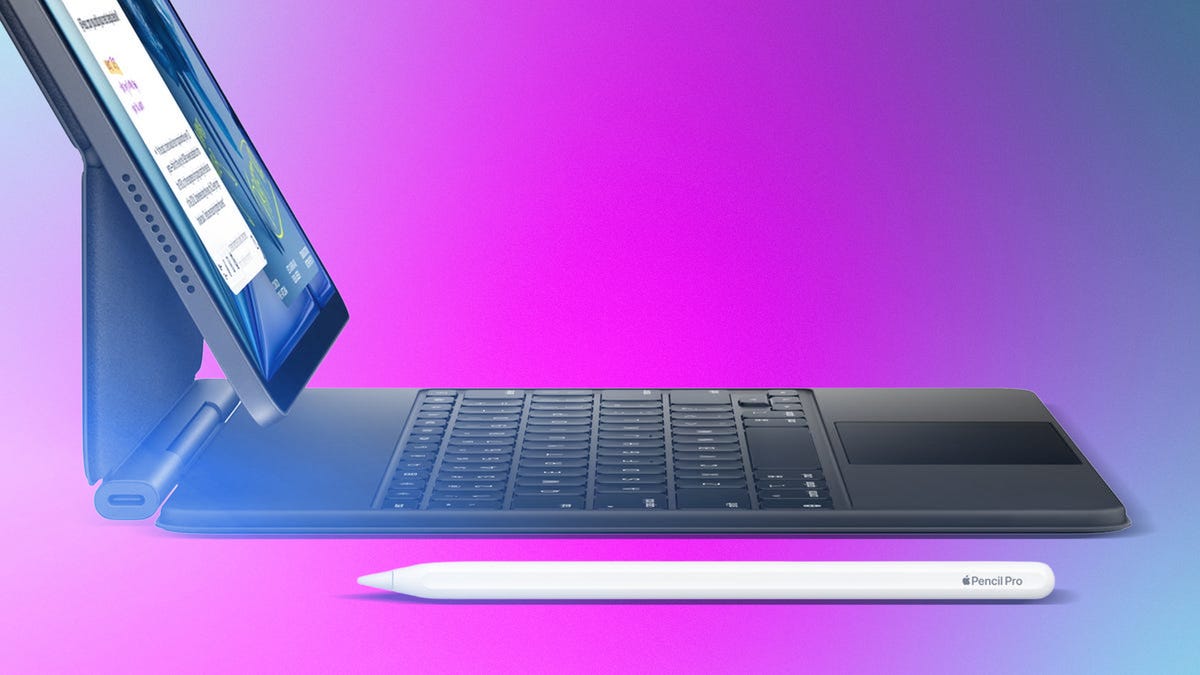
The better Pencil and keyboard options are similar to what the Pro offers, which is key. I don’t do a lot of drawing, but I’d want to use the Pencil Pro’s extra controls and gyro functions for sure. But the Air is heavier and thicker, by a bit, than the Pro models, despite the name “Air.” You can feel it with a keyboard case on. I accept it. This one feels readier to do lots of work on.
- Just updated
- Processor: M4
- Storage: 128GB on base, up to 1TB
- Screen size: 11 and 13-inch sizes, Liquid Retina (non-OLED)
- Biometrics: Touch ID side button
- Apple Intelligence: Yes
- Pencil: Pencil Pro
- Price: Starts at $599
iPad Pro
By far the most expensive iPad model, the M5 iPad Pro is beautiful but likely unnecessary. It does have the newest M5 chip, but no Pro or Max chip configurations like MacBook Pros offer. Storage options go higher here, and there’s Face ID for logging in and making payments, which is a little more convenient than a side Touch ID button. The real advantage is the HDR OLED display, which is one of Apple’s best displays on any of its products.
I like that the Pros are thinner and lighter by a bit, too: with Magic Keyboard on, they feel a little less bulky. But you’ll be paying nearly twice as much as you would for an Air for the privilege. I’ve lived with a 13-inch M5 Pro for the last few months, and it’s lovely, but a total luxury. And I’d personally prefer a smaller 11-inch iPad, because the 13-inch models have a more square-ish aspect ratio that’s better for document work than watching movies.
- Updated October 2025
- Processor: M5
- Storage: 256GB on base, up to 2TB
- Screen size: 11 and 13-inch sizes, Liquid Retina XDR (OLED)
- Biometrics: Face ID
- Apple Intelligence: Yes
- Pencil: Pencil Pro
- Price: Starts at $999
Do you get Air or Pro?
The best iPad is the Pro if price weren’t a factor, but it is. The Air is a middle ground, favoring performance over the bells and whistles.
Do you get Air or basic iPad?
This is tough. The Air is clearly the better iPad, and increasingly the go-to one I’d recommend. But I like the low price of the basic iPad. For kids and very casual use, go with an iPad. But as I said already, it’s a shame that the entry-level iPad didn’t get at least a little bit of a chip update this time around. For anyone wanting an iPad that will last a while, it’s probably time to go Air.
That being said, I haven’t reviewed the new iPad Air yet. I’ll have more thoughts on this decision when I do.
Read the full article here