

You’ve likely heard about energy vampires — appliances, devices and other electronics that draw electricity even when powered off.
Called standby power, this leech can be a significant expense: According to the US Department of Energy, standby power accounts for 5% to 10% of residential energy usage and can cost a typical household about $100 per year.
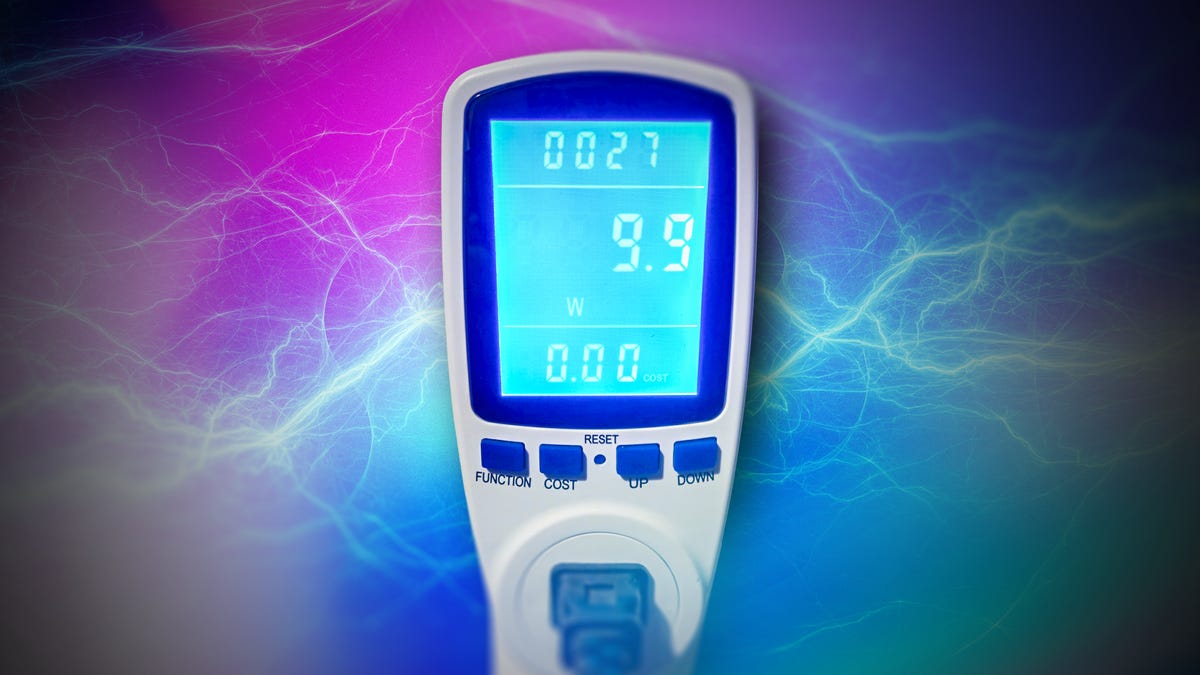
With that in mind, I decided to launch an experiment. I ordered a $12 power meter from Amazon and set about gauging the passive power draw of nearly every device and appliance I could plug into it.
My mission: To determine which one wastes the most energy while off, and whether it’s worth unplugging the worst offenders. The clear winner surprised me because it was an unexpected piece of living-room tech that almost everyone has.
How I tested for vampire energy drain
There were a few limitations to the project, the most notable being that I couldn’t test my washer, dryer or oven. Those appliances use large 240-volt outlets, and the power meter I bought only works with standard NEMA 5-15R outlets. I also wasn’t able to properly test my fridge, because there’s no way to power it down while it’s plugged in.
That said, I did test virtually every other device in my house that could be turned off or put into a sleep or standby mode. I went through my house, testing every appliance and device, including the exterior LED light strips I recently installed.
Common household energy vampires
I decided to catalog my results room by room. All told, I ended up testing tech in my home office, living room, kitchen, bedroom and the light strips outside. This is what I found.
Home office
Let’s start with the lair of some of the most prominent suspects on my list: my home office. I do the vast majority of my work and spend a fair amount of my downtime there, and I’ve got a pretty energy-intensive setup that includes my desktop PC, laptop, a 60-inch TCL television, alongside an 18-inch monitor.
As I suspected, there were some power-hungry devices throughout my setup. Some of the highest-consuming devices in my home were in my home office, including my custom-built desktop PC, which, while fully powered down, siphoned off between 1.8 and 2 watts. When left idling in sleep mode, this spiked to 3.1 watts.
The laptop was also a chief offender. The 2025 version of the Framework 16 laptop drew between 0.5 and 1.3 watts when off and 1.9 watts in sleep mode. While these were some of the highest passive siphons, bear in mind that those figures are still quite low. For context, my fridge, while running at a medium cooling setting, gulped down 509 watts.
I was surprised by the efficiency of the giant 4K 60-inch TCL TV, which showed a 0-watt power draw when plugged into the meter. Interestingly, the much smaller, 18-inch, 1080p HP Omen monitor did pull down a trickle of energy, though only 0.1 watts.
There’s also an Echo Dot on my desk, Amazon’s portal to its Alexa smart assistant, which is always passively listening for voice prompts (and to everything else, if you listen to the conspiracy theorists). I wasn’t surprised to find that the Dot drew a 1.7-watt phantom load even while not in active use.
I also keep my Nintendo Switch in my office, and it pulled down a consistent 0.8 watts when off and 1.3 watts while in sleep mode. Those numbers remained the same whether the Switch was physically docked or in handheld mode. I also tested my Canon printer, which showed a draw of 0.2 watts.
I was pleasantly surprised to discover that none of the chargers in my office, whether for my cordless vacuum or for USB-C and USB-A devices, drew any passive power whatsoever.
I also tested my router in a couple of configurations. While fully off but plugged in, it showed zero watts of draw. When I powered it on and ensured there were no live connections from any devices, it spiked to 4.3 watts. This represents the router’s active idle power, not a passive phantom load, so it’s not included in the final “vampire energy” ranking, but it gives you a sense of how much power the router is using even when not connected.
Living room
Second on my hit list was the living room, which also hosts a number of electronics I suspected might be pretty power-hungry. I have another TV there, so I started with it to see if it could match the TCL’s zero-watt power draw in my office. Sadly, it did not. Despite being smaller (a slightly older 50-inch 4K RCA TV), it showed a passive power draw of 0.3 watts. Not massive, but slightly disappointing after the TCL’s showing.
I moved on to the PlayStation 5 console and tested it both in sleep mode and while fully powered off. When off, it registered a teensy 0.1 watts, though it jumped to 1.5 watts in rest mode.
The real surprise here was the cable box. While you can never fully turn it off, as there’s always a digital clock display and it includes a DVR to record scheduled shows/films, there is a distinct on and off mode. Though I didn’t expect it to draw significantly more than other electronics in rest mode, like the game consoles or my PCs, it showed a (relatively) massive 19.9-watt draw while powered off.
Aside from the aforementioned DVR capability, the significant phantom load is likely due to being kept in a relatively high-power state to ensure instant-on. Because we expect our TVs to start displaying a channel almost immediately after we switch on the cable box, many boxes are kept in a higher-power state than other devices.
At the other end of the spectrum, I also tested a number of lamps in the living room (and throughout the house). I tried standard table lamps with on/off switches, a larger floor lamp, and a lamp with three brightness settings and touch activation. Every single lamp, regardless of size or activation type, showed a zero-watt power draw.
Kitchen
The kitchen is also somewhat of a target-rich environment, given how many appliances I have plugged in at any given time. While there was a fair range of results, none of the appliances I tested showed a particularly high drain.
The thirstiest beast in my kitchen was the microwave, which clocked in at 0.5 watts. Below that were my drip coffee maker, at 0.3 watts, and my large air fryer, at a fairly scant 0.2 watts. The electric kettle, which I tend to leave plugged in for convenience even though I don’t use it that regularly, showed no passive draw at all.
Most surprising was the full-size, mobile dishwasher I have, which plugs into an outlet and attaches directly to the sink, but can be rolled around the kitchen on four wheels. Purely based on its size and capacity (and the cacophony it emits while running), I expected a high phantom load, but it impressed with a 0-watt draw.
Bedroom
Last were the bedrooms, which don’t host a ton of electronics (sleep hygiene is important, and blue light can ruin your rest). There are some phone chargers and lamps, none of which showed any passive draw.
I also have a humidifier in my room, which I tested despite not typically leaving it plugged in; it also showed no passive draw. The spare room is home to an alarm clock that showed zero watts of draw, as well as an essential oil diffuser that didn’t draw any power when switched off.
Before I wrapped up, I ducked out to test one of the 50-foot LED light strips I currently have installed outside. They showed a relatively high passive draw of 1.2 watts.
Ranking my home’s worst offenders
After some fairly exhaustive testing, the surprise “winner” among the energy suckers was the DirecTV cable box. At a passive 19.9 watts, it surpassed every other device by a wide margin, because, as mentioned above, it’s got DVR and instant-on capabilities (though to be clear, it wasn’t recording anything during my test). At 19.9 watts, this means the box is drawing around 477.6 Watt-hours (Wh) every day, and 174.3 Kilowatt-hours (kWh) each year.
So, roughly, how much is it costing me annually? I pay around 16.4 cents per kWh, so if I were to leave the cable box turned off (without recording), it would cost me a base $27.89 per year for those 174.3 kWh.
Less surprising was the runner-up, the desktop PC, coming in at 3.1 watts in sleep mode (and 1.8-2 watts fully powered off). What was surprising were some of the zero-watt appliances, especially the big mobile dishwasher, and my 60-inch TCL flatscreen TV.
Here’s the complete list, from highest to lowest draw:
Energy vampire power draw
| Device/appliance | Power draw (watts) |
|---|---|
| Cable box (passive mode) | 19.9 W |
| Desktop PC (off/sleep mode) | 1.8 – 2 W/3.1 W |
| Framework 16 laptop (off/sleep mode) | 0.5 – 1.3 W/1.9 W |
| Echo Dot (passive mode) | 1.7 W |
| PlayStation 5 (off/sleep mode) | 0.1 W/1.5 W |
| Nintendo Switch (off/sleep mode) | 0.8 W/1.3 W |
| LED light strip | 1.2 W |
| Microwave | 0.5 W |
| TV (50-inch 4K RCA) | 0.3 W |
| Coffee maker | 0.3 W |
| Air fryer | 0.2 W |
| Printer | 0.2 W |
| Monitor (18-inch, 1080p HP Omen) | 0.1 W |
| TV (60-inch 4K TCL) | 0 W |
| Mobile dishwasher | 0 W |
| Table/floor/touch lamps | 0 W |
| Electric kettle | 0 W |
| Device chargers (unattached) | 0 W |
Which energy vampires are actually worth slaying?
The unfortunate reality is that a lot of devices need to stay plugged in even when not in active use, at least if you value convenience over some relatively modest savings.
That includes my worst offender, the cable box. Unplugging it means it can’t record scheduled shows or movies, and it also has to go through a lengthy, annoying boot cycle every time. That results in a 5- to 10-minute delay — not something I’m willing to sit through whenever I want to watch TV in the living room, though I can likely unplug it when I leave for vacation or an extended work trip. Things like fridges, many smart appliances and routers also need to stay connected, for better or for worse.
However, there are several ways you can save on energy bills without seriously disrupting your daily routine.
For one, you may want to consider fully powering off things like game consoles and PCs rather than leaving them in a state of eternal slumber. This is especially true of older consoles or ones that you don’t use frequently, or if you have both a desktop and laptop but find you don’t use one or the other very frequently, consider powering them all the way down.
Other big vampires that I don’t personally own are older AV receivers and antiquated printers, which notoriously aren’t great at regulating power usage. Older devices in general should be high on your list, and you may also want to consider unplugging any kitchen appliances that don’t really need to be constantly feeding off the grid. Do you really need your microwave to tell you what time it is?
You can also shave off some usage by turning off instant-on features on consoles and TVs where possible, or use smart plugs with scheduling for entertainment centers. Power strips with remote on/off functionality are also a great choice, and replacing older appliances with newer, more efficient models can lead to significant savings over time.
As my experiment shows, energy vampires are real, but not all of them drain power to the same degree.
Read the full article here