
Close Menu
Modern Life Today
  • Home
  • Tech
  • Smart Home
  • Energy
  • Home Security
  • Kitchen & Household
  • Outdoor
  • Home Internet
Trending Now

Do You Owe Taxes on Social Security? How to Figure It Out in Minutes

February 17, 2026

Gamers Can Save a Massive $800 on This Mega 57-Inch Samsung Neo G9 Curved Monitor

February 17, 2026

How Much Can a New Fridge Actually Save You? The Surprising Truth About Energy

February 17, 2026
Facebook X (Twitter) Instagram
Modern Life Today
  • Home
  • Tech
  • Smart Home
  • Energy
  • Home Security
  • Kitchen & Household
  • Outdoor
  • Home Internet
Subscribe
Modern Life Today
Home»Tech»How to Set Up an Apple Watch for Your Kids (2026)
Tech

How to Set Up an Apple Watch for Your Kids (2026)

Press RoomBy Press RoomFebruary 17, 2026No Comments3 Mins Read
Share Facebook Twitter Pinterest Copy Link LinkedIn Tumblr Email

Unpairing is supposed to erase all content and settings on your watch, but in my case, it did not. If it doesn’t work for you either, tap Settings on the watch, then General > Reset > Erase All Content and Settings.

At this point, you can have your kid put it on (if it’s charged). The watch will say Bring iPhone Near Apple Watch. If you open the Watch app, it lets you choose to Set Up for a Family Member. Aim the phone’s viewfinder at the slowly moving animation to pair, or select Pair Manually.

Apple’s tutorial is pretty straightforward from this point. I picked a passcode that’s easy for my daughter to remember and picked her from my family list. I continued cellular service. Then I set up all the usual features and services for an Apple Watch, including Ask to Buy so she couldn’t buy anything from the app store without my permission, Messages, and Emergency SOS.

I also chose to limit my daughter’s contacts on the watch. First, go to Settings > iCloud > Contacts on your phone and make sure it’s toggled on. Then click out, go back to Settings > Screen Time > Family Member > Communication Limits. You need to request your child’s permission to manage their contacts and approve it from the kid’s watch. On their watch, you can add and rename contacts from your contact list (Dad becomes “Grandpa,” Tim becomes “Uncle Timmy,” and so on).

The last step is turning on Schooltime, which is basically a remote-controlled version of an adult Work Focus. It blocks apps and complications, but emergency calls can still come through. The setup tutorial walks you through how to set up Schooltime on your child’s watch, but if you skip it during setup, you can manage it later. On your iPhone, tap All Watches > Your Child’s Watch > Schooltime > Edit Schedule.

I elected to turn Schooltime on when my child is in school and turn it off during afterschool care, but you can also click Add Time if you’d like to turn it on during a morning class, take a break for lunch, and then turn it back on again. Your kid can just turn the digital crown to exit Schooltime, but that’s OK—you can check their Schooltime reports on your iPhone too.

To manage your child’s watch, go to your Watch > All Watches > Family Watches > Your Kid’s Apple Watch. This is how you install updates and manage settings. For more settings that you can turn on or off, check out Apple’s full list here. For example, you can check health details, set up a Medical ID, or even edit their smart replies.

Fun for Everyone

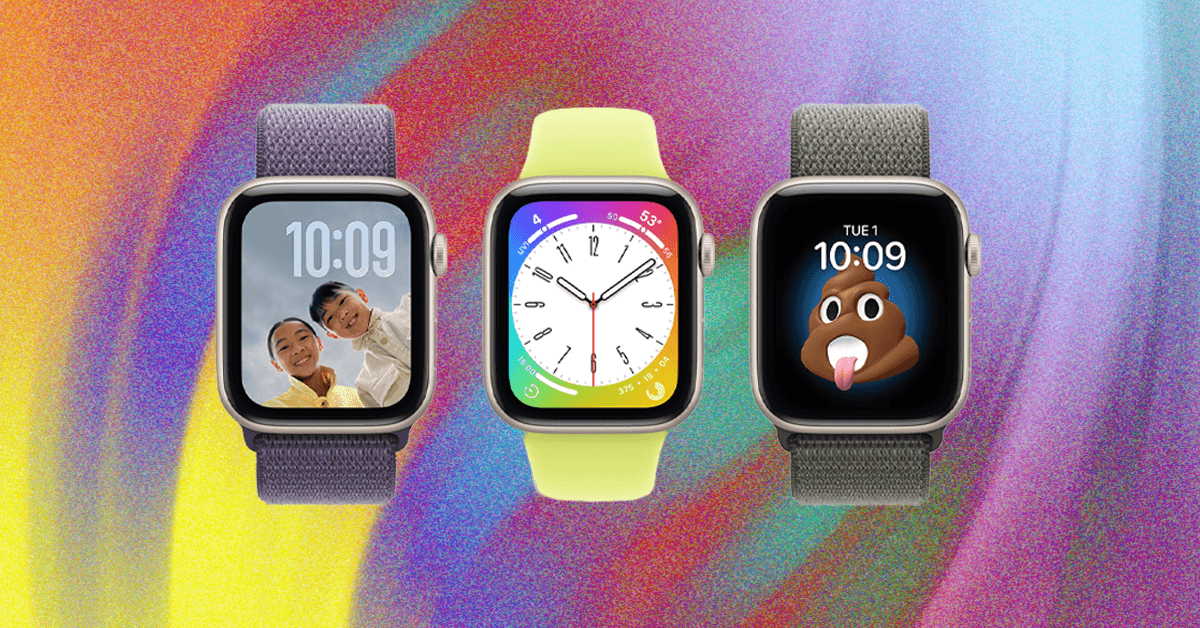
Just as with a grown-up Apple Watch, the first thing you’ll probably want to do is switch the watch face. Hold down the screen and wait for the face to shrink, and swipe to switch. (You probably also want to buy a tiny kid-specific watch band.)

We got my daughter an Apple Watch, so I’d be able to see her on Find My, and she could contact me via phone or the Messages app, which she does with regrettable frequency.

Read the full article here

Share. Facebook Twitter Pinterest LinkedIn Tumblr Email

Related Articles

Gamers Can Save a Massive $800 on This Mega 57-Inch Samsung Neo G9 Curved Monitor

February 17, 2026

Some Presidents Day Laptop Deals Are Still Ongoing. Act Fast to Save Big

February 17, 2026

Lola Blankets Are 45 Percent Off This Presidents’ Day Weekend

February 17, 2026
Add A Comment
Leave A Reply Cancel Reply

Demo
Top Articles

All the Pet Tech That Stood Out at CES 2026

January 8, 2026

Premier League Soccer: Stream Bournemouth vs. Tottenham Live

January 7, 2026

Best Mobile VPN of 2026: Enjoy Privacy Protection on the Go

February 6, 2026

Apple’s Next M5 MacBook Pros Could Drop With MacOS 26.3

February 3, 2026
Don't Miss

Some Presidents Day Laptop Deals Are Still Ongoing. Act Fast to Save Big

By Press RoomFebruary 17, 20260

Presidents Day is technically over now. But while the day itself is behind us, there…

Presidents Day Ended, but the Savings Didn’t: Here Are Best Buy Deals You Can Still Grab

February 17, 2026

Lola Blankets Are 45 Percent Off This Presidents’ Day Weekend

February 17, 2026

Amazon’s Presidents Day Sale Is Ending. Grab These Deals on Top Brands Before They Run Out

February 17, 2026
About Us
About Us

Modern Life Today is your one-stop website for the latest gadget and technology news and updates, follow us now for the news that matters to you.

Facebook X (Twitter) Pinterest YouTube
Featured News

How to fix a gas stove that won’t light

December 17, 2025

Today Only: Hours Remain to Grab the Dreame L10s Ultra Robot Vacuum and Mop Combo for $230 Off

December 17, 2025

Learn How to Protect Your Phone From Viruses and Other Threats

December 17, 2025
Trending Now

The Best Plant and Gardening Gifts From LetPot (2025)

December 17, 2025

Court Ruling Against Tesla Threatens to Put the Brakes on California Sales

December 17, 2025

The TikTok Ban Was Set for Dec. 16. It Didn’t Happen, and Here’s Why

December 18, 2025
  • Home
  • Privacy Policy
  • Terms of use
  • For Advertisers
  • Contact
2026 © Prices.com LLC. All Rights Reserved.

Type above and press Enter to search. Press Esc to cancel.