

Field of View
135 degrees
Storage
Cloud, local storage
Setup
Moveable, outdoor/indoor
Google/Alexa Compatibility
Amazon Alexa
Resolution
1080p
Pros
- Super low price
- Reliable alerts
Cons
- No live feed
- No free storage
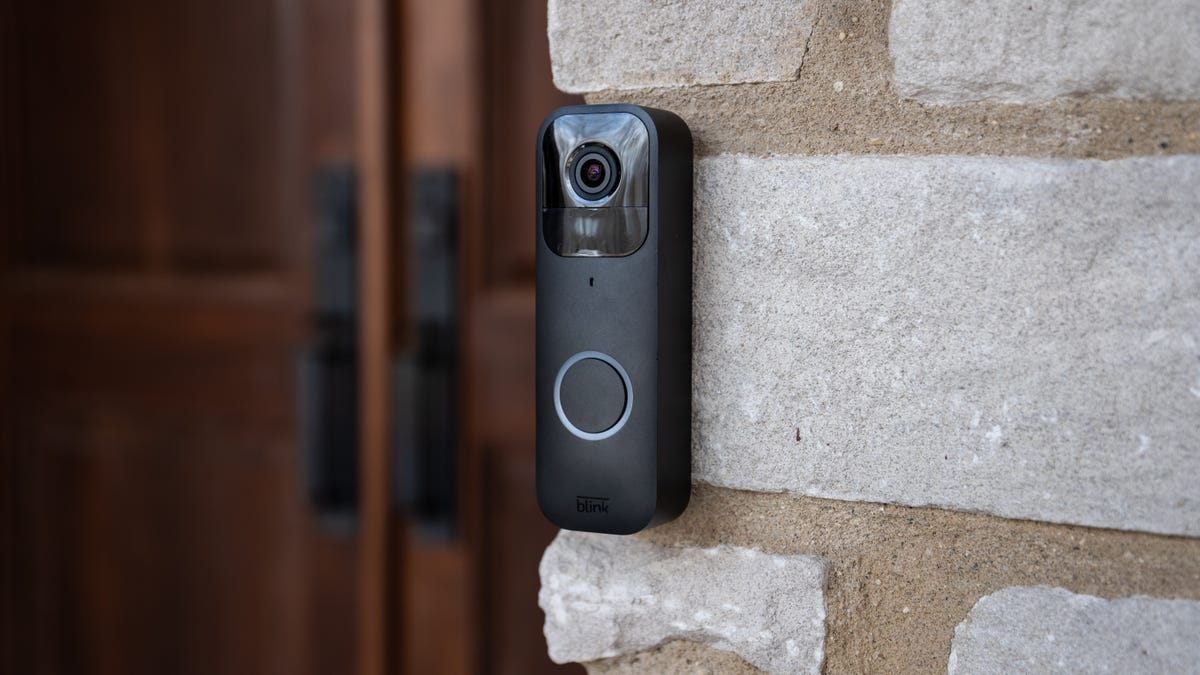
Amazon owns two popular security brands, Ring and Blink. Blink is the more affordable option, specializing in cheap cameras with very long-lasting batteries and an app made for simplicity. Over the years, Blink has done a good job of adapting to the change security world (including adding AI features like Blink Moments) while keeping the most affordable devices and subscriptions around.
The Blink Video Doorbell is one of the best examples: It offers features similar to competitors but at a lower cost and with simple AA batteries, making it one of the best starter models we’ve ever tested. But there are some drawbacks, including video quality that could be improved and the need to manage additional hubs. Here’s what we thought.
Important update
Since this review, Blink has released a new video doorbell model as a replacement. It’s similar, but better in every way. The head-to-toe HD view is improved, there Sync Module Core hub is included and the price is lower than ever at $36, which is why it’s at the top of our list of the best cheap video doorbells.
There is a catch to this new version, though. The included hub only supports a wireless connection, and there’s no option for local video storage on it. You’ll have to upgrade to the Sync Module 2, which includes a USB slot to add video storage. Otherwise, the Blink Video Doorbell is looking better than ever.
Blink Doorbell setup
People who don’t want to invest a lot of money in a video doorbell probably also don’t want to invest a lot of time in setup. Appropriately, Blink makes setup breezy: You just affix a plastic plate to your door frame with two screws, then clip the doorbell to it.
While finding the right angle to clip on the doorbell was trickier than I expected, it was a painless experience. What’s more, because the batteries are just lithium AAs, you don’t have to do any lengthy charging ahead of time. It only took about 5 minutes from unboxing to up-and-running.
Once your doorbell is set up, whenever someone rings it — or even just walks past — Blink will send you a notification. From there you can use two-way talk to chat with the visitor or the delivery person.
In general, these notifications were prompt and accurate. The only trouble in my testing was that the latency from when it first detected motion to when I could see the live feed on my phone rarely left me time to intervene if someone was there to steal a package — but this brief delay isn’t unusual for video doorbells.
The more unique limitation to Blink’s video doorbell is the fact that you can’t pull up a live feed of your entryway without first receiving a motion alert or a buzzer press. That means you’re out of luck if you’re out of town and just want to check what the snow accumulation is like. A benefit of this feature is that it’s less of a drain on the battery. Blink says the battery lasts up to two years, although I obviously wasn’t able to verify that within my review period.
Blink offers two ways to get around the livestream limitation. First, the doorbell snaps a mid-res photo once every hour so you can see what your entryway looks like in a still image. Second, if you buy a separate device, the $35 Blink Sync Module 2, you can view the live feed and get some other perks including local storage.
I don’t love either of these solutions, but it’s nice that you’re not locked out of at-will live viewing completely.
Testing Blink’s video quality
The Blink Video Doorbell has 1080p resolution, night vision and a wide-angle field of view. Horizontally, you get a 135-degree viewing angle, but vertically it’s only 80 degrees. That’s not too bad, especially for a device in its price range, but a 1:1 aspect ratio that gives good head-to-toe coverage is increasingly common, even in more affordable doorbells — so having such a narrow vertical viewing angle feels like a missed opportunity here.
Another issue I had with Blink was its lack of dynamic range. When I installed the doorbell on one side of the house without much shade, I got clear images. When I installed it on the front porch, which had about fifteen feet of shaded space immediately in front of the camera before the fully sunned area beyond the steps, I ran into a problem. The foreground became too dark, and the background was totally blown out. That meant that visitors approaching the door often appeared as little more than silhouettes, and only became identifiable when they were right up next to the doorbell.
All that said, if you install the doorbell in a fully sunny or fully shaded area, Blink’s resolution is impressive. Even at a distance of 30 feet or so, I could decipher the top row or two of letters on a standard vision chart, which isn’t the case even for some video doorbells with better technical specs.
Blink’s features and storage fees
I’ve already mentioned Blink has a number of specs that I like: Two-way talk, 1080p HD color, night vision, motion sensing and weather resistance.
Though the Blink Video Doorbell offers custom motion zones like other Blink cameras, it does not have person, package or vehicle detection, which are features offered by many competitors. Package detection is especially important, as deliveries become increasingly more frequent, leading to porch theft.
There’s two main ways to store video clips: a Blink subscription plan or local storage. Blink recommends purchasing the $35 Blink Sync Module 2 since it comes with a USB stick that can be plugged directly into a module and then allow users to save video clips locally without a subscription.
If you purchase a new Blink Video Doorbell, you’ll receive a 30-day free trial of the Blink Subscription Plus Plan that includes all of your Blink devices. After that, Blink’s paid subscription plans cost $3 per month per device or $10 per month for unlimited Blink devices and cameras on your account.
Blink’s app and smart home compatibility
Blink’s app home screen will show a recent static picture taken from the video doorbell camera. From there, you can toggle to look through other images or view the live video feed.
To customize the doorbell, you can toggle to the Settings icon and choose from a wide variety of customizations and features, including custom motion zones, camera sensitivity, motion detection, clip length, night vision sensitivity and doorbell ringer volume along with several other options.
As for smart home compatibility, the Blink Video Doorbell works well with Alexa, not surprising considering Amazon owns both brands. But, it is not compatible with Google Home or Apple HomeKit devices.
Final verdict on Blink Video Doorbell
When you put the whole package together, Blink is a pretty compelling product. No, it’s not going to be as reliable a security device as something more full-featured, but if you just want the bare basics, it’s a reliable little product for a near unbeatable price.
If you do get the Blink Video Doorbell, you’ll almost certainly want to figure out a storage solution. You can pay $4 a month to get a 60-day rolling video clip history, or you can use the Sync Module 2 ($35) to get local storage. Both options detract from the wallet-friendly first impression of the Blink doorbell, but neither will put you over $100 total for well over a year.
While most buyers will probably get more value out of a slightly more expensive, but also smarter, wireless alternative like the Wyze Video Doorbell Pro, Blink is onto something with this super cheap video doorbell. I’m interested to see where they go next.
Yes. The good news is that the latest version of the video doorbell comes with its own hub without any extra costs, you just need a spare outlet to plug it in.
You can also upgrade to a Sync Modular 2 hub, which allows you to attach a flash drive for local video storage, an important feature if you don’t intend to pay any subscriptions.
Blink’s doorbell uses three AA batteries. When using the recommended lithium AA batteries it comes with, the doorbell is rated for up to two years of battery life.
Of course, battery life depends greatly on motion detection events, and doorbells can see a lot of those on busy streets, so your own mileage will vary.
Read the full article here