

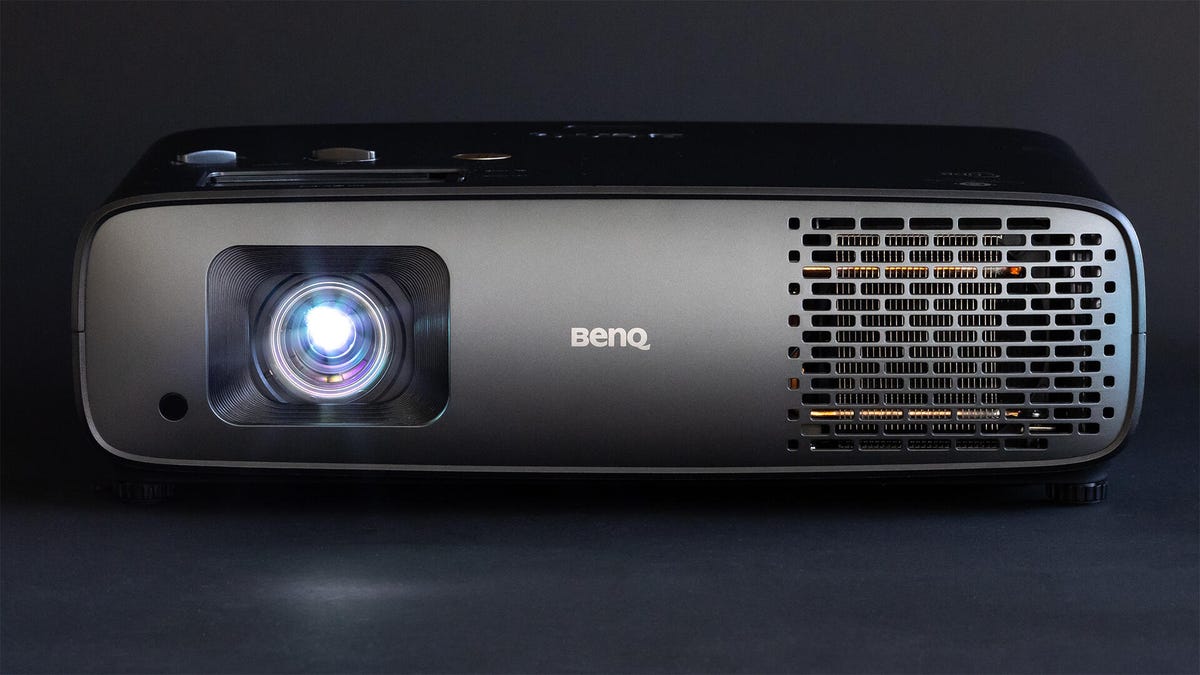
Pros
- Very bright
- Accurate color
- Decent contrast
Cons
- Zoom range could be bigger
- Price range could be smaller
The W4100i is a traditional home theater projector on the outside, with some ultra-bright LEDs and a big DLP chip on the inside. The result is a highly flexible projector with tons of light output, accurate color, a detailed image and above-average contrast. To be blunt, it’s what I’d hoped BenQ’s earlier W2720i would be, though in fairness this W4100i is about 20% more expensive. The W4100i has a lot to offer for the money, though, and is definitely one of the best projectors I’ve tested this year.
Unlike the excellent, short-throw X500i, the W4100i is made for a more traditional home theater/cinema setup where the projector is mounted above the seating area. I wish the throw was a little longer, but as I’ve found is typical with BenQ projectors there isn’t a ton of zoom range. However, unlike most DLP projectors at or below the W4100i’s price, it does have vertical and horizontal lens shift. So it should be able to fit in a variety of rooms.
I didn’t find many downsides, and I did look hard. The color isn’t quite as accurate as some projectors, but it’s better than most. The contrast is above average, which doesn’t sound impressive but most 4K projectors struggle for mediocrity in that test. Overall, the BenQ is a more accurate and impressive entry in the higher-brightness, higher-end, DLP projector category. A category that, it’s worth noting, has become rife with small projectors with lots of light but questionable color.
Specs and such
- Resolution: 4K
- HDR-compatible: Yes
- Lumens spec: 3,200
- Zoom: 1.3x (1.15-1.50)
- Lens shift: Vertical (±30%), Horizontal (±15%)
- Light source type and claimed lifespan: 4LED, 20,000 hours (Normal), 30,000 hours (ECO)
The W4100i is a higher-end 4K projector with built-in streaming (via an included dongle). It has manual zoom as well as horizontal and vertical lens shift. Inside is a 4LED light engine that’s rated for, essentially, the life of the projector. At 4 hours a night, even in Normal mode, the “lamp” will last nearly 14 years.
Rated at 3,200 lumens, I measured 1,683 in its most accurate mode. In its less-accurate Bright mode, which looks very green, I measured 2,837. I’d consider that close to spec when you consider different measurement gear, testing situations and settings. However you want to tally it, it’s super bright. Only a handful of projectors I’ve measured are brighter and most look way worse than the W4100i.
Contrast was also quite good. I measured an average native contrast ratio of around 975:1 across its various modes. That’s about 10% above the average for projectors of all prices I’ve measured at CNET and more than double the median. I’ve found that 4K projectors in particular have pretty mediocre contrast ratios, so this was especially notable. With its LED ramping features enabled, I measured a dynamic contrast of 1,892:1. There are a lot of variables that impact a projectors contrast ratio, but one factor that could be helping is the W4100i’s use of a larger, 0.65-inch DLP chip instead of the more common 0.47-inch version found in many 4K projectors.
Many competitors have motorized lens shift and zoom, but the BenQ has manual both. As most people would only interact with this system once, that seems fine. Like with nearly every BenQ projector I’ve ever reviewed, I wish there was more range/reach for the zoom, but if that lets them have better lenses (and therefore better contrast along with other potential image quality benefits), I won’t consider it a negative. Most DLP projectors below the W4100i in price lack any sort of lens shift, so it’s great to see both horizontal and vertical lens shift here.
Connections
- HDMI inputs: 3 external, 1 internal (for streaming dongle)
- USB port: 2 USB-A (plus 2 for service and streaming dongle)
- Audio output: eARC, Optical, 3.5mm analog
- Control: RS-232, 12v trigger
- Internet: 802.11 a/b/g/n/ac (2.4G/5G) Wi-Fi (via included streaming dongle)
- Remote: Backlit, IR and Bluetooth
With most projectors reducing the number of HDMI inputs, to save cost and because of built-in streaming, it’s interesting to see so many ports on the W4100i. To be honest, I think most people are just going to run a single HDMI cable to the projector and let a receiver do the HDMI switching, but having extra inputs certainly doesn’t hurt anything. BenQ definitely knows their potential audience, with legacy RS-232 and 12v trigger options for home automation control.
There’s a single 5W speaker on the back, but it’s clear BenQ intends for this projector to be used with either speakers and a receiver or at least a soundbar. That’s fine, I recommend you do the same with nearly all projectors. To that end, there’s HDMI eARC as well as analog and optical outputs to make connecting to any audio system easy.
The BenQ’s remote is backlit, has direct buttons for settings and inputs (not a given these days), and connects to the included Android TV streaming dongle via Bluetooth. If you prefer a Roku or Amazon dongle instead, there are USB connections on the back to power them.
Picture quality comparisons
Anker Nebula X1
Valerion Pro 2
All three of these projectors are 4K, bright and vaguely $3,000. I say “vaguely” because the pricing, especially for the Anker and Valerion, varies greatly. The prices are close enough that I feel like there’s a reasonable expectation of someone considering any of these three. And they should, they’re all quite good. The Anker Nebula X1 is the brightest projector I’ve ever measured, and it backs up that brightness with an impressive contrast ratio. The Valerion Pro 2 is a stylish little box that’s the second brightest projector I’ve ever measured. I compared all three side-by-side on a 1.0-gain screen using an HDMI distribution amplifier (aka a splitter).
While it’s probably obvious if you’ve read this far, I can’t help but say/reiterate these projectors are so bright. Look, I’ve been reviewing projectors for a long time so of course projectors are brighter now than they were in 2005. These are still impressively bright compared to 2015 projectors and the average brightness has increased significantly even since 2020. So when I say that the BenQ is the dimmest projector in this trio, take that with heavy caveats. It’s still exceptionally bright and plenty for the vast majority of homes. Yes, side-by-side the X1 draws the eye like a moth to a flame, but on a 100-inch screen in a dark room it’s borderline excessive when running full blast.
What the BenQ W4100i “lacks” in brightness compared to the other two it makes up for in color accuracy, at least compared to the Valerion. The Valerion is brighter, but its colors are visibly less accurate and not in a particularly pleasing way. The BenQ just looks more natural and realistic. Meanwhile, the X1 measures similarly to the W4100i, but side-by-side doesn’t look as natural. It looks a little overly vibrant with certain colors, but in a pleasing way. Which is to say, the Anker and BenQ look different but both are good in their own ways.
Contrast-wise, the Anker is punchier. Measurements show it has about a 50% better contrast ratio than the BenQ. It’s noticeable side-by-side but not massively so and on its own the BenQ looks great and better than most recent 4K projectors. All projectors have fairly-mediocre contrast ratios and while the Anker’s 50% improvement isn’t nothing, it’s not like the difference between OLED and LCD, or a good DLP projector vs a cheap LCD projector. None of these projectors look washed out and all produce decent black levels. The Valerion, as you’ll read about in its review, has some processing quirks that makes measuring its exact contrast ratio a challenge. It’s fairly close to the BenQ and looked about the same in person.
I also feel, though this is a bit subjective, that you might be able to get a better focus with the BenQ’s manual adjustments compared to the others’ electronic focus. The analog dial has infinite positioning versus the steps of the Anker and Valerion. Depending on placement this might not be an issue. The motorized zooms of the other two, however, could have been a huge benefit, but neither have zoom presets. So if you have a 2.35:1 screen you’ll need to find the setting in the menus to zoom out to fill the screen every time you watch a movie with that aspect ratio. You can do that with both, though, and you can’t at all with the BenQ. Even manually adjusting the zoom the range is limited so it’s unlikely you’d be able to fill both a 16×9 screen vertically and a 2.35:1 screen with the same projector placement.
So, subjectively, I’d rank these as the Anker, BenQ, followed by the Valerion. All were close, though, and there are no bad options. No bad options that is, unless you wear glasses. I’ve talked about this before and it’s worth repeating. The Anker and Valerion, like many new projectors, use red, green and blue lasers to create light. This is very efficient and, along with LEDs, are the main reason why projectors have gotten so bright in the last few years. The problem is, if you wear glasses, you can get a noticeable and distracting artifact. The highly specific wavelengths created by the lasers each gets refracted differently when they enter your eyeglasses. The result is that, depending on where you’re looking at the screen, if you turn your head, etc, you won’t just see a white object or edge, you’ll see a red or blue ghost shadow next to it. These chromatic aberrations/color fringing artifacts are separate to any rainbows you might see, a long-standing DLP issue for some people with certain DLP projectors.
The BenQ, my assumption because it uses LEDs instead of lasers (which are LEDs technically but that’s not the point), doesn’t have this issue. So for me, personally, as a glasses wearer, I wouldn’t buy a laser-based projector despite their other benefits and potentially impressive performance.
The “i” means interesting!
I really like the BenQ W4100i. It’s certainly higher-end than many of the best projectors we review here, but among those higher-end models it holds its own and does so with a more traditional home cinema design that will fit better in many homes compared to its smaller, but often oddly shaped, competitors.
The Nebula X1 is the main competition, especially as it has (as of this writing anyway), dropped a lot in price. It’s brighter, has better contrast and is pleasingly colorful. The motorized zoom has greater range than the BenQ which could fill larger or wider screens more easily depending on the room. It’s far taller, though narrower, which could make for more awkward placement, again depending on your setup. However, the BenQ looks a little more natural and for anyone who wears glasses it’s a much better choice.
Read the full article here