

It feels like everything’s “for rent” in 2026. Subscription fees are increasingly part of tech’s present and future, from streaming to AI, to cloud storage and even app access. Apple’s been shifting to a more subscription-focused approach, and its new Creator Studio Suite is just another facet of it. But I’m not the right customer.
Apple introduced subscriptions for its Pro-tier creative apps when Final Cut Pro and Logic Pro launched on the iPad in 2023. Back then, I saw some appeal in those paid apps over the free iMovie and GarageBand apps. The $5 per month each seemed like a good way to rent extra power if you needed it.
Now, Apple offers a $ 13-a-month suite of creative apps in a single subscription. These apps work on both Mac and iPad and add extra AI features to existing free apps like Keynote.
I’m not a fan of any of this, in part because I already pay too many subscription fees, but then again, I’m also not the target audience.
I don’t edit videos, currently. I don’t make music. I rarely do complex photo editing. And if I did, would I want to spend endless money on an entire suite of apps to do so?
I think I’d prefer the option to pick and choose the apps I wanted to buy.
Apps for rent
The price, at $13 a month or $130 a year, isn’t trivial. It does allow family sharing, and an educator and student discount pushes the price down to $3 a month or $30 a year, which is extremely reasonable. You also get three months of the service free when you buy a new Mac or iPad.
But this is clearly where the whole software landscape has been creeping, especially with AI. It also seems to be where Google, Adobe, Microsoft and maybe even Meta are going.
I’m well past my subscription limit. I’m getting used to subscriptions for game consoles and health wearables. I already pay a hefty monthly fee for Apple’s cloud storage and services through Apple One. Now this, too? I complained about this back in 2019, and it’s only gotten far worse since.
I’ve tried briefly playing with these new apps on the M5 iPad Pro over the last week, just to see how they feel. Honestly, I was lost. Though I’m sorry to admit this, Pro Apps can be complicated. Apple has tutorials to explore, and I’m sure with experience I could figure things out, but these more complicated suites feel aspirational at best for me.
If I really want to dabble in video editing and music creation, free apps will do just fine.
I’m happy for those who’ve been waiting for Pixelmator Pro to finally become an iPad app, but I don’t like that it’s subscription-only. And there are other image editing and creation apps on iPad already, including the original Pixelmator, which isn’t getting any further updates.
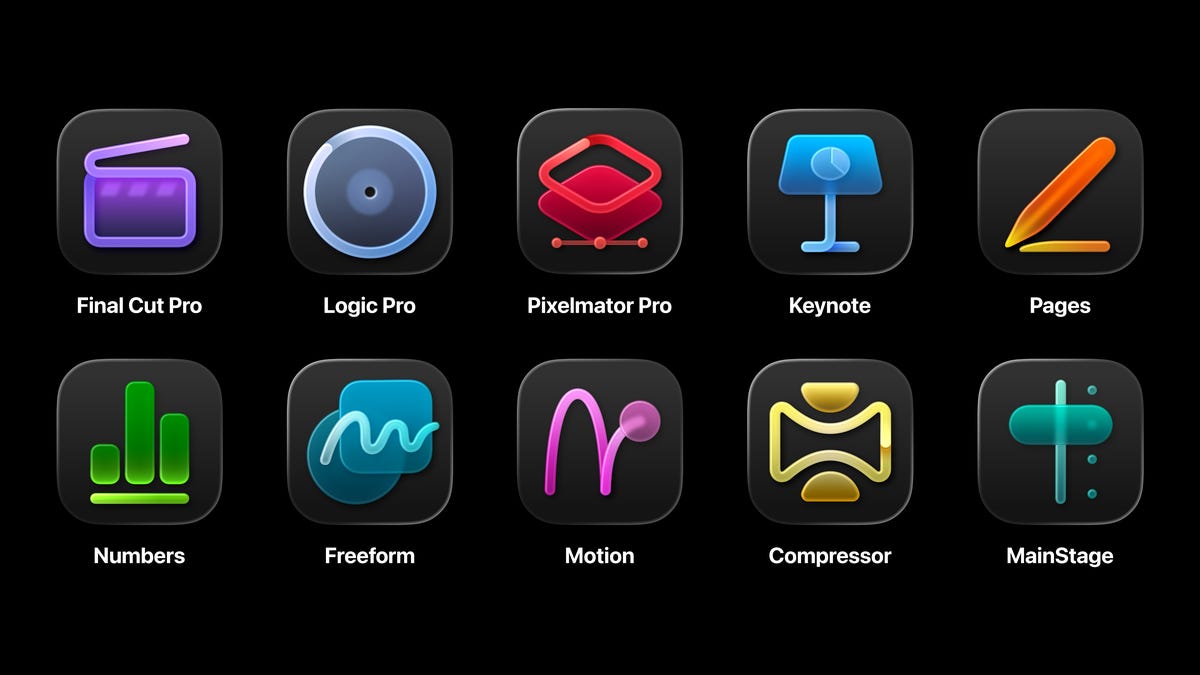
Final Cut Pro, Logic Pro, Pixelmator Pro and AI-enhanced versions of Numbers, Pages and Keynote are included for iPadOS with the subscription. On Macs, you get all those apps, plus Motion, Compressor and MainStage, which are extra music, graphics and video compression tools. But on the Mac, you can buy those apps separately. If you’re likely to use them a lot, you might be better off going that route.
Not enough for iPad, and nothing for Vision Pro
So really, for me, it’s the return of the eternal question: Are these worth it for the iPad? You need an M-series chip-equipped iPad (or one of the current entry iPads or iPad Minis) to use these apps, which covers most models out there.
No, I don’t think you need these. I don’t. I’d rather Apple found a way to put all the Mac Pro creative apps on the iPad, which runs the same processors as Macs do. That still hasn’t quite happened yet.
And, as a final note, I’m baffled as to why these apps haven’t been optimized for the Vision Pro headset. The Vision Pro can run some of these apps in iPadOS formats, but with no extra features. Or you wear the Vision Pro, connected to a Mac, and just use it as a several-thousand-dollar extended monitor for your face.
The $3500 Vision Pro is a computer for professionals, according to Apple, and with an M5 chip, it should be running Pro tools like these with all sorts of Vision-ready enhancements. That’s not happening yet — another clear sign that, for Apple, Macs are the real Pro computers. Then the iPad, and maybe someday the Vision Pro, will get the same Pro consideration.
Read the full article here