

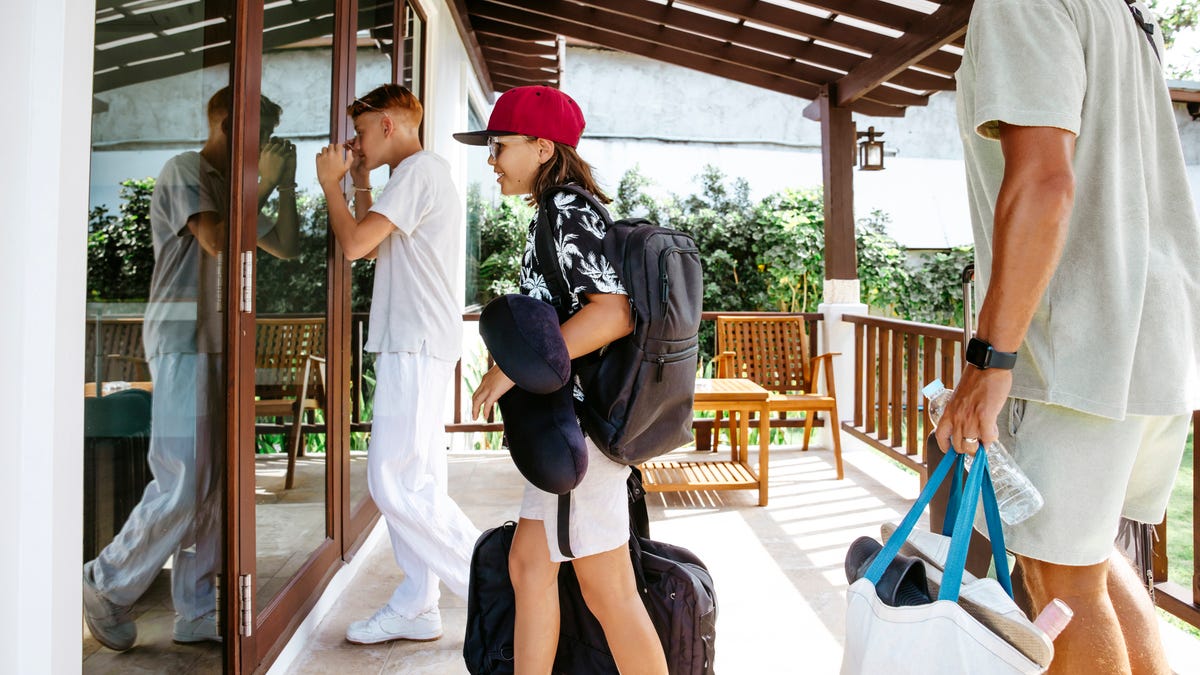
If you’re staying at a new Airbnb or other vacation rental for spring break, it pays to be prepared. I suggest having a plan for what to expect and what to do there when you arrive, especially when it comes to security. Not all vacation rentals live up to their promises, so it’s important to know what to watch for, especially when you get there.
A little research and a few important security checks and you’ll be on your way to vacation thrills in no time. Here’s what you need to keep in mind and why it matters.
Read more: 7 Tips to Spot Hidden Cameras in Your Airbnb
1. Early on, do extra research on your host
Airbnb basics include looking at your host’s rating, but don’t stop there. You can uncover a lot of useful info — and potential Airbnb security red flags — by digging a little deeper as you finalize plans and create your itinerary.
Take time to read past reviews and see exactly what they talk about. Be wary if the reviews are all about the surrounding destination but don’t talk about the rental itself much, which could mean there were issues they don’t want to mention. Always pick hosts who have gone through the Airbnb process to verify their identity and give preference to “superhosts” with plenty of positive reviews.
You can also learn a lot from the photos the host includes — or doesn’t include. Look for pics that show access points around the house, how easy it would be to break through windows or doors, and how clean and open the nearby landscaping is. That’s what burglars watch for, too. Be wary if the photos don’t show a lot of visual info about the rental or if they don’t show any security features that the listing mentions.
This is also the perfect time to Google the surrounding area and see if it has any notable risks, from a wave of residential theft to a propensity for wildfires or flooding.
2. Tally any security cameras and where they are
Airbnb has completely banned indoor security cameras. If you see any, that’s an instant dealbreaker and you should request a refund as well as finding another spot. Outdoor security cameras are still allowed, but if you’re renting you should know exactly where they are.
Rental owners often use a combination of mounted security cameras and video doorbells to, at minimum, check when renters arrive and make sure they’re showing up as expected. Find these cameras and make sure they aren’t intrusive or pointed through windows to see into the rental’s rooms. A single, minimally invasive video doorbell is the best case scenario.
Important note: Always talk to hosts ahead of time about security cameras and any security systems that they use. Have the host explain where their cameras are and how they’re used. This is a nice mini security briefing on its own.
3. Check the electronics and decide what you will (and won’t) use
Many rentals are outfitted with their own electronics, which can include computers, tablets, TVs, sound systems, Wi-Fi routers, smart thermostats and many other gadgets. Do a survey of these electronics when you arrive, especially if the host mentioned them in the listing.
Decide early on if you’ll use these electronics and how. Remember, hosts can often monitor device usage and may even be able to look through webcams. Many renters don’t feel comfortable using included computers and stay on their own devices for safety.
Devices like TVs are probably safe, although you should avoid plugging a rental’s set-top boxes or TV sticks into your own screens. But other gadgets like rental-provided chargers? It’s best to steer clear and plug your own chargers into wall outlets to avoid malware and other issues.
4. Arrange for your unique smart lock codes early
Smart locks are one of the most common devices in rentals and come with lots of advantages for both you and the host. But that comes with a caveat: You need the passcodes or digital keys to use them properly.
Ask the host for your digital codes before you arrive. Request the specifics of exactly how the codes work — are they only viable for a certain period of time? What about certain times of day? Most importantly, have the codes been switched since the last renter? You’ll want to guarantee your safety and freedom to leave the rental whenever you want.
Hosts who are cagey about smart lock details, don’t provide proper codes or digital passes or want to restrict your movement to certain times of day are walking red flags. In these cases, you should find another place to stay if you can.
5. Run an amenities check before unpacking
When you first arrive and air out the rental, this is an excellent chance to look for any obvious safety or amenity issues in your space. People have encountered everything from missing shower curtains and broken back doors to toilets that don’t work. Some find an alarming absence of hot water or a very unexpected roach infestation. With big problems like these, it’s important to say “nope” ASAP and make other arrangements rather than start unpacking before you realize.
6. Once you get inside, scan for hidden cameras
We wish hidden Airbnb cameras were an urban myth, but it’s an all-too-real trend happening all around the world. You can do a few brief checks for hidden cameras once you’re indoors and ready to unpack.
We have a complete guide on detecting hidden rental cams here. Most can be found simply by using the flashlight on your phone and scanning rooms in the dark, which tends to show reflective lenses and other telltale signs. Apps (like this one from Kupertino Labs) and gadgets can also help if you’re particularly concerned.
7. Look for basics like smoke detectors, fire extinguishers and window locks
With electronics and hidden cams accounted for, there’s one more gadget run-through you need to make in new spaces like this. Check for smoke/carbon monoxide detectors in every room and make sure there’s an easily accessed fire extinguisher. Look for locks on the windows and any side doors, too.
This is also an excellent time to find any home safes that the host may have included to store your valuables. It’s your choice if you want to keep electronics, cash and so on here, but a properly managed safe with changing codes is usually one of the most protected places in a rental. However, you have to put a lot of trust in your host.
8. See if there’s protected Wi-Fi
Wi-Fi is a common, even expected inclusion at Airbnbs, but it comes with its own set of risks. It’s important that any Wi-Fi the host offers is on a separate guest network, uses WPA2 or 3 encryption and has a good password. Ideally, the host will change this password after every guest, too. Even then, the host still has a lot of control over what devices are connected and what they do.
If you can’t verify that the Wi-Fi network has the right protections, don’t use it. Some prefer to use their own Wi-Fi hotspots or a VPN rather than risk the dangers that come with relying on a stranger’s Wi-Fi.
9. Check for local maps or download your own
Some rental owners offer help to newcomers like providing local maps or guides so you can more easily find your way around and get a few recommendations. If no maps are provided, now is the ideal time to find a few local maps (street, trail, landmark) and download them to your phone or other device. You’ll want a downloaded map that doesn’t rely on Wi-Fi for safe navigation of the area.
Now you’re ready to settle in, head out and enjoy your stay. But don’t stop reading quite yet — we also have guides on stopping porch pirates, preventing break-ins whether you’re at home or not and a complete guide to home security questions and answers.
Read the full article here