

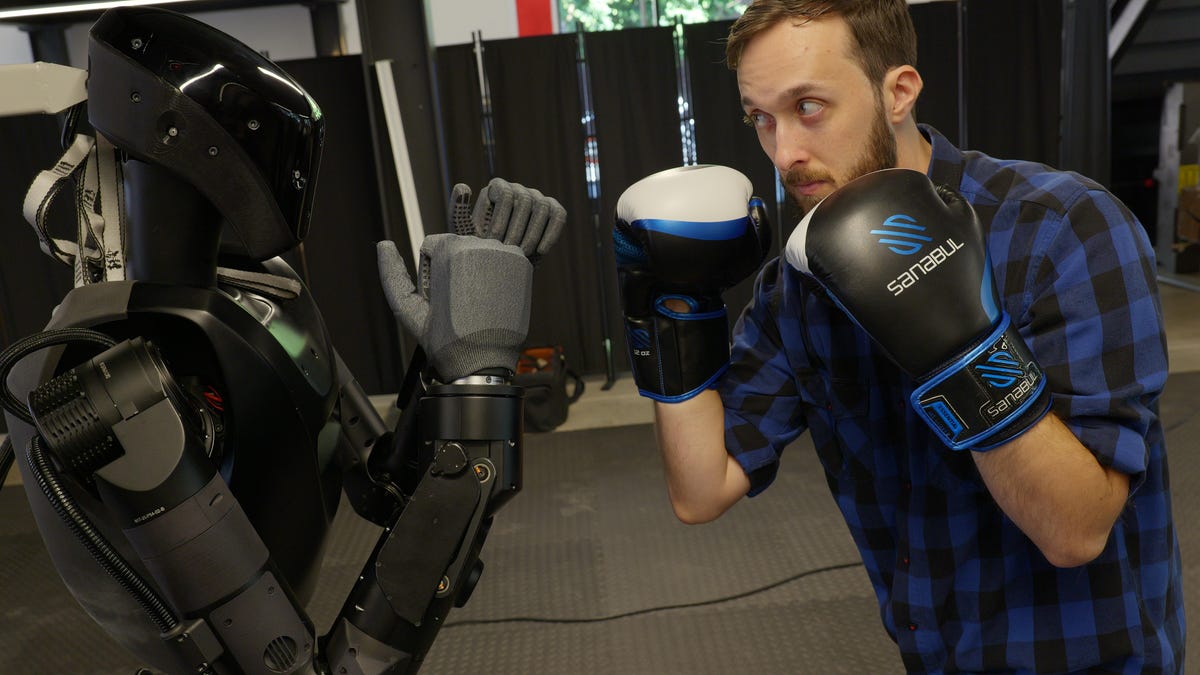
Robots are being taught to work and fight, and some are even made for the battlefield. More humanoids are stepping into our shared spaces every year, and by 2050, there could be 1 billion of them worldwide.
So here’s the real question: If one of them started glitching out, would you know how to stop it in its tracks?
I’ve seen robots spaz, freeze, flail and generally forget how to robot. Maybe it was due to human error, or maybe it was a software hiccup. Either way, when a machine starts freestyling in the wrong direction, sometimes you just need to hit pause.
With that said, let’s count down the top 5 ways I’d stop a robot if it starts to go rogue. This is strictly for real emergency situations when someone’s safety is genuinely at risk, so please use this wisely.
1. Remove the battery
Most robots, unless they’re plugged into a wall somewhere, use a battery for power. It’s often in the chest or backside area, and it’s usually held in by plastic tabs. You can usually pinch these to slide the battery pack out.
The battery is one of the heaviest components of most robots, so if you’re struggling to locate it, try to size up where the robot’s center of mass is. That’s often where the battery is located.
This is the worst way I’d suggest disabling a robot, though, for a couple of reasons.
Firstly, some robots have two batteries so that they can swap their own battery packs without losing power. You may need to remove two batteries instead of one before the rogue robot powers down.
Secondly, removing a battery will almost certainly cause the robot to power down immediately. Some of these robots are quite heavy, even without their battery. And if it’s a humanoid that’s as tall or taller than you, it could cause harm if it lands on you. Heavy limbs and joints could also pinch you as it falls.
If the robot falls, it could also damage itself. But do what you gotta do to protect yourself at the end of the day.
2. Trip the robot
This is going to be way easier with two-legged robots, but even a four-legged robot can still be tripped up.
Again, this could damage the robot or cause it to fall on someone and injure them. So proceed with caution. And if the robot has wheels, this method may not work or be as simple.
3. Blind the robot
You may have seen news stories about protestors immobilizing self-driving cars by getting in the way, blocking their sensors or even just putting a traffic cone on top.
Robots rely on similar sensors and systems to navigate, especially autonomously, as we’ve seen with Tesla, which often touts its cars as robots on wheels.
So, if a robot is doing something undesirable, blinding or confusing its sensors could be a good way to stop it. Covering the sensors with your hand, putting tape or paint over them, or hitting them hard enough to break them would likely be effective.
If the robot is being remotely controlled, however, or teleoperated by someone within the robot’s line of sight, blinding the robot may not do much, since the operator can still see and decide what to do next.
If that’s the case, try one of the other methods on this list.
Blinded or disoriented robots may also act unpredictably, so keep that in mind when deciding how to proceed.
4. Look for the big red button
Emergency stop and power buttons were designed for this exact situation. Some humanoids have big red “stop” buttons right on the robot for you to press. Others have the buttons near an operator control panel. Knowing where the button is located is the first step.
Some robots may be programmed to perform a controlled sit-down (crouching) when the emergency stop button is pressed. This is ideal because the robot is less likely to harm itself or others when powering down in this way.
Other robots may simply lose power immediately, which could result in a plastic-and-metal humanoid weighing up to 200 pounds falling on you, another thing to keep in mind when you hit that button.
5. Take control of the situation
The ideal way to stop a robot only works if you’re able to identify exactly how the rogue robot is being controlled. In that case, you may be able to perform the ultimate turning of the tables, seizing the means of control yourself.
Look out for someone nearby wielding a remote or a video game controller. They could also be wearing a VR headset for teleoperation, issuing voice commands or wearing a full-blown motion-capture suit.
If there’s a human operator and they aren’t already actively trying to stop the robot’s dangerous behavior, you may need to intervene.
If you find the operator, you may be able to (at the very least) get the controls away from them or prevent them from giving any dangerous commands.
And if you get to control the robot yourself, as I’ve been fortunate to do a few times, perhaps you can put it to good use in the world, instead of whatever mischief it was up to that made you have to jump in and save the day.
Read the full article here